34
Setting up the Software
Operation with a Windows
®
Computer and the DJ Controller Sound Card
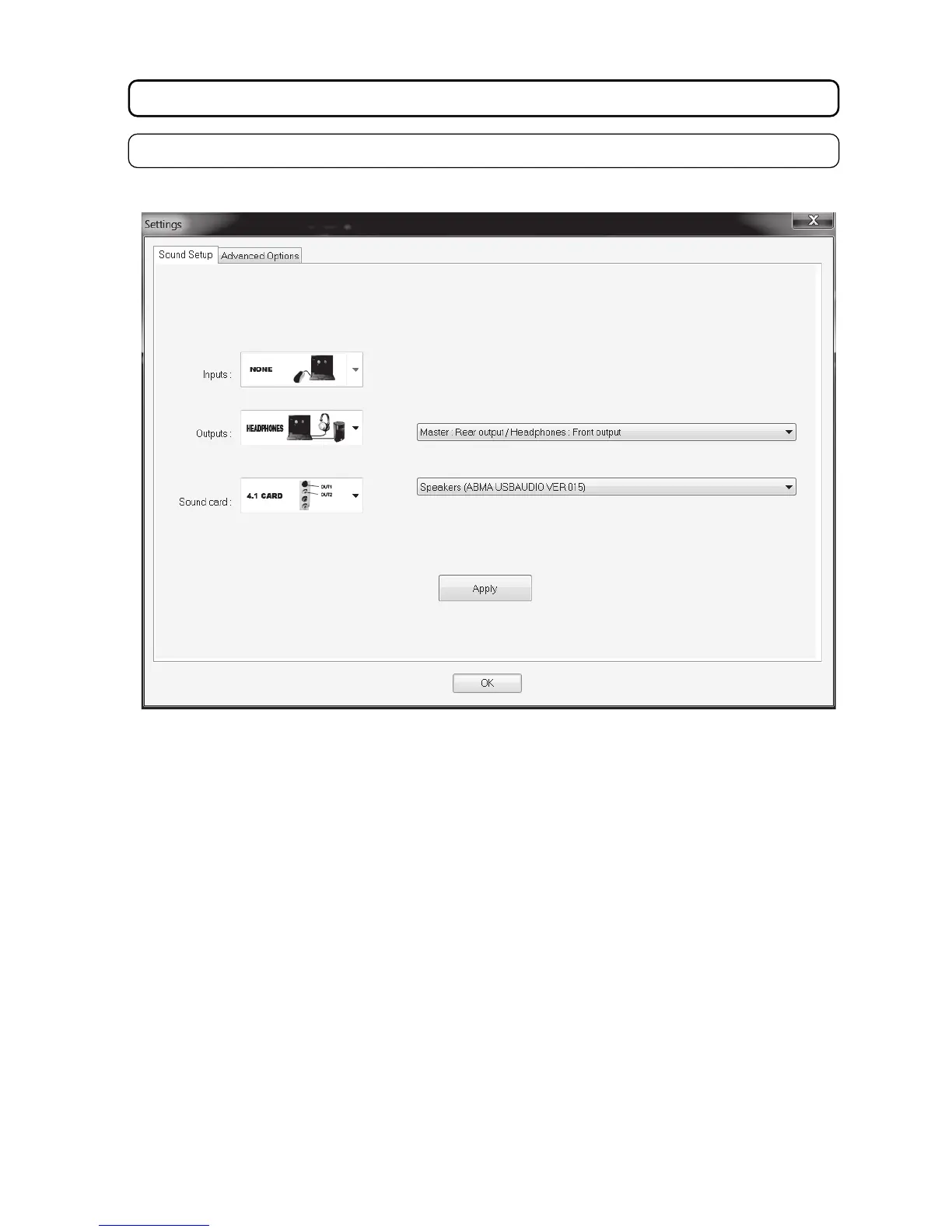
• The following window appears (the window in the figure is only an example):
• In the selection field INPUTS: set “NONE”.
• In the OUTPUTS selection field: set “HEADPHONES”.
• In the selection field to the right of it, set “MASTER: Rear output / HEADPHONES: Front output”.
• In the selection field SOUND CARD, set “4.1 CARD”.
• In the selection field to the right of it, select the DJ controller.
• After all settings are made, click the buttons “Apply” and “OK” to accept the changes.
• Load a track and check that everything works correctly.



 To Next Page