36
BioStamp nPoint User Manual
0-3
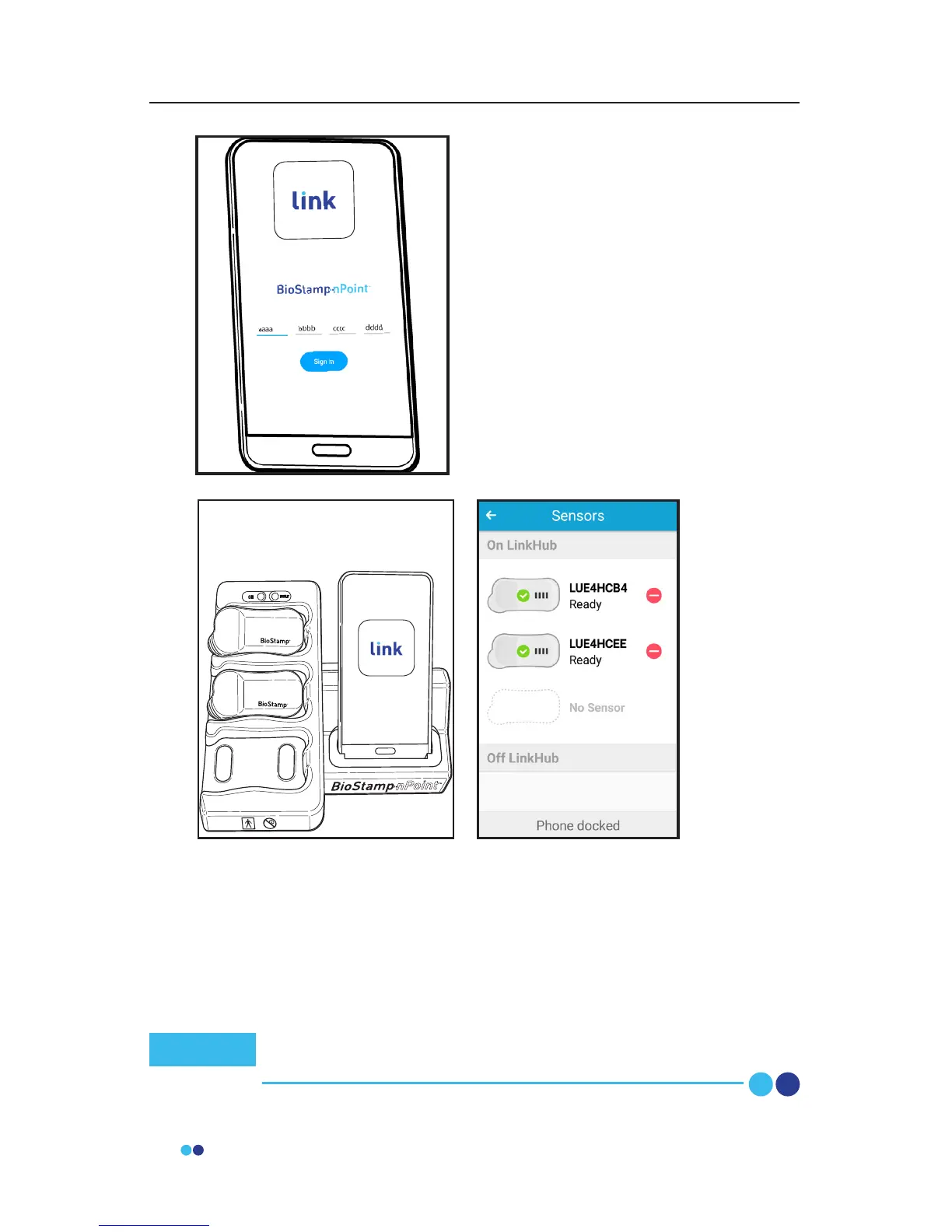
Input this code into the subject’s Link
App to associate the app with the
subject’s study program and assign the
Link Phone to the subject.
This code will also be provided to the
subject for logging in and out of the
Link App.
Place the Link Phone into the Link Hub dock (that you plan to send
home with the subject) and follow the prompt to assign BioStamp
Sensors. Choose the Sensors and place them in the Sensor pockets on
the Link Hub. If assigning more than 3 Sensors, wait until the rst set
of 3 Sensors have been recognized by the Link App and then replace
with any additional Sensors you wish to assign. This can be repeated to
assign as many Sensors to the system as needed.
Once all Sensors have been recognized by the Link App, all
system components have been assigned to the subject.
Note



 To Next Page