37
BioStamp nPoint User Manual
2
Train the Subject and Send Them Home with
BioStamp nPoint Remote Kit
Remote Kit components are designed for Remote operational
use by the subject. Train the subject on system use prior to
sending the subject home with their Remote Kit and Subject
IFU to initiate the study program.
At home, subjects will set the Link Hub
on a at, stable surface, plug the
provided power supply into the back of
the Link Hub, and insert the wall adapter
plug end into a nearby outlet.
Subjects will then charge BioStamp
Sensors by placing them in the sensor
pockets on the Link Hub and will charge
and connect the Link Phone by plugging
into the phone stand in the Link Hub.
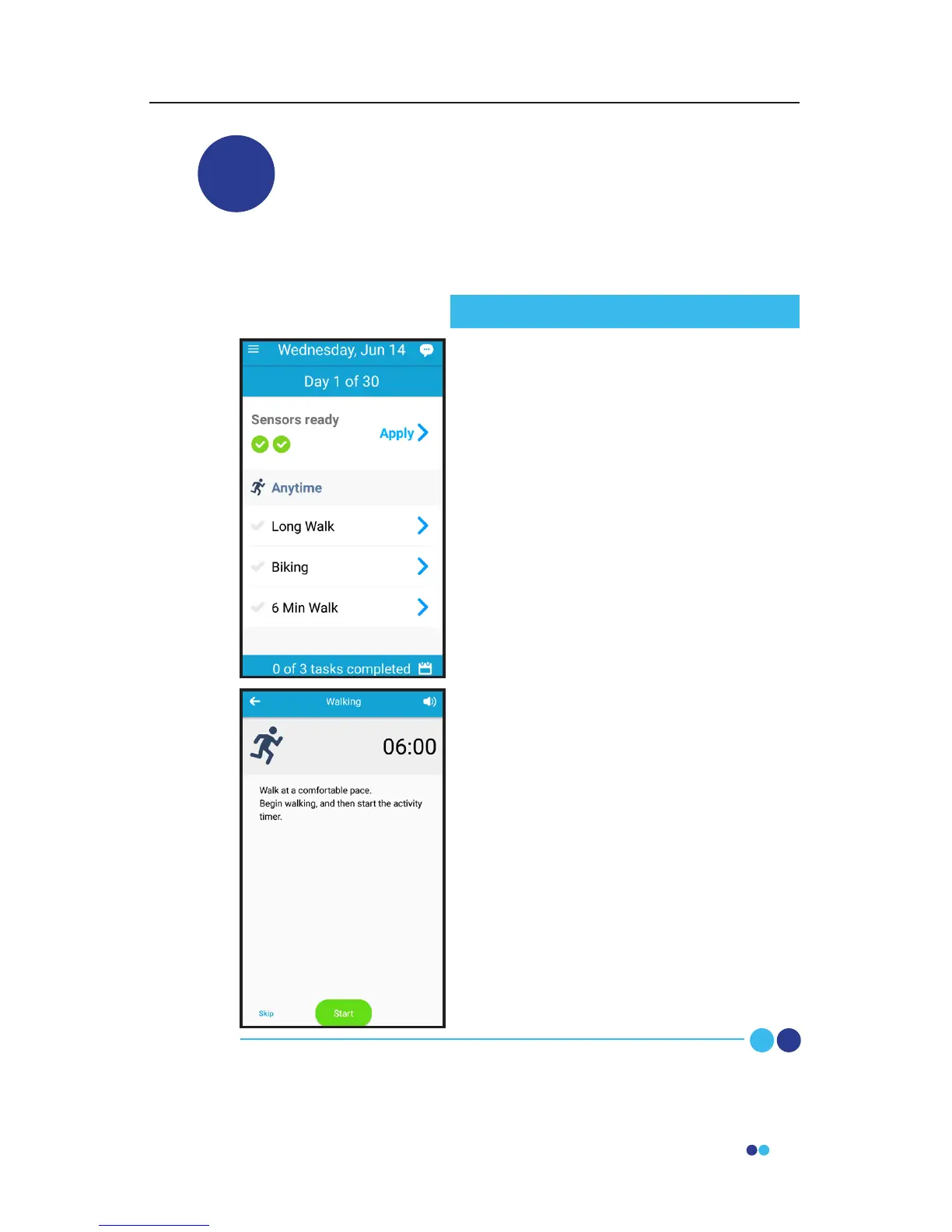
When the phone and Sensors are
charged, they will open the Link App and
follow instructions to apply Sensors
(including Sensor position check),
complete prescribed activities, and
answer survey questions.
At the time of Sensor removal, subjects
will follow instructions to remove, clean,
and recharge Sensors. When Sensors are
placed back on the Link Hub for
recharging, the collected data will be
sent to the Investigator Portal for i
nvestigator review.
Subjects will follow Link Hub instructions
until the end of the Remote Program,
and then return the Remote Kit to the
investigator.
Subject Study Procedure



 To Next Page