5
Secure the chassis unit through the rack rails.
a
With the chassis unit in fully closed position, secure using two spring screws provided in the chassis ear.
b
Tighten the screws. The screws thread directly to the rack posts.
Connect the Management and Console ports
Task
1
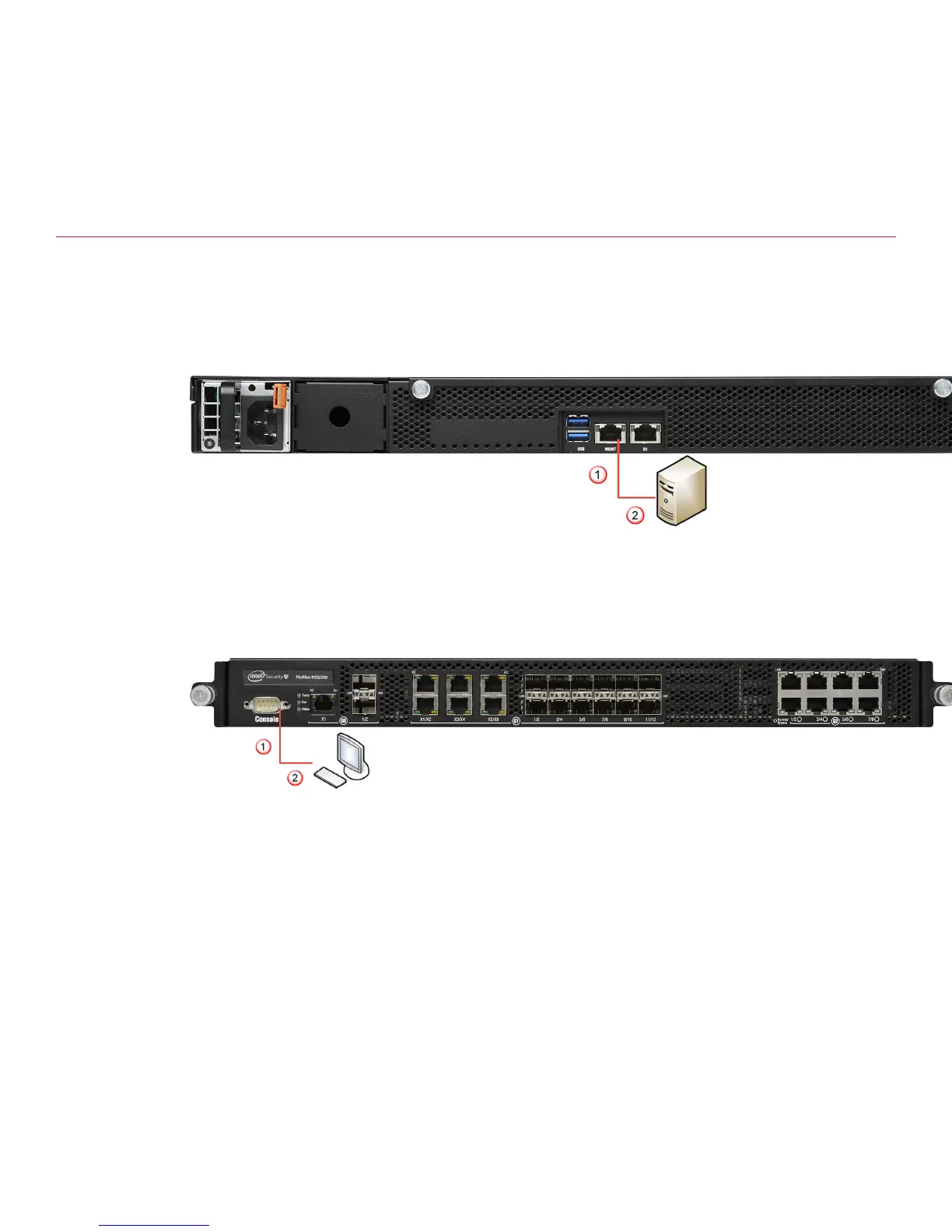
On the rear panel of the NS5x00 Sensors, plug a Category 5e Ethernet cable in the Management port
(labeled MGMT).
2
Plug the other end of the cable into the network device connected to your Manager server.
3
On the front panel of the NS5x00 Sensors, plug the DB9 Console cables into the Console port (labeled
Console).
4
Connect the other end of the Console port cable directly to a COM port of the PC or terminal server you are
using to congure the Sensor (for example, a PC running correctly congured Windows Hyperterminal
software). You must directly connect to the console for initial conguration, you cannot congure the Sensor
remotely.
Terminal servers are provided for console access.
6



 To Next Page