McCain ATC eX NEMA Controller – User Manual 23
Version 1.0
5 MAINTENANCE, ADJUSTMENTS AND TROUBLESHOOTING
This section is intended to indicate the way to perform regular maintenance on the ATC eX NEMA
controller like cleaning and servicing when malfunctions occur. It also describes the adjustments of the
controller and the troubleshooting procedures, precautions that need to be taken before servicing the unit,
a list of test equipment needed for trouble shooting. A basic knowledge of electronics is needed when
servicing this unit.
5.1 Preventive Maintenance
Always make sure to be in an antistatic environment before handling the controller for any type of
maintenance, also the power source must be disconnected before any cleaning, visual inspection of the
enclosure, sub-assemblies, connectors and cables.
Remove dust out of the unit.
Check the wiring, terminals and connectors, replace them if necessary.
Check all mounting hardware, tighten them if necessary.
The preventive maintenance should be based on the install and environmental conditions.
5.2 Adjustment
5.2.1 Control Signals Board Adjustment
Only the Control Signals Board (M66450A) can be adjusted in order to set the AC input hysteresis; this is
a factory set parameter and should never need further maintenance.
5.2.2 LCD Contrast Adjustment
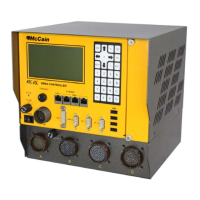
The front panel of the ATC eX NEMA controller provides an adjustment knob labeled as “CONTRAST”.
This adjustment knob is used to adjust the LCD contrast. The LCD contrast changes with variations in
temperature and the direction from which the display is viewed. For example, if the LCD looks fine at eye
level, adjusting the CONTRAST knob returns the sharp contrast. Also, cold or hot temperatures can
cause the same effect, and can be corrected by adjusting the CONTRAST knob. There is no set
adjustment procedure as the appearance of the LCD is left to personal taste.
5.3 Trouble Shooting Analysis
A visual inspection is recommended as a first step on the diagnostics; most problems are related to the
harnesses used for interconnecting the sub-assemblies (broken wires or worn connections on headers
and receptacles connectors).
The trouble analysis should be made by using all available information about the controller’s failure and
all related documentation (assembly drawings, schematics, DAT, etc) in order to isolate and define the
cause; the deep of such analysis depends on the complexity of the failure and the intended solution
(repair, interchange a module, reconfigure, software change, etc).


 To Next Page
 Loading...