Need help?
Do you have a question about the McCain ATC eX NEMA and is the answer not in the manual?
Key advantages of the ATC eX NEMA controller, including compatibility and multitasking.
Technical specifications of the controller, such as OS, microprocessor, memory, and standards.
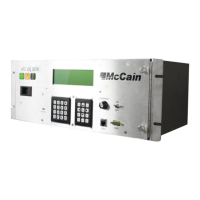
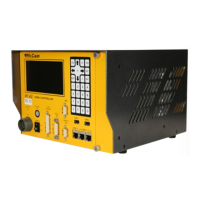
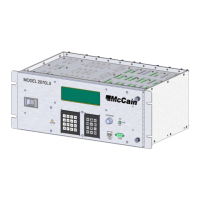
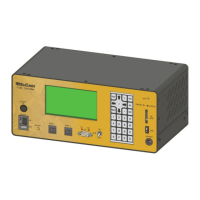
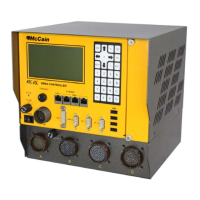
General description of the ATC eX NEMA controller, its design, and capabilities.
Details about the Linux operating system used by the controller and its kernel version.
Description of the controller's modular design, front panel access, and protective enclosure.
Overview of all hardware interfaces and connectors accessible from the controller's front panel.
Details about the optional connector box for TS1 compatibility and its construction.
Description of the controller's internal sub-assemblies and their functions.
Specifications for input voltage, temperature range, humidity, dimensions, and mounting.
Configuration details for TS2 Type 1, including SDLC port usage and AC connections.
Configuration details for TS2 Type 2, involving a connector box and electrical connections.
Steps involved in the controller's boot sequence, including kernel decompression and driver initialization.
Explanation of the controller's three main storage drives and their usage.
Procedures for regular maintenance, including cleaning, inspection, and power disconnection.
Details on adjusting the Control Signals Board and LCD contrast for optimal performance.
Analysis and diagnostic procedures, including the use of the DAT tool for issue resolution.
List of schematic diagrams for various controller components, including part numbers.
List of assembly drawings for the ATC NEMA controller and connector boxes.
Comprehensive list of all parts and materials used in the ATC NEMA controller and connector boxes.
Pin assignments for communication ports on the controller's front panel, including SDLC and RS-232 ports.
Pin assignments for Connector A, B, C, and D for optional connector boxes (Standard and Traconex).
Step-by-step guide for updating the controller's Linux Kernel and U-Boot firmware.
 General
| Ethernet Ports | 2 |
|---|---|
| SDLC Ports | 2 |
| Operating Temperature | -34°C to +74°C |
| Output Voltage | 24 VDC |
| Enclosure Rating | NEMA TS2 |
| Mounting Type | Shelf or Rack |
| Controller Category | ATC |
| Number of Inputs | 8 |
| Number of Outputs | 8 |

 To Next Page