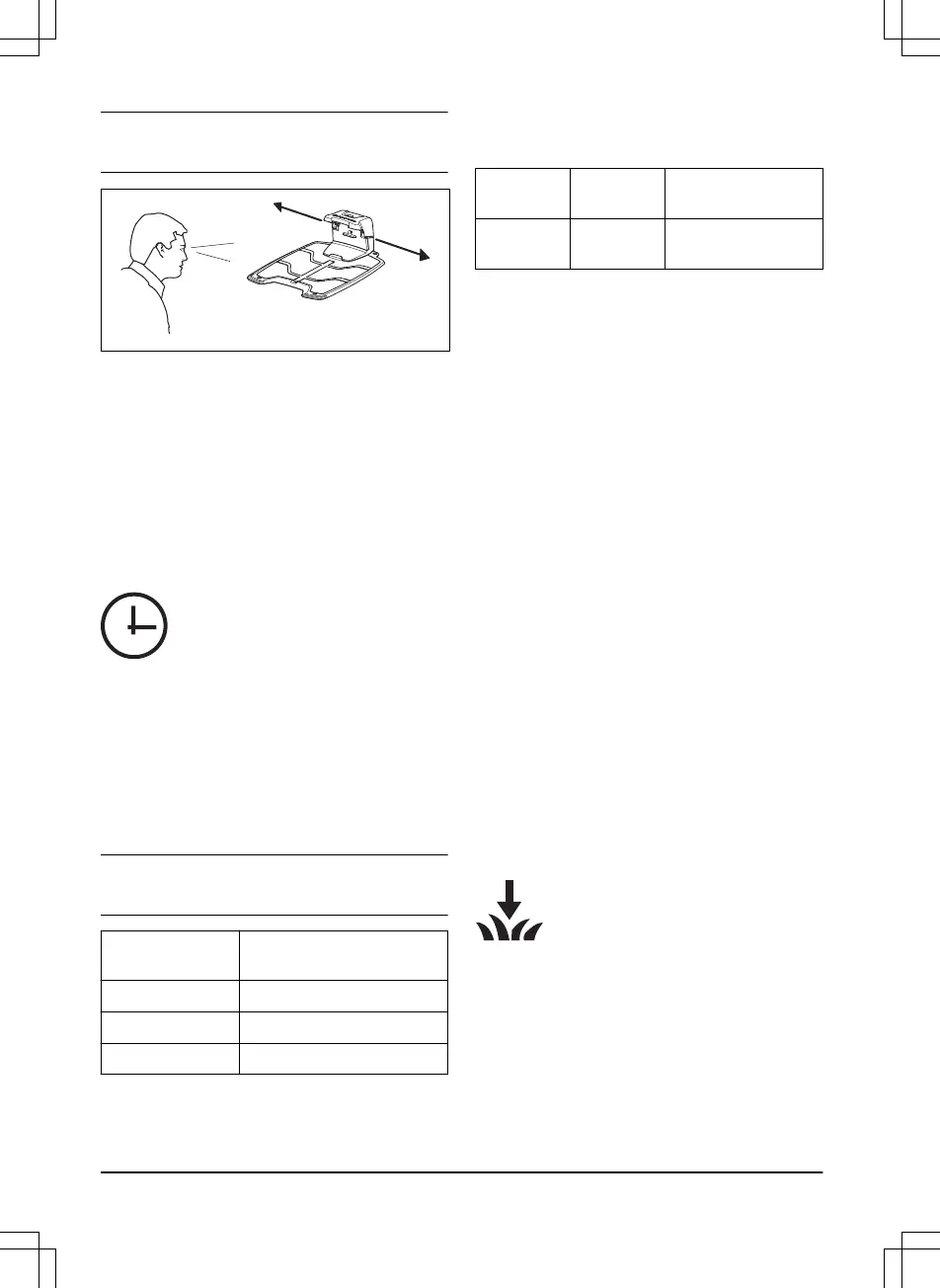
Note: The product always runs to the left of the
guide wire (as seen facing the charging station).
3.9 To do the product settings
The product has factory settings but the settings
can be adapted to each work area.
3.9.1 To get access to the menu
1. Push the STOP button.
2. Enter the PIN code on the keypad.
3. Push the MENU button.
3.9.2 To do the timer settings
3.9.2.1 To calculate the timer setting
1. Calculate the dimension of your lawn in m
2
/
yd
2
.
2. Divide the m
2
/ yd
2
of the lawn with the
approximate operation capacity. Refer to
table below.
3. The result is equal to the number of hours
that the product must operate each day.
Note:
The operation capacity is approximate and
timer settings can be adjusted.
Model Approximate operation ca-
pacity, m
2
/ yd
2
/ h
ROB R600 43 / 51
ROB R800 50 / 59
ROB R1000 48 / 57
Example: A lawn of 500 m
2
/ 600 yd
2
, cut with a
ROB R1000.
500 m
2
/ 48 ≈ 10.5 h.
600 yd
2
/ 57 ≈ 10.5 h.
Days /
week
h / day Timer settings
7 10.5 07:00-17:30 / 7:00
am - 5:30 pm
3.9.2.2 To set the timer
1. Do steps 1–3 in
To get access to the menu
on page 22
.
2. Use the multi-choice buttons to move
through the menu structure to select
Timer
.
3. Use the multi-choice buttons to select
Work
hours 1 or Work hours 2
.
4. Enter the time with the number buttons.
5. Push
OK
.
6. Use the multi-choice buttons to select
Work
days
.
7. Use the multi-choice buttons to select the
days that the product will operate.
8. Push
OK
.
3.9.2.3 To reset the timer setting
You can remove all timer settings and use the
factory setting. The factory timer setting lets the
product operate all hours each day of the week.
Refer to
Timer and Standby on page 28
.
1. Do steps 1–3 in
To get access to the menu
on page 22
.
2. Use the multi-choice buttons to move
through the menu structure
Timer > Reset
timer
.
3. Push
OK
.
3.9.3 Installation (ROB R800, ROB R1000)
In the Installation menu it is possible to
adapt the settings of the product for
best mowing result.
3.9.3.1 Guide width
The guide width is a measure of how far from the
guide wire the product is allowed to travel when it
follows this to and from the charging station. The
area beside the wire which the product uses is
called the Corridor.
22
- Installation
1054 - 001 -




 To Next Page