8
Insert a 4 mm round pin and lock the
ackerman plate to prevent steering.
Servo connection holes
Figure I
Figure J
Figure H
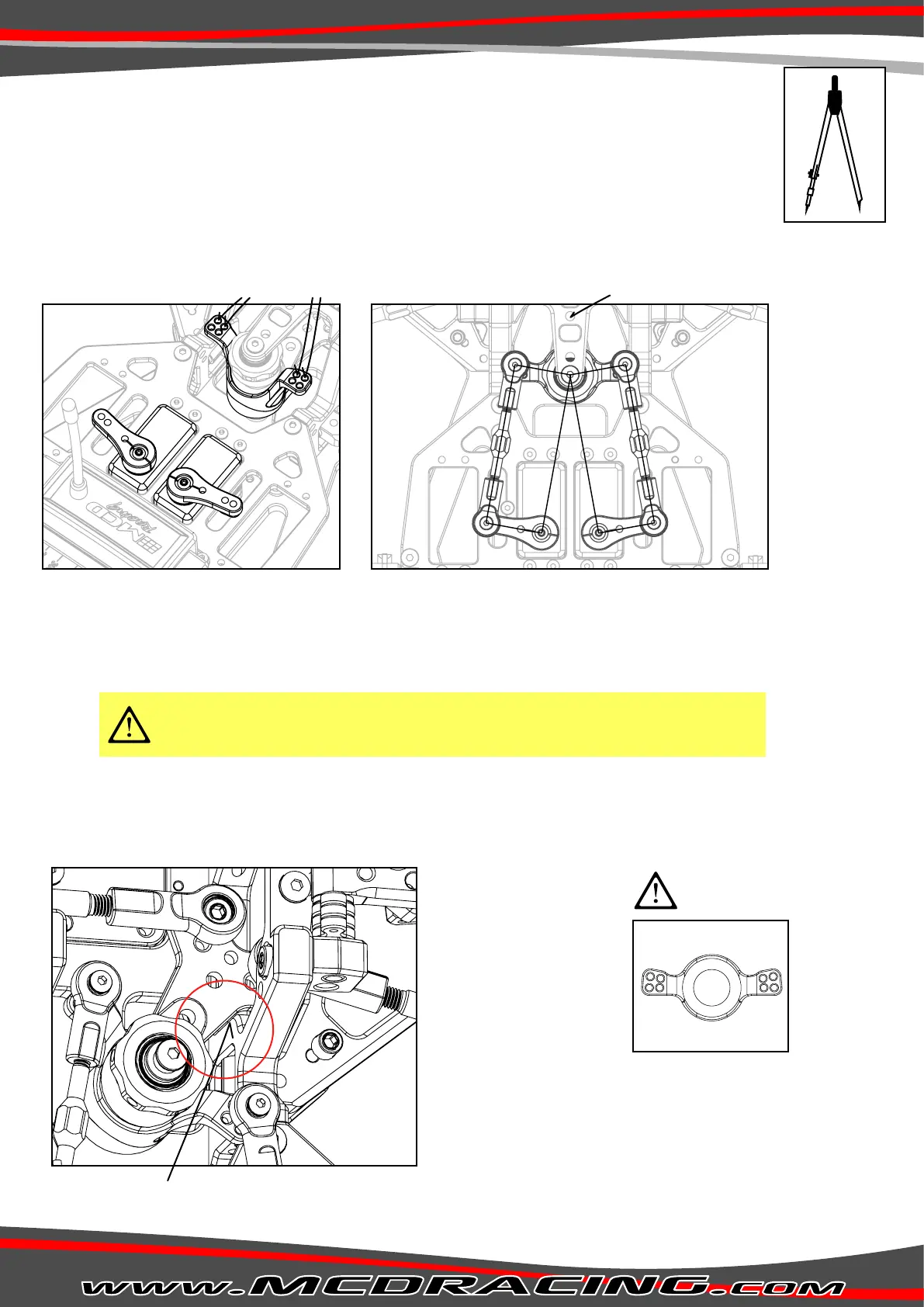
1. Install servos as shown in Figure A.
2. Insert a 4 mm round pin and lock the Ackerman plate to prevent steering (shown in Figure I). Servo saver will be
locked in the central position.
3. Make sure you install the steering servo horns with a slight angle as shown on Figure A.
4. Mount the steering servo linkages to the correct servo holes according to your servo horns(by default the linkages
are mounted on the outer servo holes). Figure H
5. Be sure that the distance D is equal to the servo horn distance E as shown in Figure I.
6. Measure the distance A shown in Figure I with a divider.
7. Set the servo linkages the same distance with distance A.
8. Set steering EPA to approx. %70.
9. From the sub trim menu, adjust the servo horns positions to match the previously adjusted servo linkage lengths.
10. Assemble the linkages on the servo horns.
11. Remove the 4mm round pin inserted in step 2.
12. To set the steering endpoint(EPA), open the EPA menu. Steer until the steering bracket touches to the wishbone
tower(shown in Figure J) and set your EPA. Do the same step for both left and right.
Double-servo installation is critical and should be handled carefully. If not installed
properly the servos will work against each other and damage themselves.
Be sure that the distances A, B and C are equal!
Instaling the steering servos.
Caution!
Tip!: Use a divider to
measure the distances.
C
A
A
D
D
E
E
B
Servo 1 Servo 2
Front
Rear
Be sure that the steering servo
connection hub is oriented correctly.
Steer until the steering bracket touches to the wishbone tower.
Caution!



 To Next Page