43
100813
Cleaning Procedure - 24 Hour Stores Only
(Grills Not
Using Lower Release Sheets)
1. Press the
key until the message
“CLEANING” is displayed. Press the
key.
2. The grill controller will display “GRILL
TOO HOT FOR CLEANING” until the grill
reaches the proper temperature for
cleaning. When the proper temperature is
reached, a tone will sound and the control
will display “GRILL READY FOR
CLEANING”.
3. Press the
key to cancel the alarm.
4. Press the
key again and the
message “OFF” will display.
5. Clean the grill using the Closing
Procedures starting on page 35.
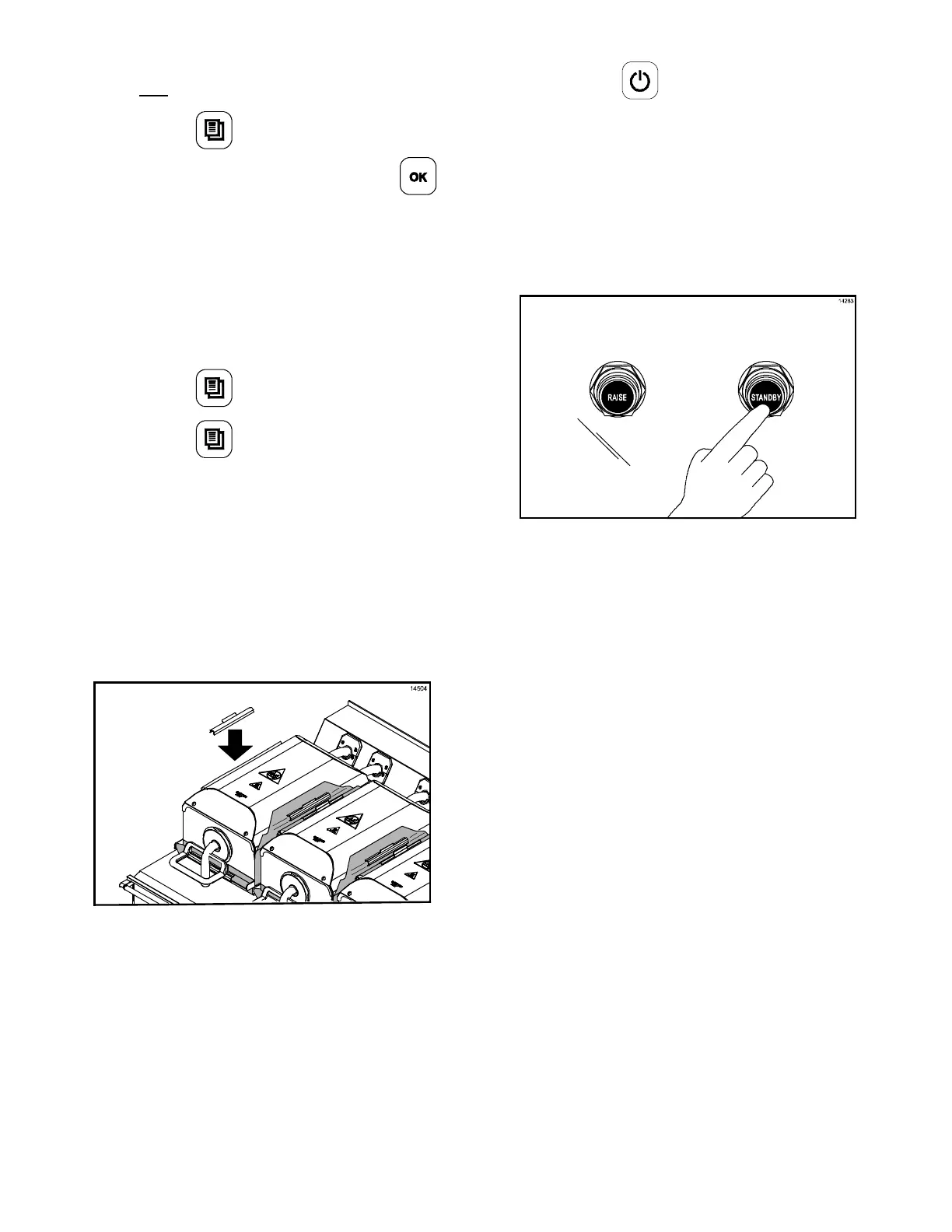
6. After the grill has been cleaned, place the
fan interlock switch in the OFF position.
Wait 10 seconds and then place the
switch back in the ON position. The
display will read “OFF”.
7. Reinstall the release sheets.
(See Figure 116.)
Figure 116
8. Press the key for 3 - 5 seconds. “AM
TOO COOL” and “AM FOLDED EGGS -
FLAT” will be displayed on the control
screen.
9. The screen will then display, “CLEAN
GRILL SURFACES,” followed by “CLOSE
PLATEN FOR AUTO LEVELING.”
10. Press the Standby button to close the
platen. (See Figure 117.)
Figure 117
11. After the platen has closed, the control will
display “GRILL TOO COOL FOR AUTO
LEVELING” until the grill reaches the
proper temperature. When the proper
temperature is reached, the platen will
self-level and open when completed. The
grill will be in the AM Manual mode.
12. The grill is now ready to use.


 To Next Page