EasyManua.ls Logo

McDonald's C842 - User Manual

McDonald's C842
72 pages
Print Icon
To Next Page IconTo Next Page
Loading...
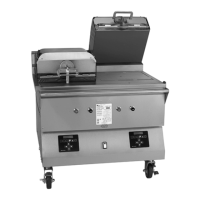
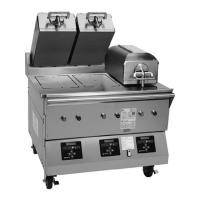
Clamshell Grill
Models C842 & C844
Place this chapter in the Grill section
of the Equipment Manual.
Manufactured exclusively for
McDonald's® by
Taylor Company
750 N. Blackhawk Blvd.
Rockton, IL 61072
Phone: (815) 624-8333
Toll Free Number
Outside Illinois:
1 (800) 228-8309
Inside Illinois:
1 (800) 851-5639
Fax: (815) 624-8000
Table of Contents
Introduction Page 1.....................................................
Safety Page 1..........................................................
Parts Identifications/Functions Page 4.....................................
Important to the Operator Page 12.........................................
Equipment Set Up Procedures Page 14.....................................
Menu Screens Page 18...................................................
Daily Cleaning Procedures Page 26........................................
Troubleshooting Guide Page 44............................................
Limited Warranty on Equipment Page 47....................................
Limited Warranty on Parts Page 49.........................................
Ordering/Service Information Page 52......................................
Non-Scheduled Maintenance Page 53......................................
System Set-up Page 53...................................................
Menu Items Page 58.....................................................
Auto Leveling Page 66....................................................
Warranty
Warranty information is contained in this Equipment Manual. Refer to the warranty information listed in the Limited
Warranty on Equipment and Limited Warranty on Parts sections and to the warranty classifications listed in the Parts
Identification/Function section when service is performed on your machine.
Itisrecommendedthattheoperatortakethenecessarytimetocarefullyreadthroughthecompletewarrantyinformation.
Thoroughly understand your warranty protection before you begin operation.
For any questions pertaining to the Taylor Warranty, please contact Taylor Company, Rockton, Illinois 61072.
This manual is for the exclusive use of licensees and employees of McDonald's Corporation.
E2010 McDonald's Corporation
All Rights Reserved
January, 2010 (Original Publication)
(Updated May, 2016)
EM SD11
Printed in
The United States of America

Questions and Answers

Summary

Introduction and Grill Features

Grill Features and Options

Describes the IntelliGap grill's independent platens, auto-leveling, and cooking modes (Auto/Manual).

Safety Information and Precautions

General Safety Precautions

Lists essential safety measures for operating the grill, including reading the manual and supervision.

Electrical Safety and Grounding

Details electrical safety, proper grounding, and cord requirements for safe operation.

Combustible Materials and Ventilation

Warns against placing the grill near combustible materials and obstructing ventilation.

Extreme Caution with Hot Surfaces

Advises caution to avoid burns from hot grill surfaces and grease.

Grill Placement and Stability

Emphasizes placing the grill on a level surface and caution during movement to prevent tipping.

Hazard Communication Standard (HCS)

Explains how chemical products used in the manual are identified and referenced.

Product Origin and Noise Level

States product origin, metric conversions, and specifies the airborne noise emission level.

Disposal of Product Compliance

Explains disposal requirements for compliant products based on EU directives.

Parts Identification and Functions

C842 Exploded View Parts List

Lists parts for the C842 model with item number, part number, description, quantity, function, and warranty class.

C844 Exploded View Parts List

Lists parts for the C844 model with item number, part number, description, quantity, function, and warranty class.

Front View Components Identification

Identifies components visible from the front of the C842/C844 grill, including buttons and display.

Side View Components

Details components visible from the right and left sides of the grill, such as handles and manifolds.

Grill Accessory Parts List

Lists accessories for the grill, including release material rods, clips, and sheets.

Important Information for Operators

Operator Control Panel Identification

Identifies and describes the function of each control button and the display on the operator panel.

Operator Control Symbol Definitions

Explains the meaning of symbols used on the operator control keys for international communication.

Equipment Set-Up Procedures

Installing Upper Release Material Sheets

Step-by-step guide for installing release material sheets on the upper platens of the grill.

Installing Lower Release Sheets

Instructions for installing release sheets on the lower grill surface, including cleaning and applying flakes.

Lower Release Sheet Application

Detailed steps for applying lower release sheets, including squeegeeing and securing.

Grill Start-Up and Operation

Grill Start-Up Procedure

Steps for starting up the grill, including setting the fan interlock and pressing the standby button.

Flat Grill Cooking Procedure

Steps to select a flat grill menu item and start the cooking cycle.

Transitioning Between AM;PM Modes

How to transition the grill from AM to PM operation or select a specific breakfast item.

Viewing Current Grill Temperatures

Instructions on how to display actual and set point temperatures on the controller.

Menu Screens and Product Selection

Operator Menu Access

Explains how to access the Operator Menu using a passcode and lists available parameters.

Manager Menu Access

Details accessing the Manager Menu with a passcode and lists available menu items and setup parameters.

AUTO Mode Product Selection

Describes using the AUTO mode for product selection, available only for clam items.

MANUAL Mode Product Selection

Explains how to select products manually using the control panel keys.

Patty Placement and Patterns

Meat Patty Placement Guidelines

Provides guidelines and charts for placing meat patties on the grill zones for optimal cooking.

Patty Laying Patterns

Illustrates patterns for laying patties (1-8) for different types like Angus, 4:1, and 10:1.

Patty Pulling Patterns

Shows the recommended sequence for removing patties from the grill after cooking.

Standby and Cleaning Procedures

Placing Grill in Standby Mode

Steps to place the grill in standby position using the standby button.

Resuming Cooking from Standby

Instructions on how to raise the platen to the OPEN position to resume cooking.

Daily Cleaning (Grills Using Lower Release Sheets)

Step-by-step guide for daily cleaning of grills that use lower release sheets.

Grill Cleaning Steps

Details on cleaning procedures, including using the correct keys and putting on gloves.

Daily Cleaning Procedures

Daily Cleaning (Grills Not Using Lower Release Sheets)

Steps for daily cleaning of grills that do not use lower release sheets.

Cleaning Steps (No Lower Release Sheets)

Detailed cleaning procedures for grills without release sheets, including scraping and using cleaner.

Cleaning Platen Surfaces and Edges

Detailed instructions for cleaning platen surfaces, edges, and center platen for grills without lower release sheets.

Rinsing and Wiping Grill Components

Steps for rinsing platens, surrounding areas, and wiping with a sanitizer-soaked cloth.

Cleaning Release Sheets and Grill Surface

Instructions for cleaning release sheets, lower grill surface, and re-installing components.

24-Hour Store Cleaning Procedures

24-Hour Cleaning (Grills Using Lower Release Sheets)

Specific cleaning procedures for 24-hour stores using grills with lower release sheets.

24-Hour Cleaning Steps (Lower Release Sheets)

Detailed steps including washing, rinsing, sanitizing, and setting up the grill.

Daily Cleaning (Grills Not Using Lower Release Sheets)

Steps for daily cleaning of grills that do not use lower release sheets.

Cleaning Steps (No Lower Release Sheets)

Detailed cleaning procedures for grills without release sheets, including scraping and using cleaner.

Applying Grill Cleaner and Scrubbing

Instructions on applying and scrubbing with grill cleaner on platens and surfaces.

Cleaning Platen Surfaces and Edges (No Lower Release Sheets)

Steps for cleaning platen surfaces, edges, and center platen for grills without lower release sheets.

Scrubbing and Rinsing Grill Components

Instructions on scrubbing platens, rinsing components, and cleaning surrounding areas.

Final Wiping and Grease Pan Maintenance

Steps for wiping the lower grill surface, maintaining grease pans, and applying cooking oil.

Grill Cleaner Application and Residue Removal

Detailed steps for using the cleaning pad holder, removing residue, and cleaning release sheets.

Final Grill Surface Cleaning and Oil Application

Instructions for final wiping of the grill surface, grease pan maintenance, and oil application.

24-Hour Store Cleaning Procedure (No Lower Release Sheets)

24-Hour Cleaning (Grills Not Using Lower Release Sheets)

Specific cleaning procedures for 24-hour stores using grills without lower release sheets.

Troubleshooting Guide

Troubleshooting - Heating Issues

Identifies problems with zones not heating or overheating and their probable causes and remedies.

Troubleshooting - Power and Platen Issues

Addresses issues like the grill/hood not turning on or platens not staying in position.

Troubleshooting - Product and Leveling Issues

Covers problems like under/overcooked product, uneven cooking, unrecognized product, and auto-leveling failures.

Limited Warranty on Equipment

Taylor IntelliGap Grill Warranty Terms

Outlines the limited warranty period and conditions for the IntelliGap grills.

Warranty Coverage Exceptions

Lists items and conditions not covered by the equipment warranty.

Warranty Limitations and Legal Remedies

Details warranty limitations, exclusions, and the process for legal remedies.

Limited Warranty on Parts

Taylor Genuine Parts Warranty

Specifies the limited warranty periods for various classes of Taylor genuine parts.

Parts Warranty Conditions

Lists conditions required for parts warranty coverage, including installation and maintenance.

Parts Warranty Exclusions

Details exclusions from the limited warranty for Taylor genuine parts.

Ordering and Service Information

Distributor and Data Label Information

Fields for distributor details and essential data label information for service calls.

Release Material Part Numbers

Lists part numbers for upper and lower platen release materials.

Non-Scheduled Maintenance Safety

Electrical Safety for Servicing

Critical safety warning about disconnecting electrical connections before servicing.

System Set-Up Procedures

Entering System Setup Menu

Steps to enter the SYSTEM SET UP menu using the control panel.

Probe Calibration Procedure

Guide to calibrating thermocouple probes on the grill's heat zones.

Display Temperature Units (°F;°C)

How to change the temperature display between Fahrenheit and Celsius.

Auto Close Setting

Instructions for configuring the auto-close feature for the grill platens.

Speaker Volume Adjustment

How to adjust the volume of audible alerts and feedback from the grill.

Too Cool Delay Setting

Instructions for adjusting the delay time before the grill displays "TOO COOL".

Auto Prod Melt Time Configuration

Details on configuring the auto prod melt time feature to prevent product deformation.

Sending a Service Pin

Procedure for sending a service pin to enable the Gateway feature on control panels.

Gateway Enabled Configuration

Steps to enable the Gateway feature on each control panel for smart equipment communication.

Setting Date and Time

Instructions for setting the current date and time on the grill's control panel.

24 Hour Store Configuration

How to configure the grill for operation in a 24-hour store setting.

Entering Menu Items

Steps to access and navigate the menu items list on the control panel.

Viewing Menu Item Settings

How to view the settings for a specific menu item.

Changing Menu Item (AM or PM)

Steps to change the AM/PM selection for a menu item.

Changing Product Cook Times (Remove In)

How to adjust the "Remove In" time setting for product cook times.

Change Remove Alarm Mode

Steps to configure the remove alarm settings for menu items.

Change Remove Gap Mode

How to adjust the remove gap settings for menu items.

Change Product Cook Temperatures (Top;Bottom Temp)

Steps to adjust the top and bottom temperature settings for product cook times.

Change Auto Selection Mode

How to configure the auto selection mode for menu items.

Changing Product Thickness Recognition (Auto Gap)

Procedure to adjust product thickness settings (auto gap) for deformed products.

Programming Optional Menu Items

Steps for programming new optional menu items for the grill.

Flat Selection Procedures

Procedures for selecting and configuring flat grill items, including functions and time.

Clam Selection Procedures

Steps for selecting and configuring clam items, including gap stages and remove in settings.

Multi-gap Product Programming

Detailed steps for programming multi-gap products, including stage time, gap, and temperature.

Menu Item Removal and Auto Leveling

Procedure for Removing Menu Items

Steps to remove non-core menu items from the grill's programming.

Initiating Auto Leveling

Steps to initiate the auto leveling process for the grill platens.

McDonald's C842 Specifications

General IconGeneral
BrandMcDonald's
ModelC842
CategoryCommercial Food Equipment
LanguageEnglish

Related product manuals