iView Windows and Tabs
8-33
8
Pinning and Unpinning Windows
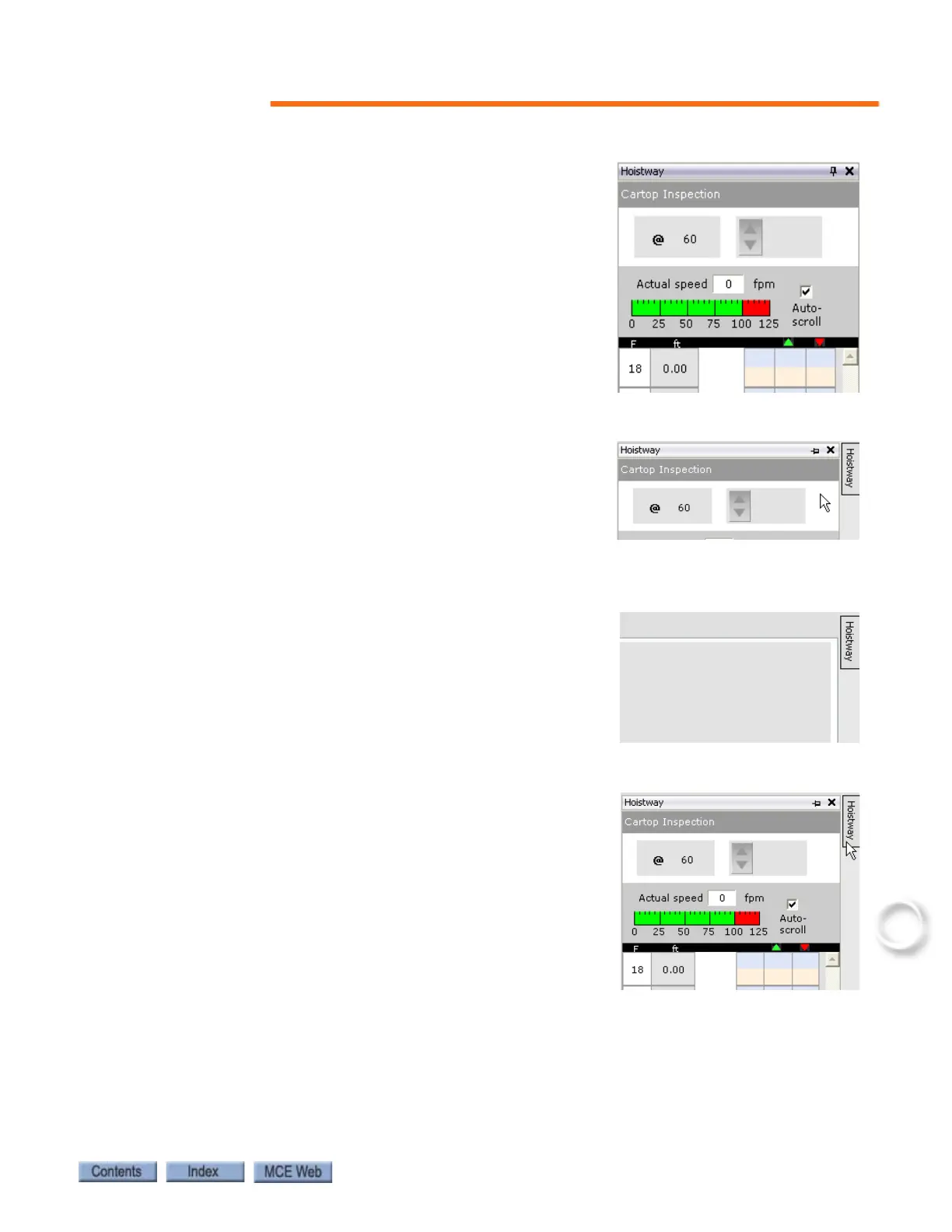
Notice that iView windows have a little push-pin icon in the
upper right corner, e.g. the Hoistway window shown on the
right.
• When the pin is pointing down, the window is “pinned”
in its designated position.
• If you click the pin icon, it points to the left and a but-
ton, labeled Hoistway, appears to the right of the win-
dow.
• The window remains in view if the window has focus
(click the window title bar) or as long as the mouse cur-
sor remains on the window or button.
• But if another window has focus and you move the
mouse cursor off of the window or button, the window
collapses out of view.
• To temporarily bring the window into view again, place
the mouse cursor over the button. The window slides
into view and will remain in view if you click the win-
dow’s title bar or as long as the cursor remains on the
button or window.
To permanently display the window again:
1. Bring the window into view by placing the cursor over
the button.
2. Click the pin so that it is pointing down again.



 To Next Page