iView - Controller View
9-30 Manual # 42-02-2222
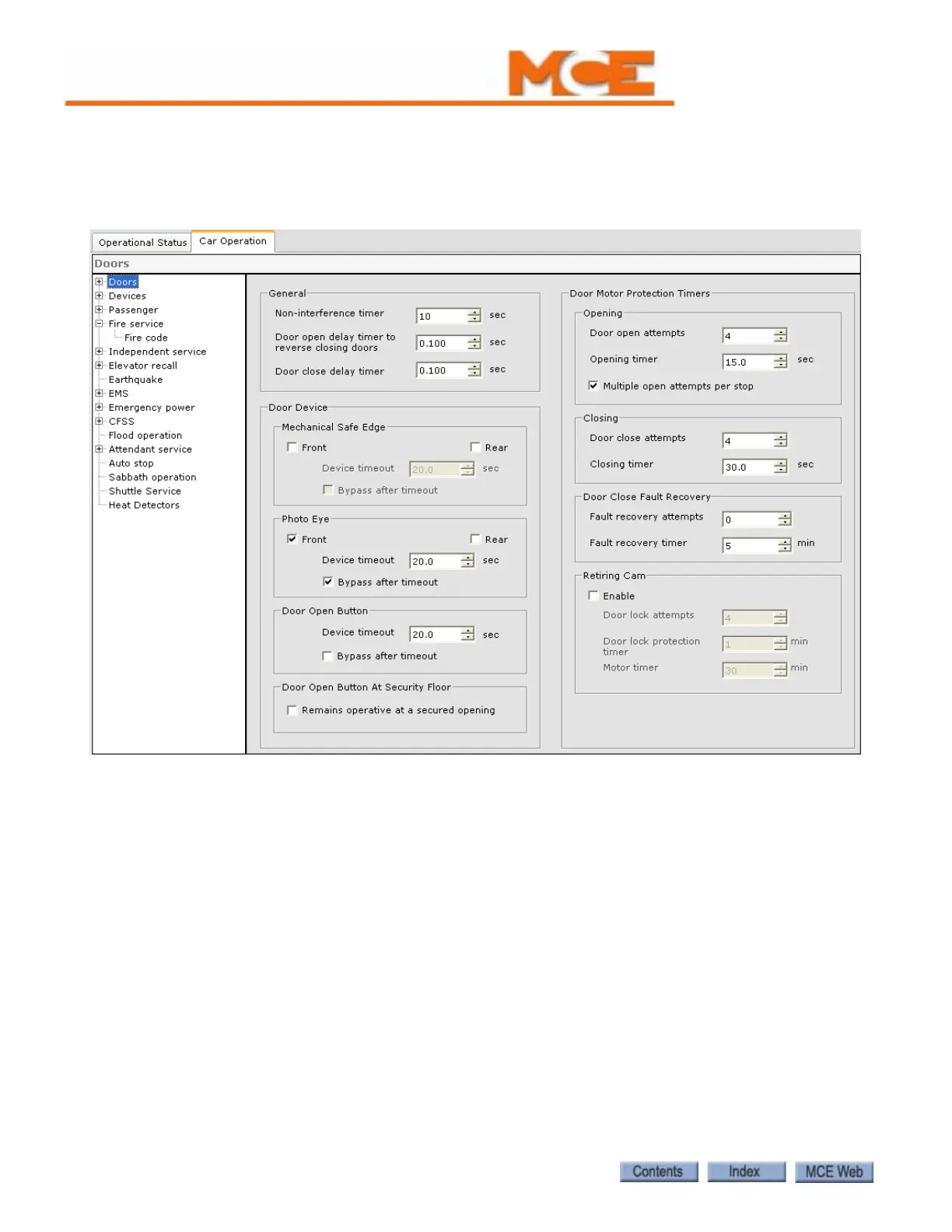
Car Operation - Doors tab
The Doors tab allows you to set bypass timers for elevator safe edge and photo eye devices, set
door protection timers, enable simplex operation, latch open or close door power, and disable
door contact monitoring.
General
• Non-interference timer: Determines the number of seconds a car with non-automatic door
operation waits at a floor in response to a call before proceeding to answer other demands.
• Door Open delay timer to reverse closing doors: This timer is used to delay the door open
command on closing doors.
• Door close delay timer: This timer is used to delay the door close command.
Door Device
• Mechanical Safe Edge: Check Front and/or Rear to indicate that the doors have a mechan-
ical safe edge. If, after a period of time, an active safe edge input should be bypassed and
the doors closed, enable bypass (check Bypass after timeout) and set the timer (Device
timeout) to the desired time. This option works in conjunction with Nudging (see “Nudg-
ing” on page 9-37).



 To Next Page