L
R
CPU
MIC
Line
CLIPCLIP
SIGNALSIGNAL SIGNAL
CLIP
MIC/INST RMIC/INST L
Mix-Lite
USB Audio Interface
RCA IN
POWER
ON
OFF
PHANTOM
+48V
MIC/INST
Min MaxMin MaxMin Max
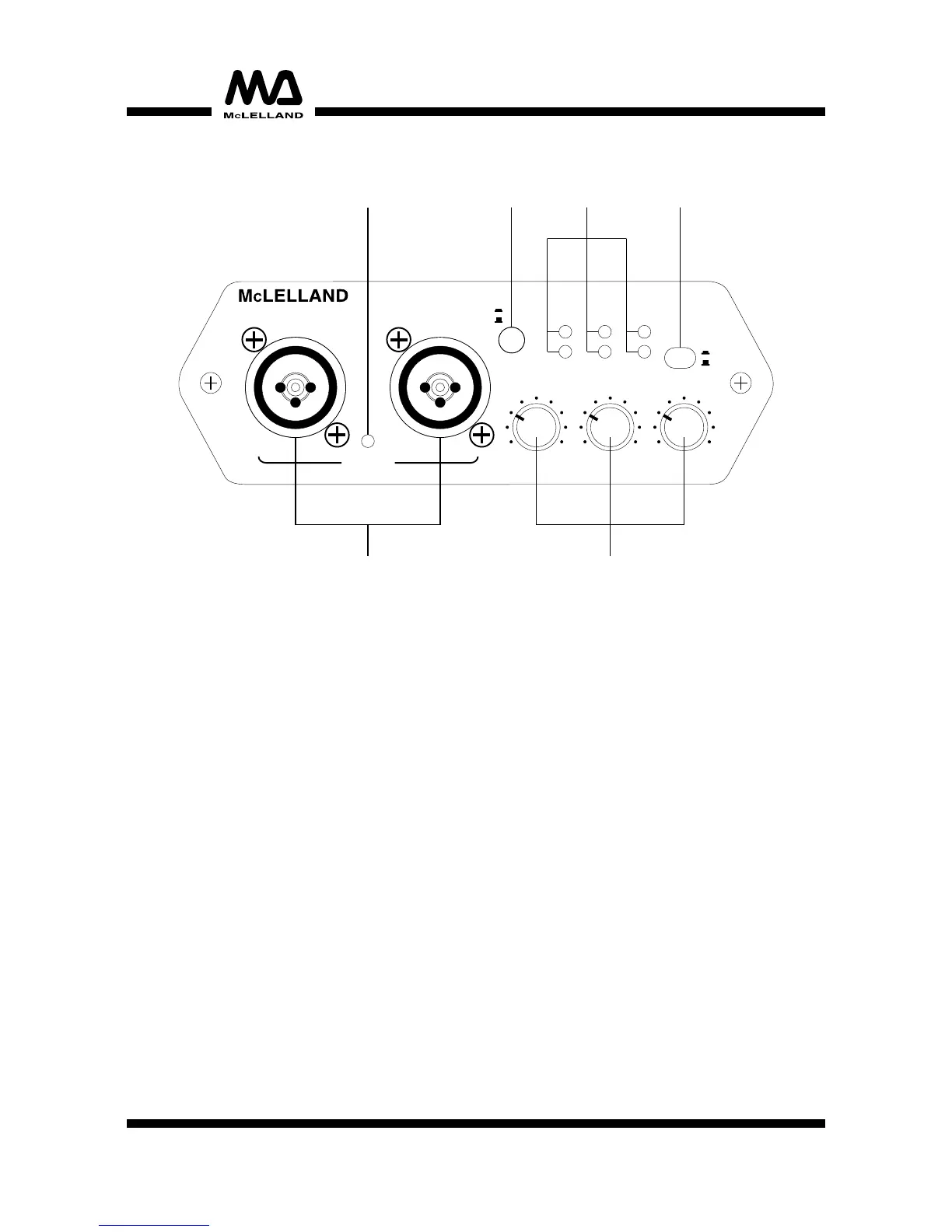
FRONT PANEL
1. Mic/instrument input:
Balanced combo connectors(XLR/6.3mm jack) either for connecting microphones via XLR or
6.3mm jacks or for high-impedance music instruments such as electric guitars or electric bass
guitars via 6.3mm jacks.
2. Mic/instrument L/R & RCA IN input gain control:
Control the amplification of the analog Mic/instrument inputs and RCA IN.
3. Power ON/OFF button:
Press the button to switch on the unit. When the unit switched on the button lights red. Release
the button to switch off the unit.
4. Signal/Clip LEDs:
The green signal LED lights when an analog input signal is present at the corresponding input.
The red clip LED lights 1 dBFS below the clipping point of the input. If the clip LED lights
permanently reduce the amplification for the input.
5. Mic/instrument select button:
For selecting the input level at the 6.3mm jacks of the Mic/instrument inputs:
• button pressed: input switched to high-impedance instrument level.
• button released: input switched to microphone level.
6. +48V phantom power LED:
This LED lights when phantom power is switched on for the XLR inputs.
1 2
3
4
5
6
4


 To Next Page
 Loading...