Commercial in Confidence
Smartfind EPIRB service manual Page 23
c) Refit circuit board
1. Unseal new silica gel pack. Use double-sided adhesive tape to attach to PCB.
2. Offer circuit board into position. Note that the bracket slides over the stud in
the dome and that the PCB fits into guides in the dome plastic. Refit the
retaining nut and torque to 60cNm. It is very important to ensure that this is
tightened correctly because this is the connection to the antenna for the RF
transmissions.
3. Fit new o-ring onto dome moulding.
4. Re-connect battery connectors (3 off). The order/position is not important.
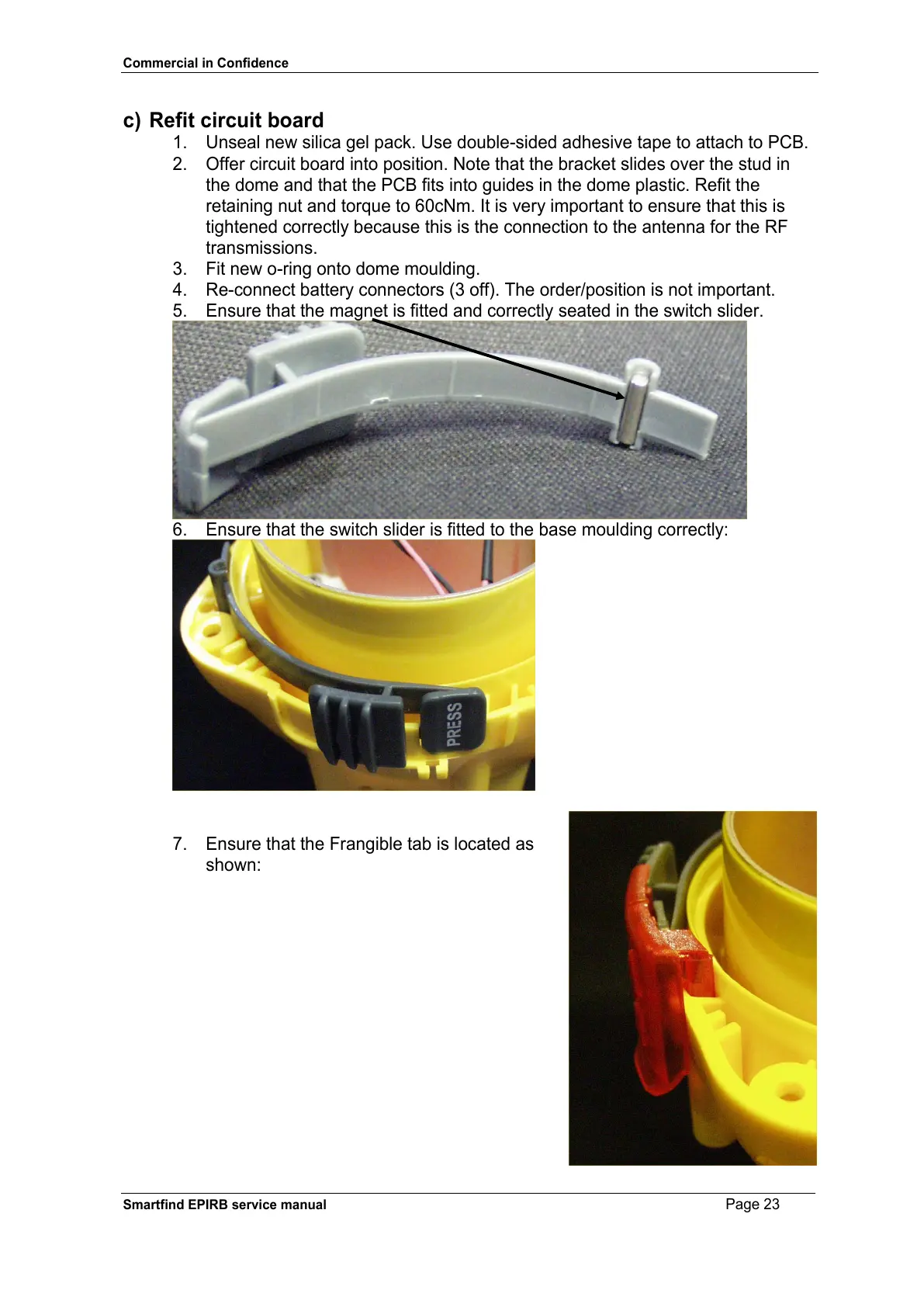
5. Ensure that the magnet is fitted and correctly seated in the switch slider.
6. Ensure that the switch slider is fitted to the base moulding correctly:
7. Ensure that the Frangible tab is located as
shown:


 To Next Page