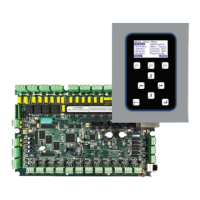
MCS16 Installation Guide 1V1
Page 2 of 8
CONTENTS
1) Pre-Installation ................................................................................................................................... 3
1.1) Required Tools ....................................................................................................................... 3
2) Installation ......................................................................................................................................... 3
2.1) Mounting ................................................................................................................................ 3
2.3) Power Inputs (CON2) ............................................................................................................ 4
2.4) Power Outputs (CON1 & CON3) .......................................................................................... 4
2.5) Configurable Outputs (CON1 & CON3) ............................................................................... 4
2.6) Auxiliary I/O’s (CON1 & CON3) ......................................................................................... 4
2.7) Siren Speaker Connector ....................................................................................................... 5
2.8) System Connector .................................................................................................................. 5
2.9) Inputs ..................................................................................................................................... 5
2.10) CAN Bus ................................................................................................................................ 5
2.11) RS485 ..................................................................................................................................... 6
3) Diagnostics ......................................................................................................................................... 6
4) Volume Setting .................................................................................................................................. 7
5) Installation Requirements .................................................................................................................. 7
6) Version History .................................................................................................................................. 8



 To Next Page