MCS16 Installation Guide 1V1
Page 7 of 8
4) Volume Setting
To set the volume levels for the MCS16, follow the following procedure:
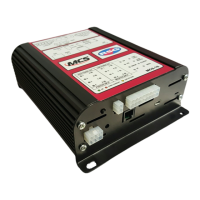
4.1) Press and hold the MCS16 Diagnostic Button on the side of the unit (this is located next to the
System Connector).
4.2) While holding the MCS16 Diagnostic Button, press and release the reset button (this is located
just below the diagnostic button).
4.3) After approximately 5 seconds, the MCS16 will beep once. Release the diagnostic button.
4.4) Repeatedly press the diagnostic button to select the volume level required. The selected setting is
shown on the diagnostic indicators LED's:
• Announcement speaker volume level setting. (not available in MCS16)
• PTT microphone volume level setting.
• Radio rebroadcast volume level setting.
4.5) Once you have selected the desired volume setting to change, wait for a further 5 seconds. The
MCS will beep again, and the top row will show the volume level for the selected setting.
4.6) Press the diagnostic button to increase the volume level, or press and hold to decrease the volume
level.
5) Installation Requirements
5.1) Both the Bank A and Bank B Supply lines MUST be protected by a fuse, rated 40 Amp or less,
preferably at (or near to) the battery terminal.
5.2) If the primary sense input is used, the input MUST be protected by a fuse, rated 20A or less,
preferably at (or near to) the primary battery terminal.
5.3) DO NOT obstruct fan vents along the top, side or under surfaces of the MCS16. Do not install
any equipment on top or underneath the MCS16.
5.4) For installation in the United Kingdom: No interference possible in TRACKER band, Infrared
Band and UHF Analogue Band. Email CAST for more details if required
The above installation requirement must be followed for safe operating and extended product
lifetime


 To Next Page