MAN
12:02
31
MAX
°C
TU
12:03
31
°C
TU
35
°C
AUTO
26
7-REMOTE CONTROL MAX
REMOTE CONTROL OPERATION
General rules
By pressing key A for 1” the product is switched on and o. Key C is used to make all changes. Key E is used to conrm the changes. By
pressing key B one selects the product operating mode. Via key D one browses the FAN and SLEEP setting.
Whichever the mode is, press key A briey (or leave the keypad idle for 7”) to go back to the initial display.
INITIAL SETTINGS
Setting the time
Both with the remote control on and o, by pressing keys B+E at the same time for 3” one accesses the time/day setting mode.
The hour digits will start to ash; they can be changed with key C. By pressing key E the changes are conrmed.At this point the minutes
digits will start to ash.
Follow the same modify/conrm procedure, one will then go onto the time display mode (12h or 24h) and nally
the day will start to ash. Conrm this data to exit the settings.
NOTE: each time the remote control is powered, the time is reset and the display automatically enters the time setting mode.
°C – °F setting
Only with the stove switched o, by pressing key B for 5” one changes the unit of measure of the temperature, from Celsius to Fahrenheit
and vice versa.
SETTING THE OPERATING MODE
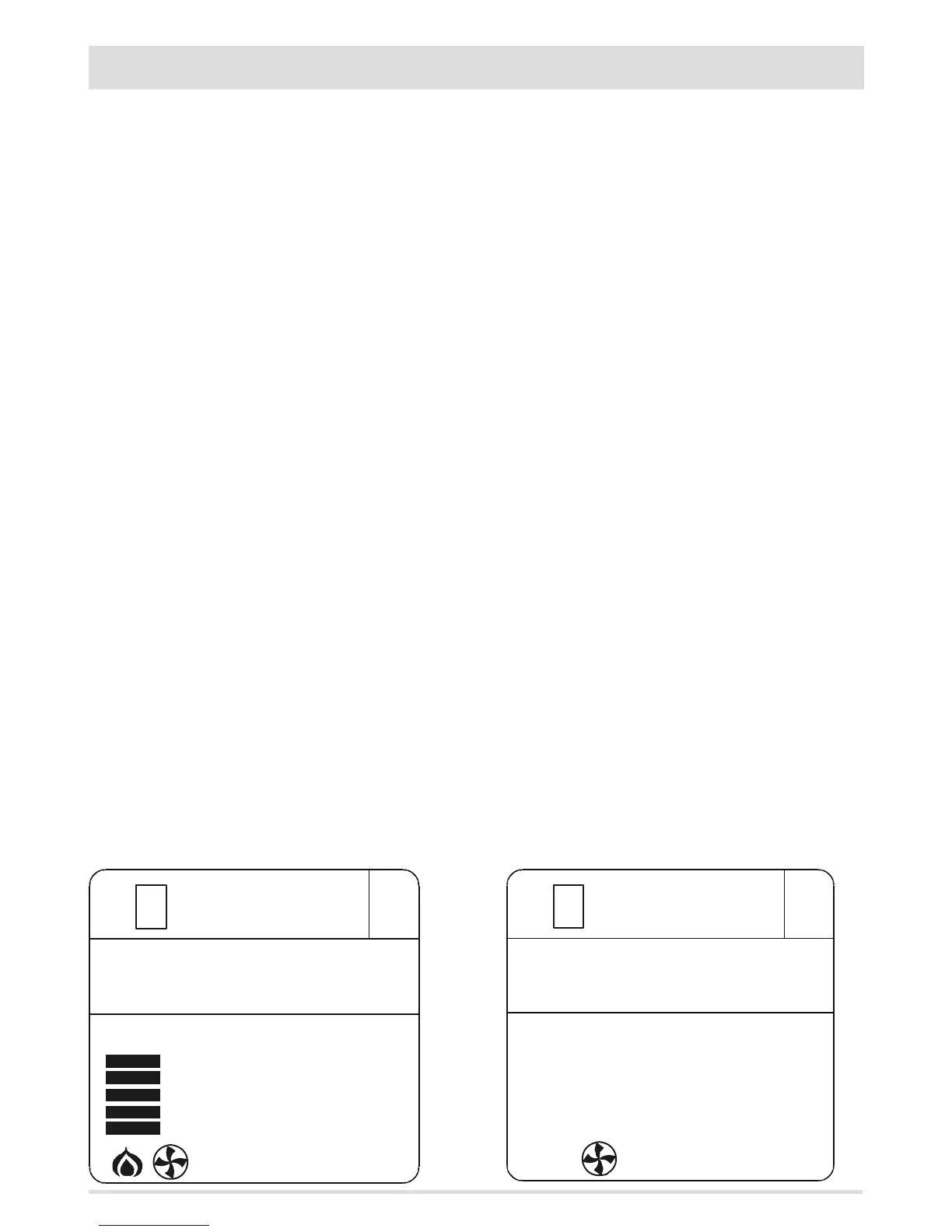
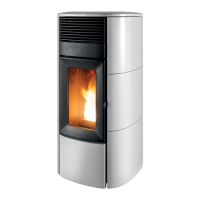
With the remote control switched on, key B allows to set one of the 4 product operating modes. Figure 1-2-3-4
displays the 4 basic displays, respectively:
Manual, Automatic, Timer and Eco mode.
MANUAL Mode (MAN)
In this mode one can set the ame power manually (5 levels - act directly on key C to change) and
the ventilation power on 5 levels + auto. Figure 1
AUTOMATIC Mode (AUTO)
In this mode one can set the desired room temperature, and the stove will modulate the ame power automatically to reach the
temperature. Ventilation can be adjusted on 5 levels + auto. Figure 2
FIG.1 FIG.2


 To Next Page