PELLET STOVES Chapter 4
INSTALLATION AND USE MANUAL
page 50
Operation Technical service - Rights reserved MCZ GROUP S.p.A. - Reproduction prohibited
On the control panel of the stove, once the thermostat is connected,
the temperature detected by the probe will continue to appear;
however, in this case the temperature set on the thermostat will be
valid.
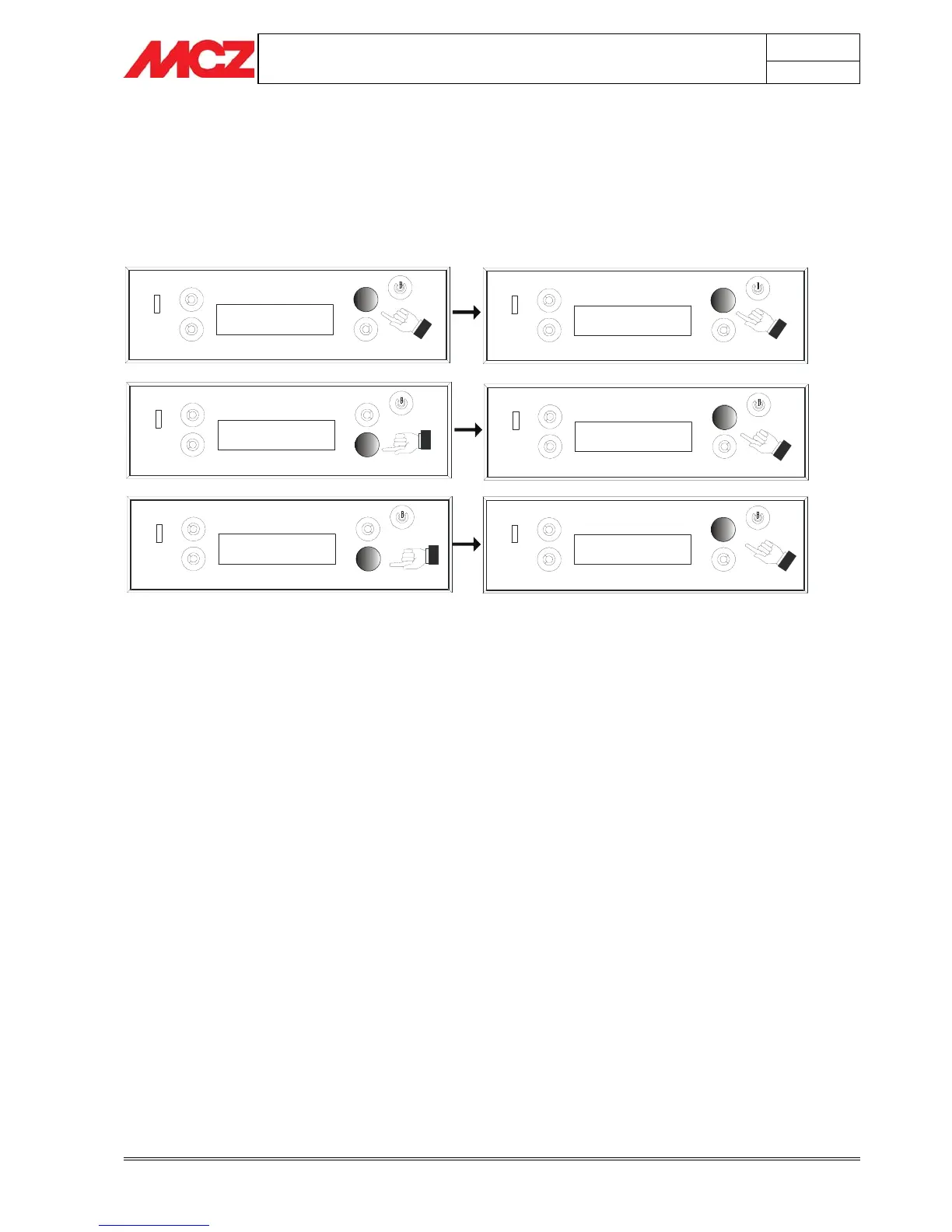
The activation of the thermostat (on/off) on the control panel or of the
accumulation tank is possible from the menu, settings, on/off option
thermostat or accumulation as explained in the diagram below.
Esc Set
< Setting >
21.0°C 21.04
OFF
Mode:AUTO Menu
Temp:22°C Fan:A
Esc Set
< Setting >
Esc Set
< Thermostat >
Esc ON OK
< Thermostat >
4.9.3. Automatic mode with AUTO-ECO
This mode changes stove operation in automatic mode. Upon
reaching the temperature set by the user, the stove goes to power 1
for a short period of time. The stove comes back on automatically only
when the room/water requires heat again, but not before a period of
time has passed for the stove to cool off. This option is advisable only if
the stove works in rooms where there is low heat dispersion over time.


 To Next Page