14
Selecting a Sound Processing Program
The MDHearingAid AIR has four Sound Processing Programs to address the
most common hearing loss environments. Try the different programs in each
environment to nd which Program works best for you.
• Once turned ON, the MDHearingAid AIR starts on Program 1.
This is the default setting; every time the Hearing Aid is turned
OFF and then ON again, it will re-set to Program 1.
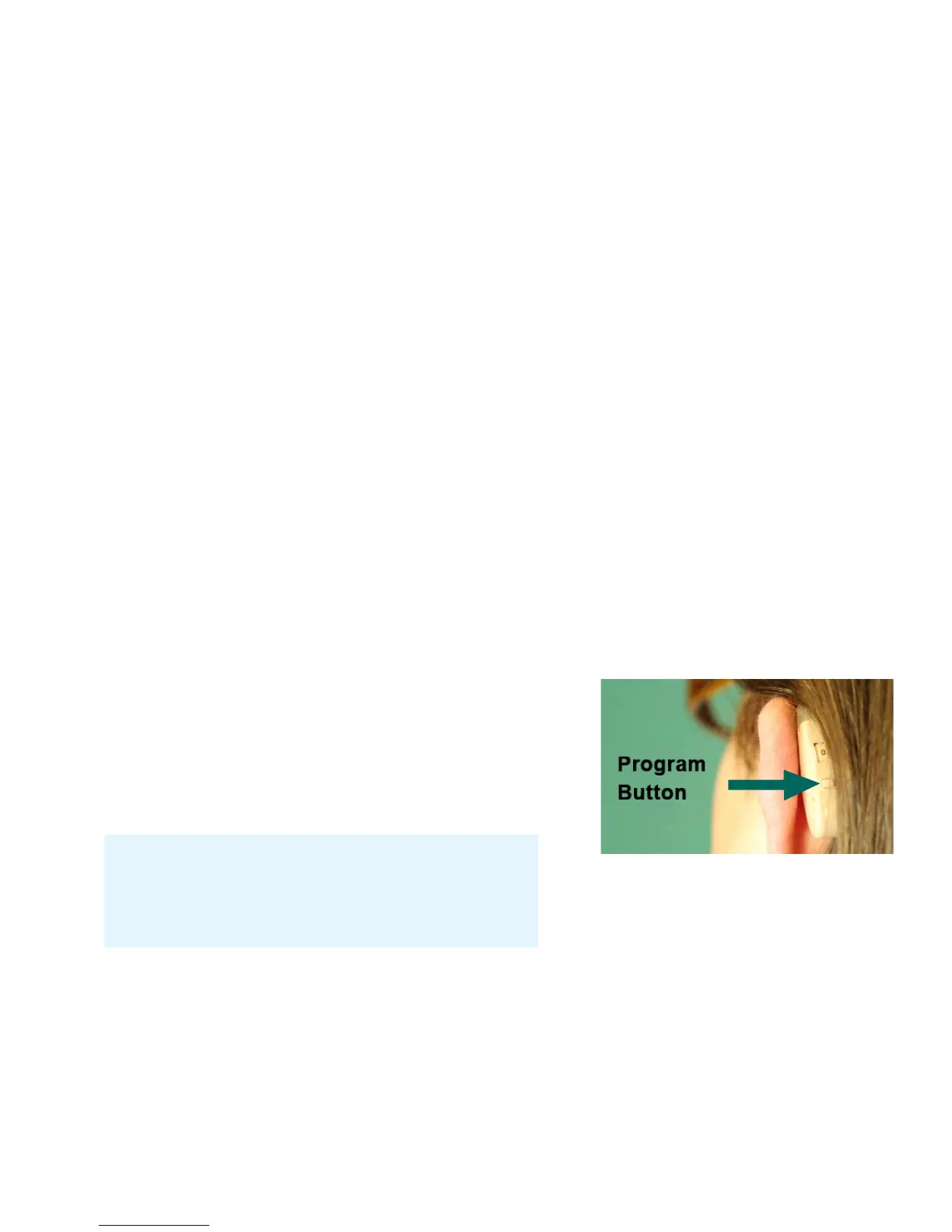
• To access the other Programs, press the Program Button and you will hear
a number of audible beeps corresponding to the Program number:
1 Beep = Program 1
2 Beeps = Program 2
3 Beeps = Program 3
4 Beeps = Telephone/Telecoil
Please note: The beeps may be faint
depending on the volume setting and
background noise.
Program
Button



 To Next Page