Troubleshooting
Problem Possible cause Solution
No indicator lights are on. • Power supply is not properly connected to
the device or to an electrical source.
• Device wasn’t turned on.
• Ensure the DC plug of the power supply is securely plugged into
the device and the other end is connected to an AC outlet.
• If the power supply has been properly connected, press the
power button located on control panel of the device.
All 3 energy indicator lights are
blinking blue.
• An energy level was not selected after
turning on the device.
• Press the elōs button once to select the LOW energy level. To
select MEDIUM or HIGH energy levels, use the elōs button until
the indicator light displays the energy level you desire.
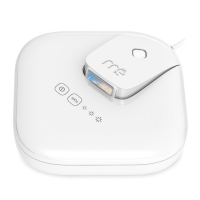
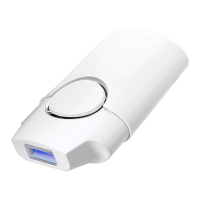
No energy light ashes from
treatment window.
• Device wasn't turned on.
• elōs energy level was not selected by
pressing the elōs button.
• RF skin contact bars not in contact with the
skin in treatment area.
• Device was left idle for more than 3 minutes
and turned off.
• In order for the mē to emit ashes, make sure all 3 conditions
(device on, energy level selected, RF skin contact bars in
contact with skin) are met. If the device was idle, press the
power button to reactivate the device for treatment again.
All 3 energy indicator lights are
steady blue (not blinking).
• Device ashes consumed.
• Cooling vents covered
• Room temperature too high.
• Turn off and disconnect the device from the power supply and
contact our Customer Care Specialists for assistance.
• Let device cool. Turn the device back on to re-attempt your
treatment.
• Move to a cooler room.
3 energy indicators are blinking in a
continuous cycle.
• When the device was set to HIGH energy
level the elōs button was pressed to lower
the energy level to LOW.
• Wait for the indicator lights to stop cycling and the LOW energy
level indicator is a steady blue. Then treat the desired area.
If you still have problems with the mē, contact our Customer Care Specialists at www.mepower.com or 1-877-651-1177


 To Next Page