714 PC & 714 PW
6
Static mode
Purpose of test: check correct functioning of the CAN network
Machine not switched on
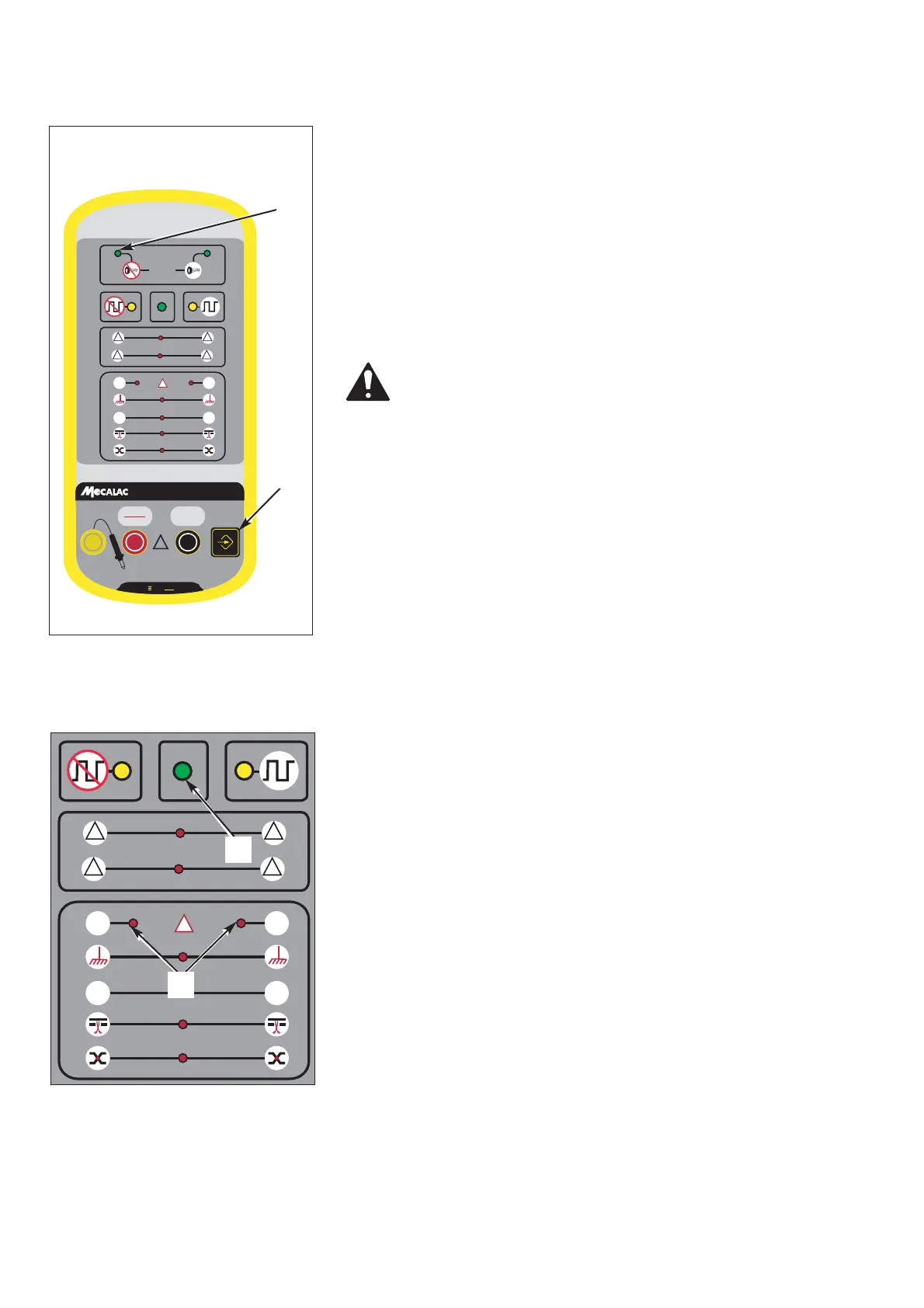
1-Put the device in static test mode by pressing successi-
vely on the button (1 fig 1) until the indicator lamp (2
fig 1) lights up.
Reaction of the device:
the CAN networks are equipped with 120 Ω terminal
resistances placed between the bus wires in the end
calculators of the network.
This check, apart from testing the line resistances, is
used to examine the physical condition of the bus (bus
cut through, short circuit wire, etc)
If the test is correct, the green LED (1 fig 2) on the
device will light up.
If a physical defect is found, indicator lamps cor-
responding to the physical errors will light up.
If one of the two wires is cut, the two LED’s on the
device will flash (2 fig 2).
Fig. 1 Tester



 To Next Page