714 PC & 714 PW
7
Dynamic mode
Machine switched on.
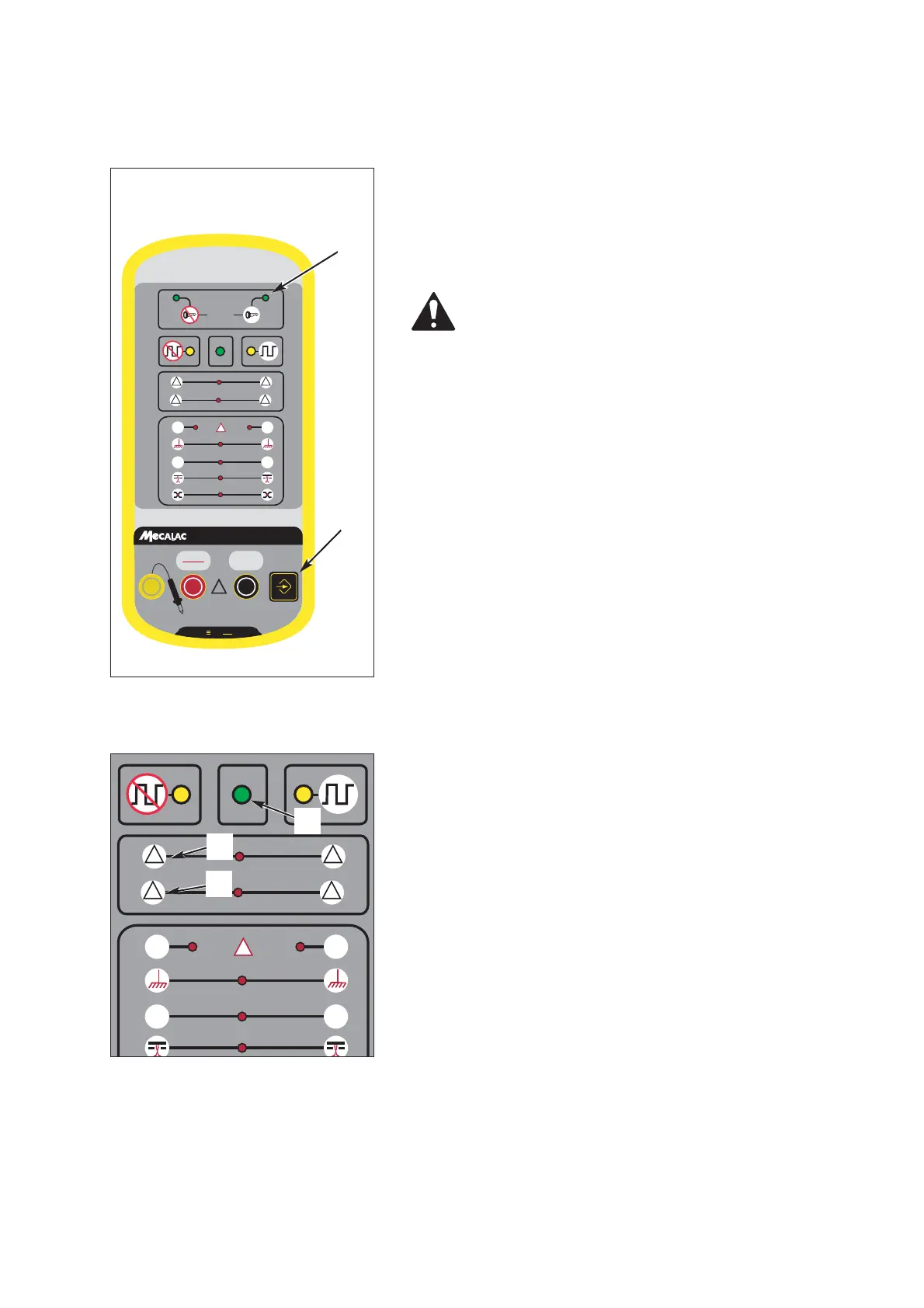
1-Put the tester in dynamic test mode by pressing repea-
tedly on the button (1 fig 1) until the indicator lamp
(2 fig 1) lights up.
Reaction of the device:
If no defect is found, the green LED (1 fig 2) on the
device will light up.
Possible errors:
Bus overload warning (2 fig 2).
one or more calculators are monopolising the net-
work communication.
Protocol errors (3 fig 2).
A field with an invalid format is detected on the net-
work. This field has not been released by the other
calculators present.
Causes can be as follows:
- One single calculator is present on the network.
- One or more calculators are operating with an
incorrect flow (problem of a clock outside tole-
rance, calculator not suitable for the network).
- Problem of unscheduled interference in the net-
work.
Fig. 1 Controller
Fig. 2 Controller



 To Next Page