page 23
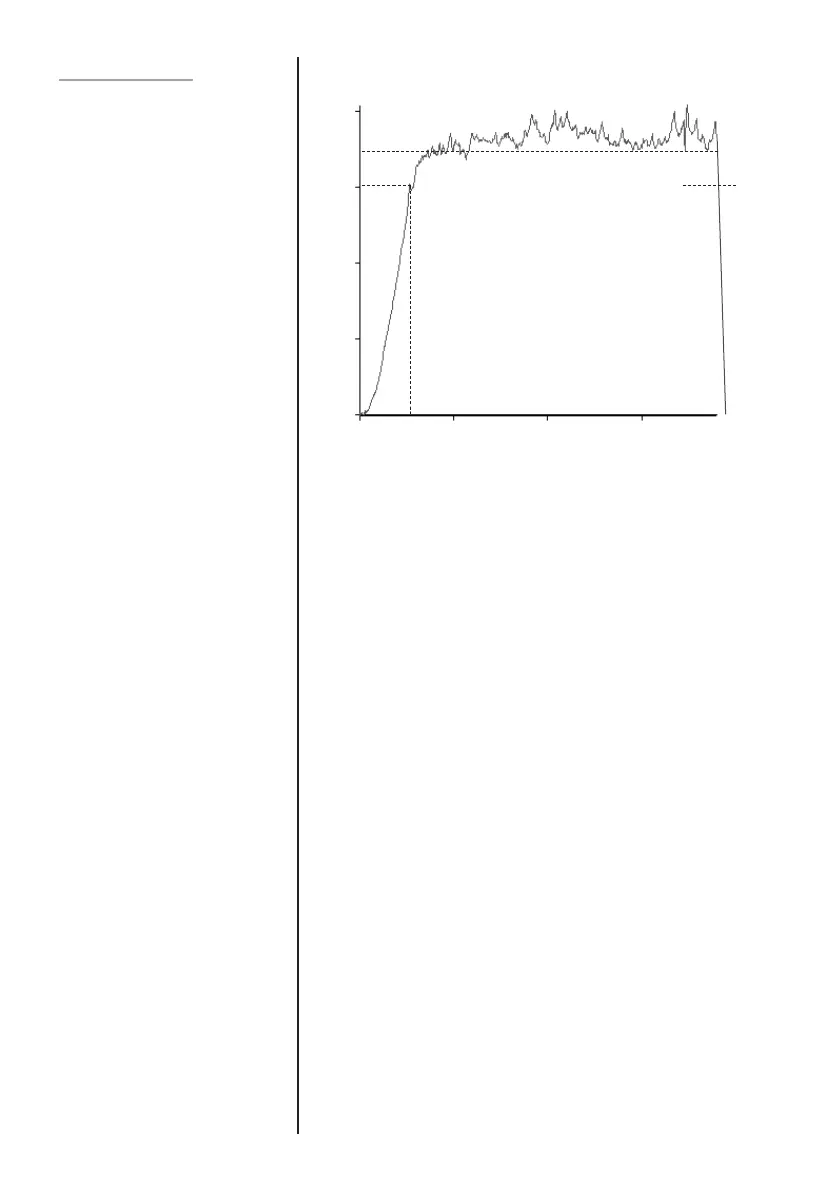
This function allows the average load reading to be
displayed. The average starts being calculated when the
START threshold (% of full-scale) is reached and stops being
calculated when the load passes through the STOP threshold.
To set AVERAGE over TIME, press and hold the MENU key
until page 1 of the main-menu appears. Using UP and
DOWN keys move the cursor key to AVERAGE/TIME. Press
the ENTER key.
The display will show AV/TIME OFF and SET.
Press ENTER key to change AV/TIME OFF to AV/TIME ON.
Press the DOWN key to move the arrow cursor to SET and
press ENTER key.
The display will now show the START % and STOP % and the
values to which they are set. Define a value of full-scale as
the threshold value for each. Any load reading above the
START threshold will be averaged over time with all the
previous readings occurring since the threshold value was
exceeded.
Averaging stops when the load readings cross through the
STOP threshold.
A diamond cursor will indicate which value is selected.
AVERAGE/TIME
Avg/Time sub-menu 1
Avg/Time sub-menu 2
25N
100N
75N
50N
0
Start Threshold
x Peak
TIME
Stop Threshold
Average



 To Next Page