page 24
RATE
Rate sub-menu 1
Use UP and DOWN keys to change the value, press and
hold to scroll values. When the correct value is reached
press ENTER key to set START.
Repeat procedure for STOP.
The display will revert back to AVERAGE/TIME sub-menu 1
and AV/TIME ON will now be displayed.
To disable the AVERAGE/TIME function, press the ENTER
key. AV/TIME OFF will now be displayed.
Press ESC key to return to main-menu page 1.
This function allows the selection of the gauge throughput rate,
i.e. the amount of averaging performed by the internal
electronics before the load reading is displayed. There are
three levels:
MED - Gauge default.
HI - Display updates quickly with little data
averaging
LO - Maximum data averaging before values are
displayed. (Smoothes ‘noisy’ data)
To set RATE, press and hold the MENU key until page 1 of
the main-menu appears. Using UP and DOWN keys move
the arrow key to RATE. Press ENTER key to access.
Using UP and DOWN keys select the relevant level (MED, HI
or LO) and press the ENTER key.
Press ESC key to return to page 1 of the main-menu.
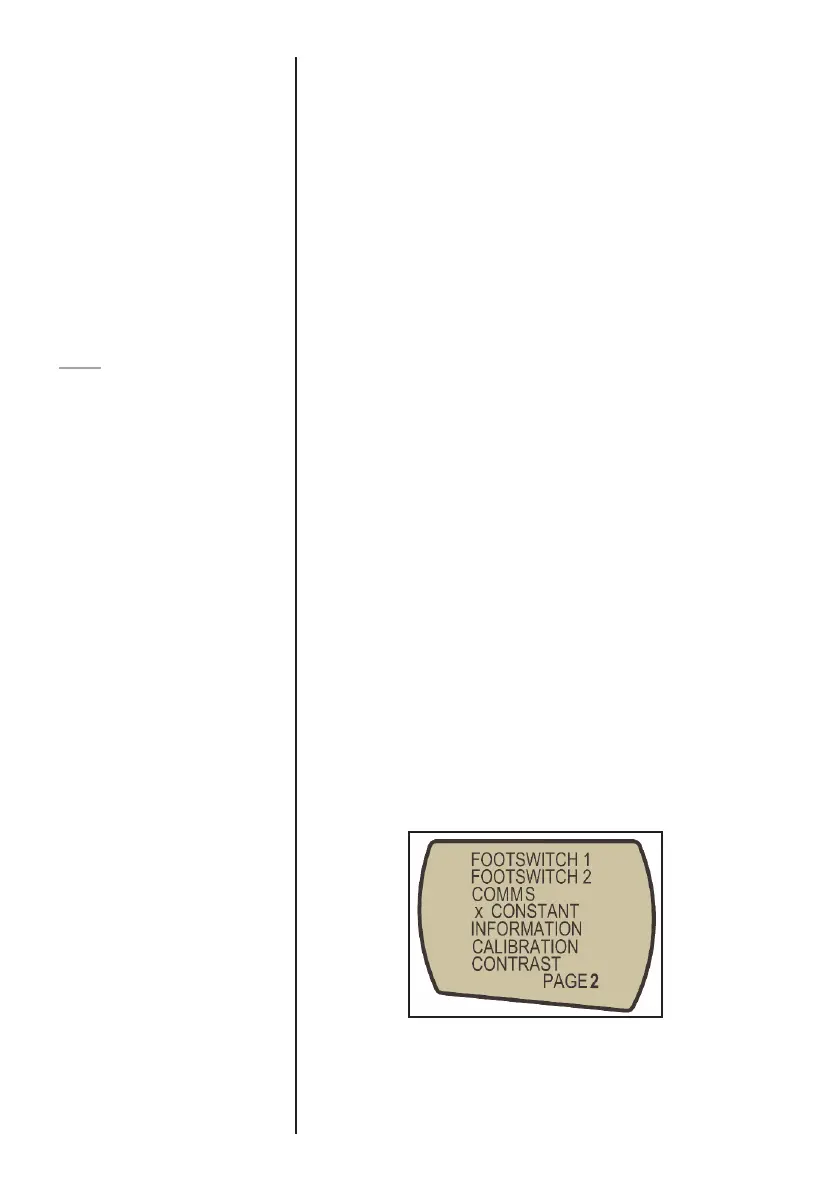
MAIN-MENU PAGE 2
From page 1 of main-menu press MENU key to scroll to
page 2 of the main-menu.
Fig. 11



 To Next Page