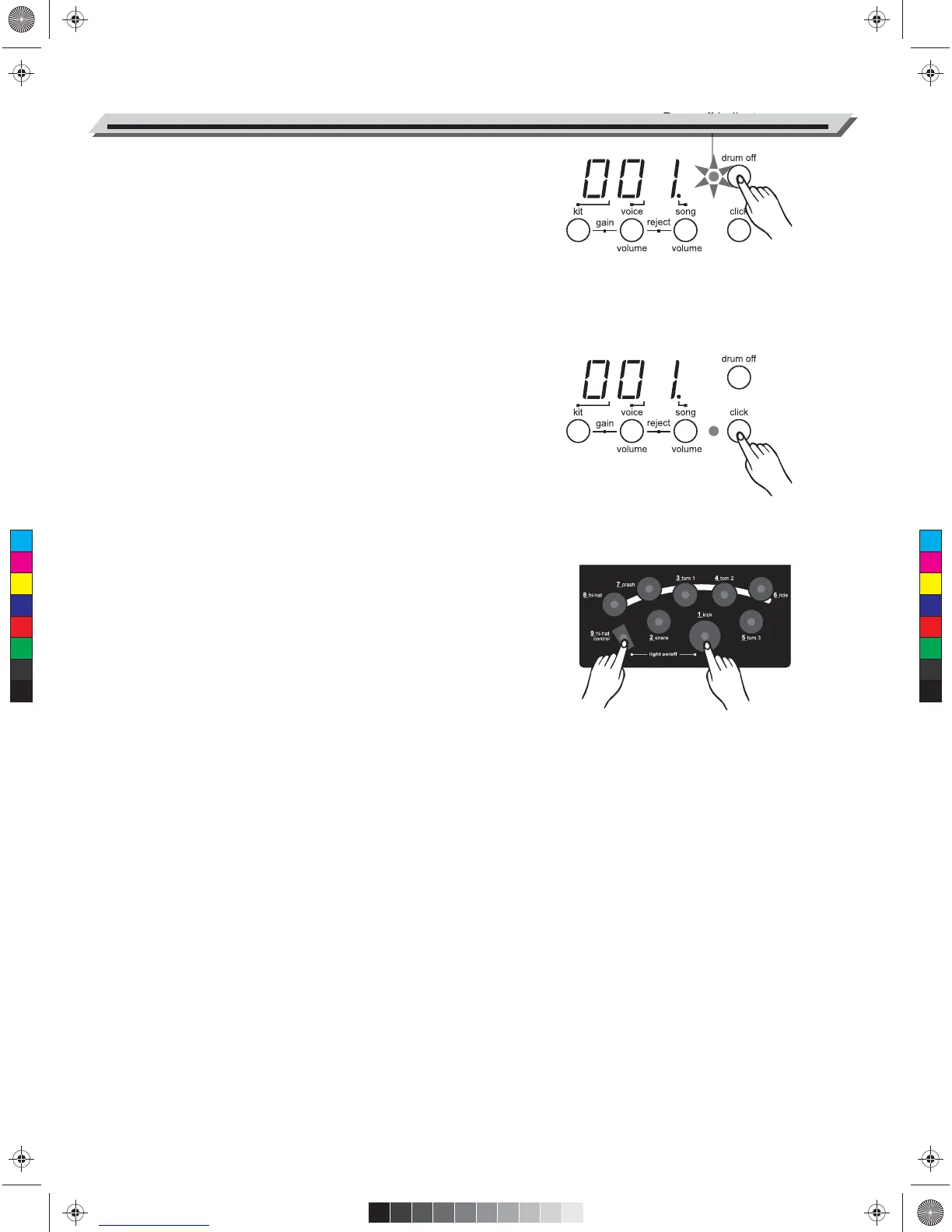
Mute a Drum Part
1. Press [ drum off ] button. The drum off indicator lights.
The drum mute function is active.
2. Press [ start/stop ] button to playback the song. The drum part in the
song will be muted.
3. To cancel the drum mute function, press [ drum off ] button again.
The drum off indicator light goes off.
* The drum mute function can be used during song playing.
Play with a the Click Voice
1. Press the [ click ] button to start the metronome. It will be played
with tempo.
2. Press the [ click ] button again to stop the metronome.
Note:
The click voice will not stop automatically once the songfinished until
you press the [ click ] button.
Use the Lighting Guide Function
The lighting guide function provides you a valuable lesson to practice or
learn the drum kit with playing the preset song.
1. Select the song number you want to practice.
2. Press [ drum off ] button.
3. Press [ start/stop ] button to start song play.
4. Strike the pad in accordance with the lighting of pad's indicators or
press the hi-hat pedal and kick the bass drum pad exactly when
their indicators light.
* During song playing, you can change the Tempo(speed) to set your
desired tempo.
* Press the [ hi-hat control ] + [ kick ] buttons to turn off all the pad's
indicator. Press the [ hi-hat control ] + [ kick ] buttons again to turn on
all the pad's indicator.
10
C
M
Y
CM
MY
CY
CMY
K
AW_DD504D_Manual_G01_040709.ai 10 2014/7/9 10:57:53AW_DD504D_Manual_G01_040709.ai 10 2014/7/9 10:57:53


 To Next Page