PlayingtheStyles
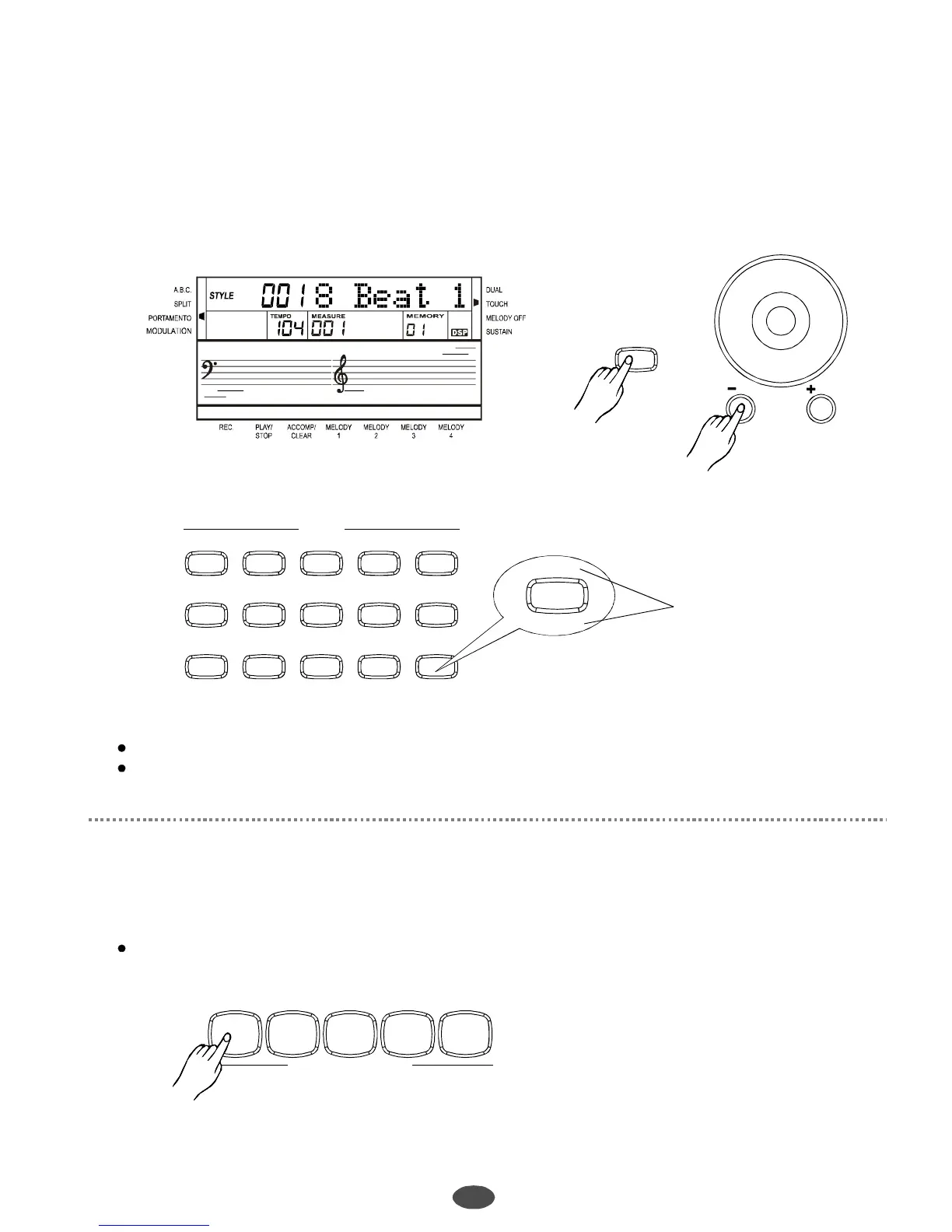
Selectastyle
Stylecontrol
16
Thereare100styles,from001to100.Thedefaultstyleis001.Press[Style/Voice/Song]
buttontothestylemode.LCDlightsthestyleflaganddisplaysthestylename.
Press[+/YES]/[-/NO]buttonorusedialtoselectthestyleyouwant.
Use15styledirectselectkeystoselectthestyle.Eachbuttonhas2directstyles(upper&nether)
Note:
Whenchangingthevoice,payattentiontotherules:
Ifpressthesamebutton,thestyleonlywillbechangedbetweenupperandnether.
Ifonedirectbuttonistheupper(nether)style,thestyleisthesamewhenpressing
otherdirectbottons.
1
1
2
/NO
/YES
STYLE/VOICE
SONG
STYLES
018Beat1 0716Beat1 15Ballad1 34BigBand23SlowRock1
73March1 79Waltz1 92XinJiang 94NeiMengGu 85Pianist
52Bossa1 57Samba1 66Beguine46Country 63PopReggae
068BeatPop 0816Beat2 29Disco1 38Swing122Rock'N'R
51Bluegrass 55Rhumba1 64Tango 69Bounce
61PopChaCha
76Polka 93YunNan 95JiangNan
00Custom80SlowWaltz
Startthestyle
Startbutton:
。Use[START/STOP]buttontostartthestyle
ACCOMPANIMENTCONTROL
START/STOP SYNC FILL-INA FILL-INB INTRO/ENDING
85Pianist
00Custom
NameofDirect
SelectStyles
PDF 文件使用 "pdfFactory Pro" 试用版本创建 www.fineprint.com.cn



 To Next Page