Playing the Styles
The instrument features 100 styles in a variety of different musical genres. Try selecting some of
the different styles (Refer to Style List) and play with the auto accompaniment.
Note:
The styles (91-99 and 00) are the piano styles. If you don't turn on A.B.C. and play a chord, the
auto accompaniment does not work.
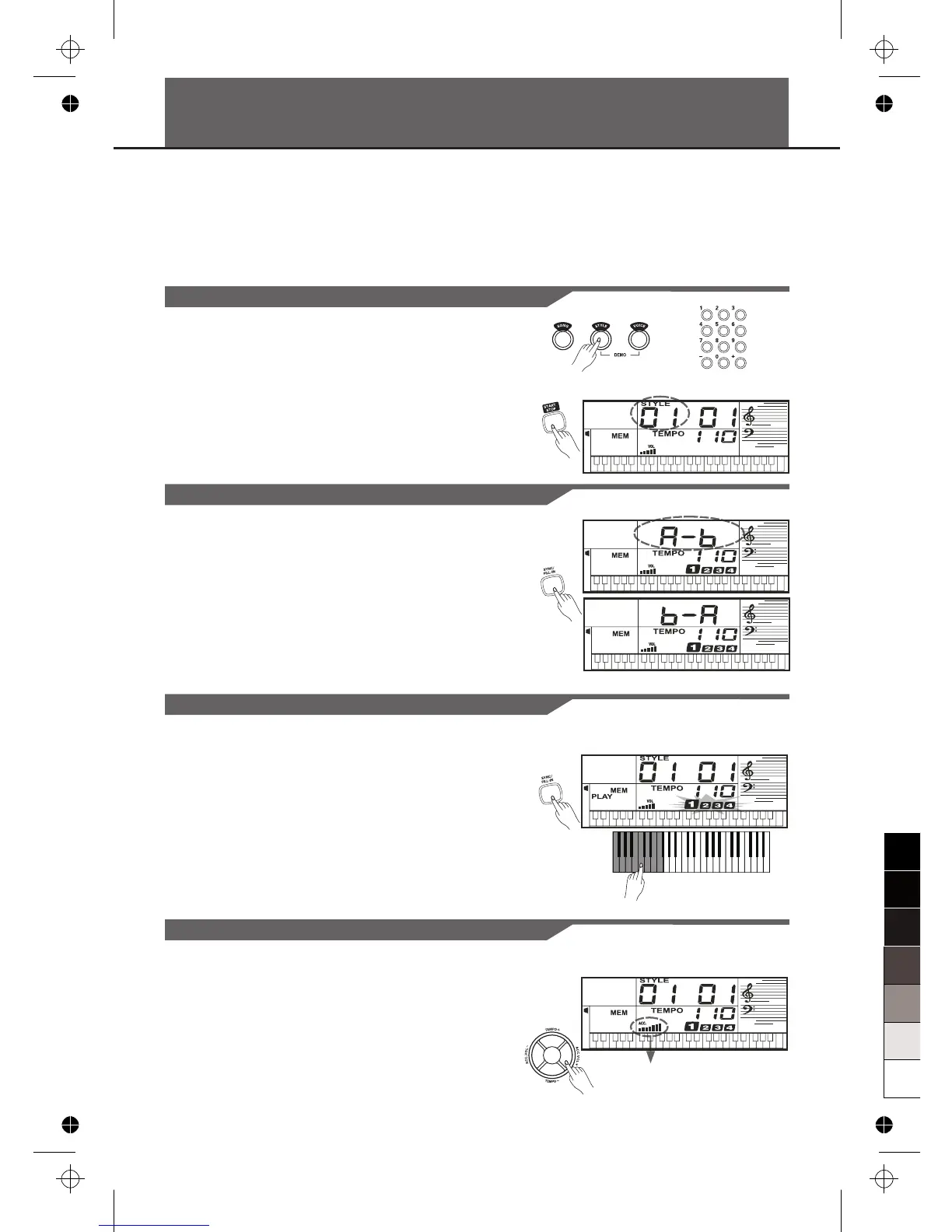
Selecting a Style
Playing a Fill-In
Sync
Accompaniment Volume
1. Press the [STYLE] button.
Enter the STYLE mode. LCD shows “STYLE” and
the style number.
2. Use the number keys, [+] or [-] to select the style you
want to play.
3. Press the [START/STOP] button to start the rhythm
tracks of the auto accompaniment.
Simply press the [FILL-IN] button, while the style is playing.
The keyboard inserts a variation, then the original style
automatically resumes at the end of the current measure.
Note:
For inserting a longer variation, hold down the [FILL-IN]
button, The keyboard play the variation until you release
the [FILL-IN] button.
While the style is not playing, press the [SYNC] button.
The beat flash, indicating the standby mode of the
keyboard.
1. If the A.B.C. is OFF, pressing any key will automatically
begins to play the style (rhythm track).
2. If the A.B.C. is ON, pressing any key in the left-hand
range of the keyboard will automatically begins to play
the style (all tracks).
Adjust the volume of the accompaniment with the
[ACC.VOL] buttons.
Repeatedly press [ACC.VOL +] or [ACC.VOL -] to
increase or decrease the volume. The volume ranges from
0 (no sound) to 9 (Maximum) and the current
accompaniment volume level appears on the display.
From 0-9
10



 To Next Page