TEMPO
Playing a Fill
Auto fill in function automatically adds a fill to your performance.
When the fill-in is finished,accompaniment shifts to the Main section
(A,B).
Note:
If you keep pressing [FILL A]/[FILL B] buttons during style playback,
the fill-in pattern will repeat playing until the button is released.
Playback will then shift to the related MAIN section.
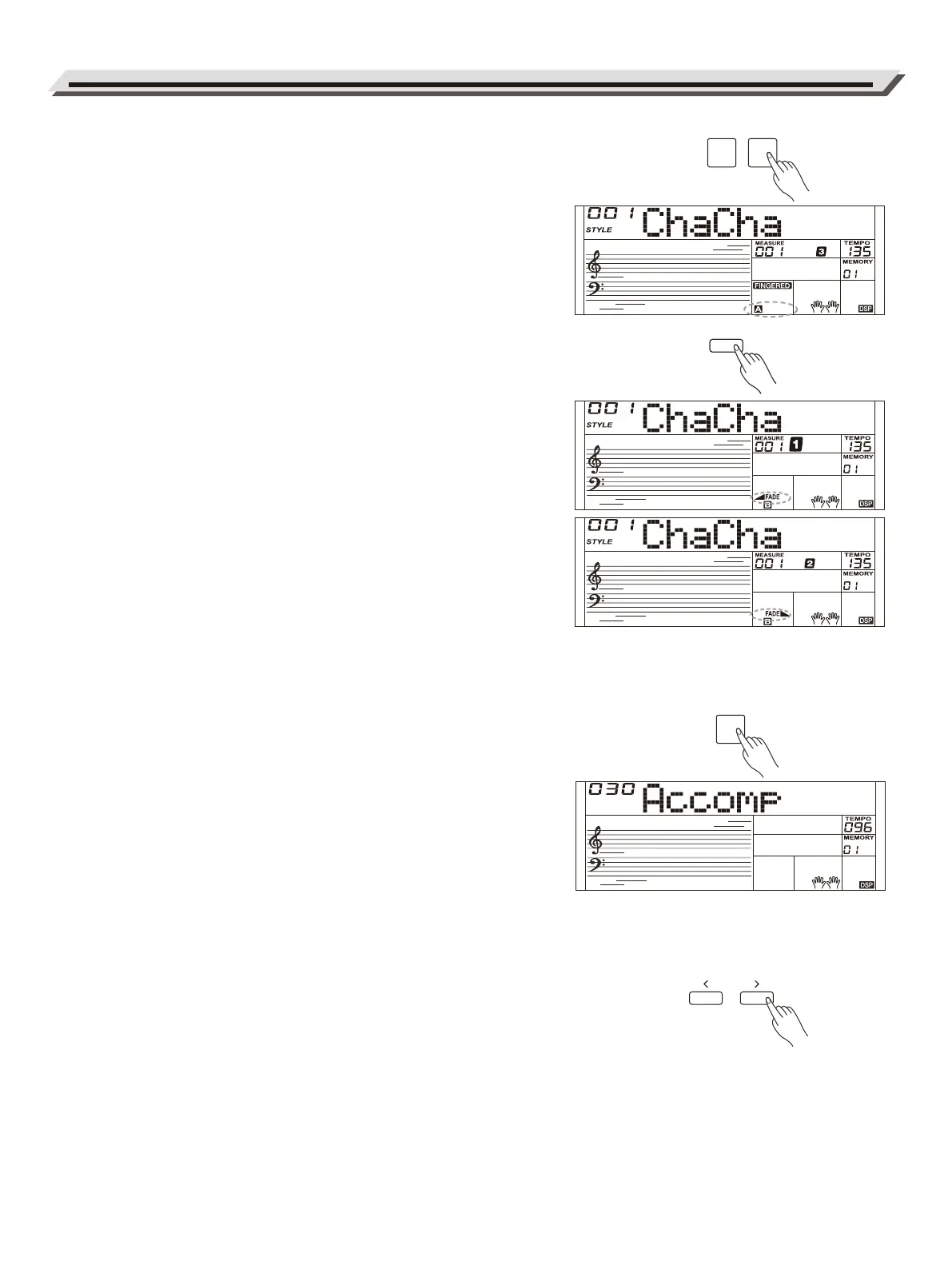
When style stops, press the [FILL A]/[FILL B] buttons to select a MAIN
section. “A or B” will highlight on LCD.
Fade In/Out
Fade In
Starting the style with fade in produces a smooth beginning, the
volume increases from low to high. Press the [FADE] button when
Style is stopped,LCD will show FADE. Press the [START/STOP]
button to start Style playing. LCD will show◢FADE.
The Accompaniment Volume will change from 0 to the set value in
about 8 seconds. The keyboard volume will change from 0 to default
value at the same time.
Fade Out
Stopping the style with fade out produces a smooth ending, the
volume decreases from high to low. Press the [FADE] button during
Style playing. LCD will show FADE◣.
The Accompaniment Volume will change from the set value to 0 in
about 8 seconds, and the style stops.
Accompaniment Volume
The function adjusts the accompaniment volume, so as to keep an
appropriate balance between the accompaniment volume and the
sound volume.
Press repeatedly the [MIXER] button to enter the mixer menu, and
when the LCD displays "Accomp", you can adjust the volume level
over the range of 0-32. LCD will show the current volume level.
Notes:
In the mixer menu, press both [-] and [+] buttons simultaneously to
mute the accompaniment part. LCD shows “OFF Accomp”. Press
both buttons again to unmute the accompaniment volume.
Tempo
Each style of the instrument has been programmed with a default
tempo; however, you can change it as needed.
1. Use the [TEMPO -]/[TEMPO +] buttons to change the tempo. The
value ranges from 5 to 280.
2. Hold down the [TEMPO -]/[TEMPO +] buttons to change the tempo
quickly.
3. Press the [TEMPO+] and [TEMPO-] buttons simultaneously to
restore the default tempo setting.
Auto Accompaniment
12
FILL A FILL B
FADE
MIXER
FADE



 To Next Page