3
4
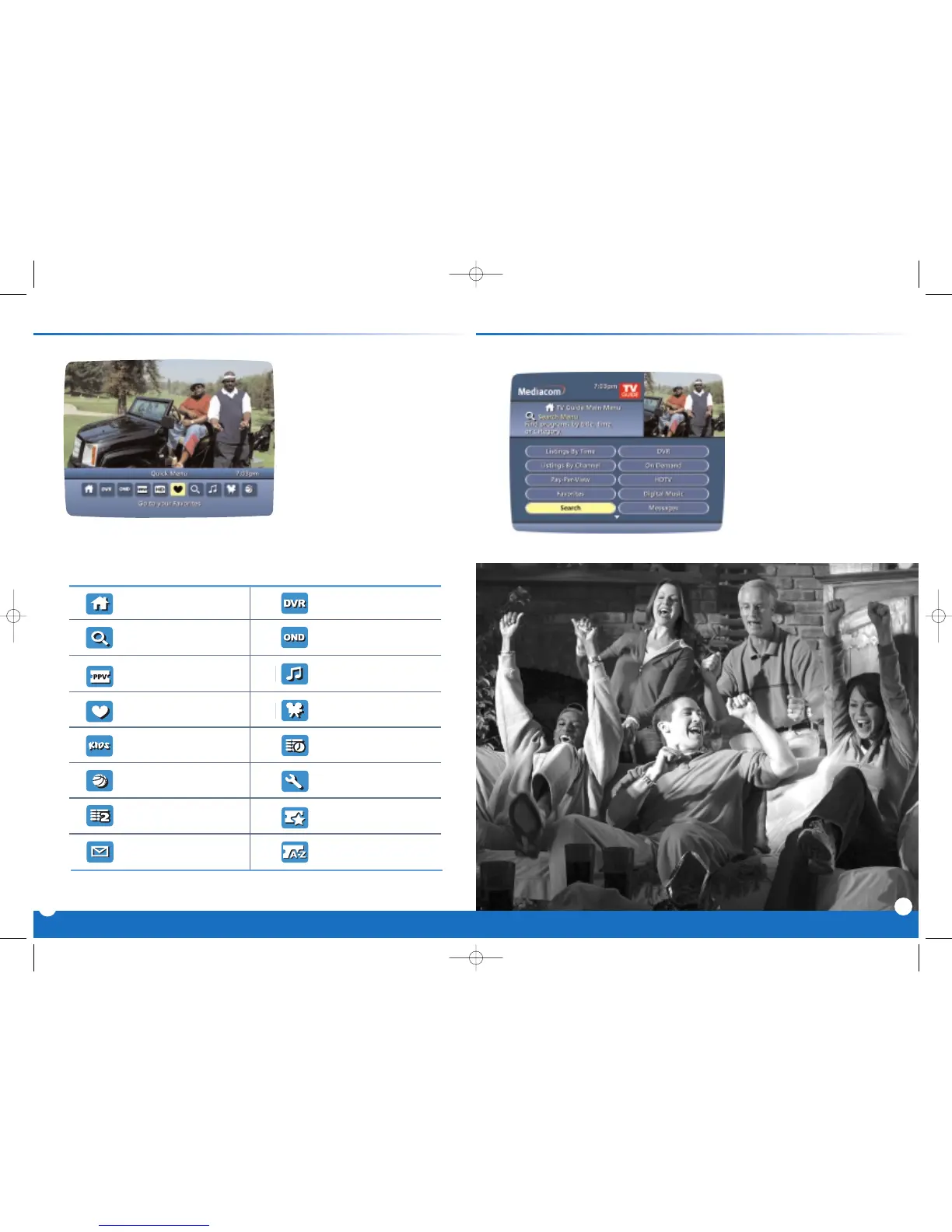
Quick Menu: Quick & Easy All Access with the Main Menu
The Quick Menu offers shortcuts
to key interactive guide features.
Just press MENU from anywhere
in the guide– or even while
you're watching a program -
and you'll have access to fea-
tures like Search, Favorites,
Digital Music and more.
Quick Menu Icons
Guide Main Menu Digital Recordings
Search Menu On Demand Menu
Pay-Per-View Listings Digital Music Listings
Favorites List Movies Search Menu
Kids Search Menu Listings By Time
Sports Search Menu Guide Setup Menu
Listings By Channel Pay-Per-View Events
Message Center Pay-Per-View by Title
*Menu selections vary depending on the services your cable provider offers.
Highlight and select any of these icons to immediately access the area indicated.
Main Menu gives you easy
access to all features. Simply
press
MENU twice, then select
from the options available,
including TV Listings By Time,
viewing options by category,
Parental Locks, Favorites, Local
Weather and more.



 To Next Page