1514
ASSEMBLY
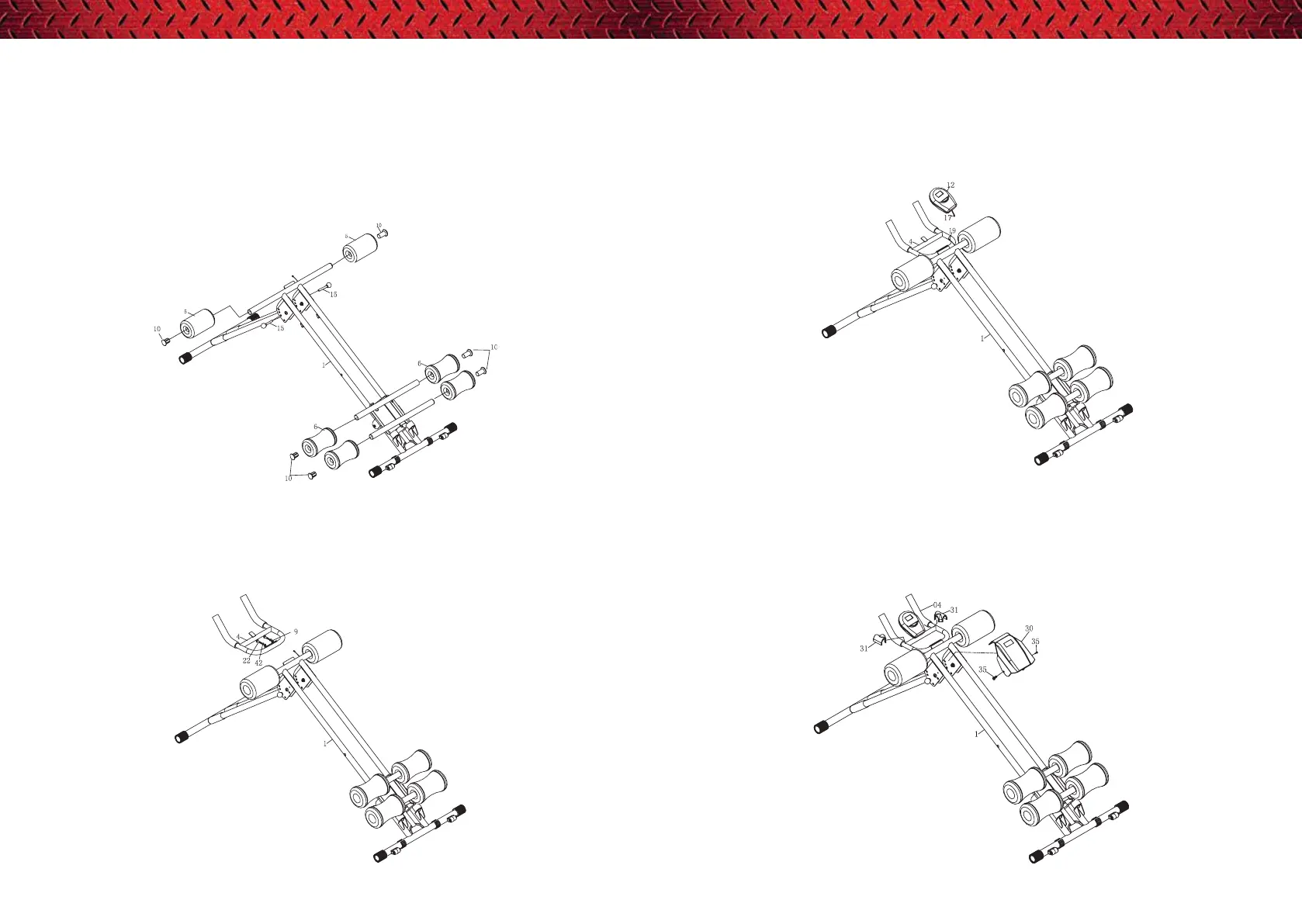
STEP 1
A) Open the 5 Mins Shaper, then insert the pin (15) into the hole of the front main frame at
your desired location.
B) Insert the foam A (5) into the front main frame (01), then attach the round end cap (10).
Do the same of the foam B (6).
REMARK: If it is dicult to insert foam, plsease add some soap water on the tube.
STEP 2
Attach the handle bar (04) to the front main frame (01). Lock with curve washer (29), allen
bolt (22) and spring washer (42) and fasten using the allen key.
STEP 4
A) Attach the cover of handle bar (31) to the handle bar (04).
B) Attach the big cover (30) to the front main frame (01), tighten with screw (35).
STEP 3
Slide the computer (12) into the handle bar (04), then connect the upper computer wire (17)
with lower computer wire (19).


 To Next Page