4140
3. System
3. System
3.1. The main interface function
3.1.1 Main menu
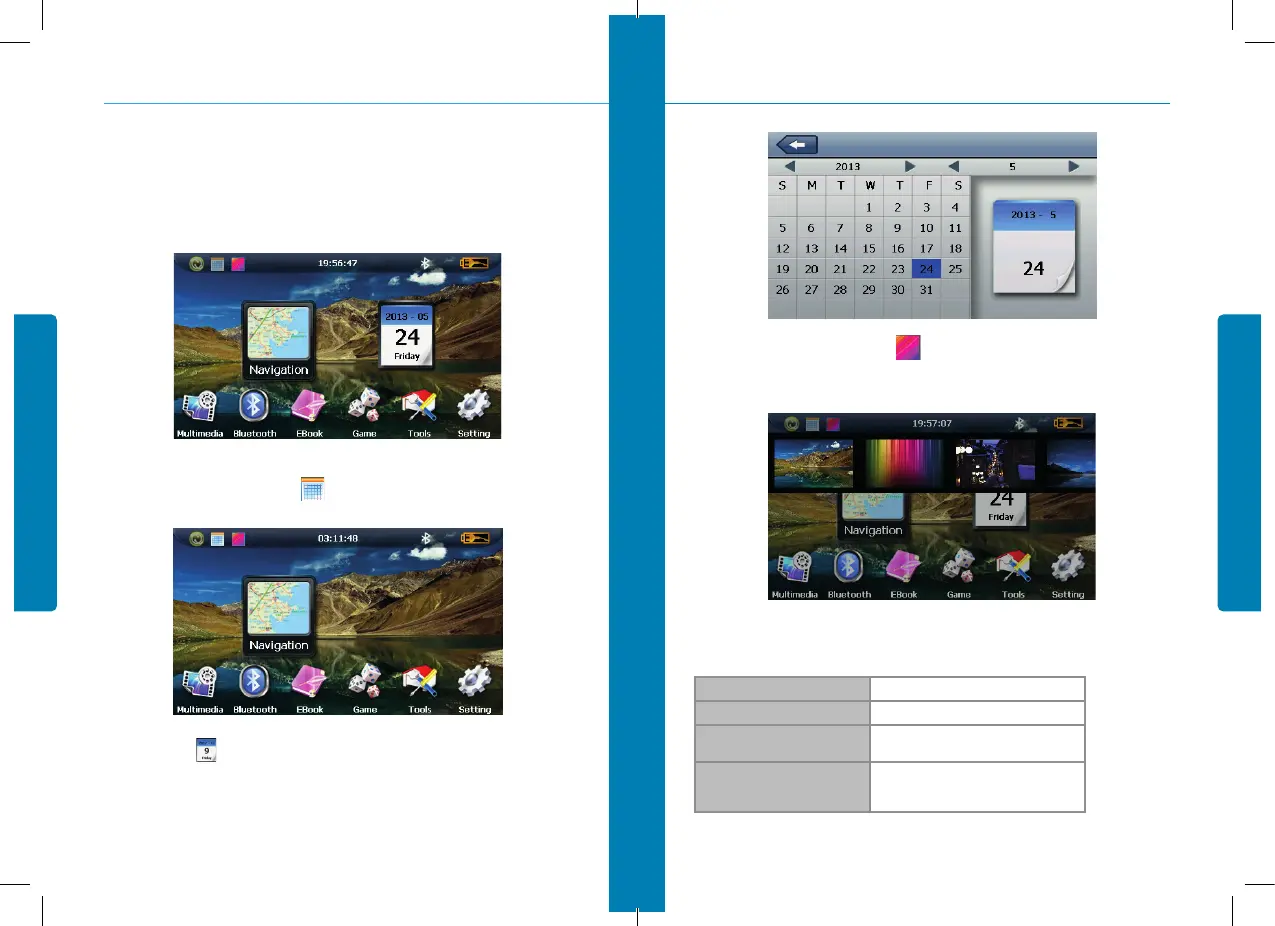
TClick the top left corner of the interface to hide calendar, show in Figure 3-2.
Click the date icon enter the date setting interface, show in Figure 3-3.
figure 3-1
figure 3-2
Click the top left corner of the interface change the desktop display background, show in
Figure 3-4.
3.1.2. Functions
Navigation Provide navigation service
Bluetooth This device can connect with the Bluetooth earphone
Video player
Support AVI / WMV /MP4/ASF format.
Support progress adjust, pause and full screen play
Photo viewer
Support JPG /BMP format.
Support photo rotate, enlarge/shrink pictures,
automatic play and so on
3. System
figure 3-3
figure 3-4


 To Next Page