48
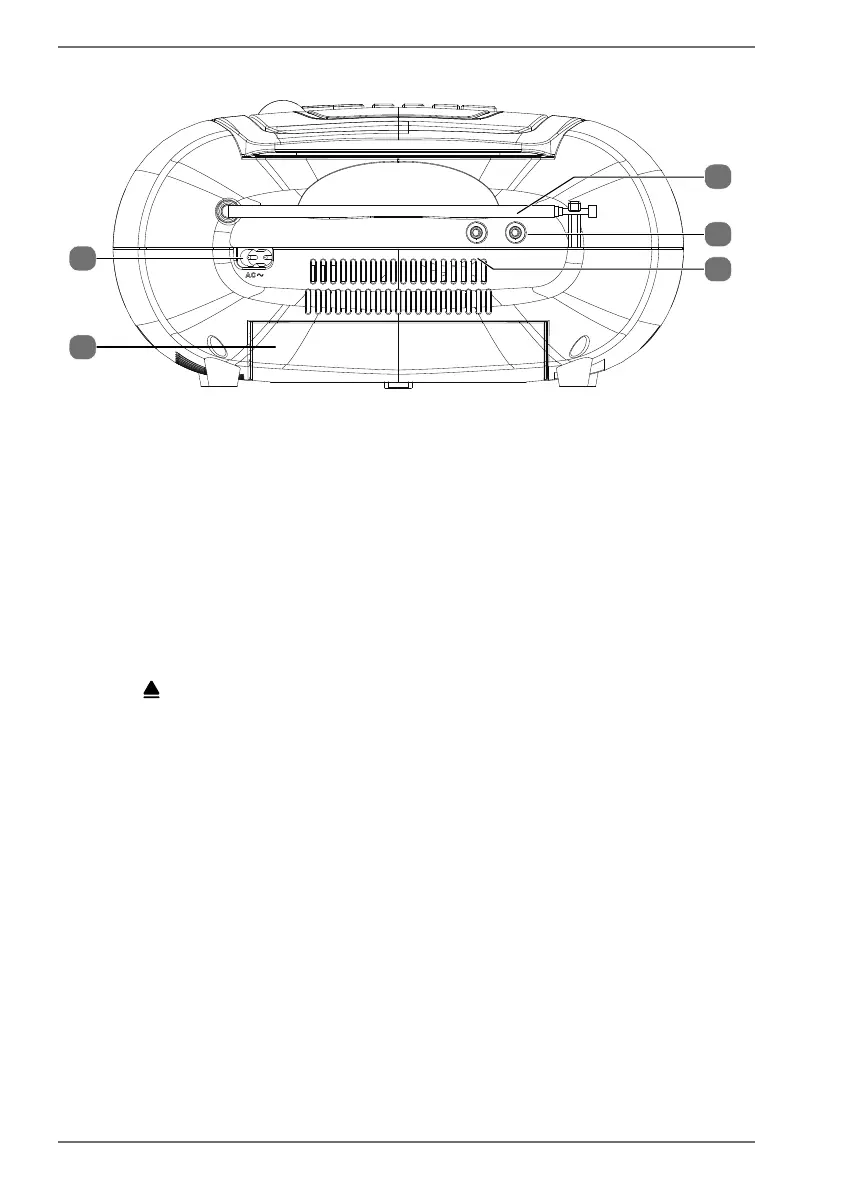
6.3. Back
AUX IN PHONES
23
24
25
27
26
23) FM antenna
24) PHONES – Earphone jack
25) AUX IN – Connection port for audio device
26) Battery compartment (on the underside of the device)
27) AC~ – Connection for mains plug (on the back of the device)
7. Getting started
7.1. Setting up the CD compartment
Lift up the lid of the CD compartment on the front edge, where there is a curved
recess .
Remove the cardboard from the CD compartment.
Close the CD compartment by gently pressing down the compartment lid.


 To Next Page