EasyManua.ls Logo

Medion MD 89295 - User Manual

Medion MD 89295
378 pages
Go to English
Print Icon
To Next Page IconTo Next Page
Loading...
2.1 Internet Radio mit Basslautsprecher
Radio Internet 2.1 avec caisson de basses
2.1 Internet-radio met lagetonenluidspreker
Radio por internet 2.1 con altavoz de bajos
Radio internet 2.1 con subwoofer
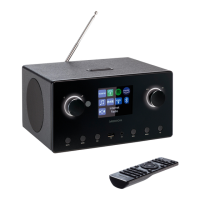
2.1 Internet radio with bass speaker
MEDION
®
P85444 (MD 89295)
Bedienungsanleitung
Notice d‘utilisation
Handleiding
Manual de instrucciones
Istruzioni per l‘uso
User manual
89295 ML E-Commerce Cover 5007 1120 final.indd Alle Seiten89295 ML E-Commerce Cover 5007 1120 final.indd Alle Seiten 30.06.2022 15:17:5730.06.2022 15:17:57

Table of Contents

Other manuals for Medion MD 89295

Questions and Answers

  • L
    lisa77Aug 13, 2025
    Why can't I access Medion MD 89295 from PC as AP (media server)?
    • R
      rjacobsAug 13, 2025
      If you're unable to access the radio from your PC as an AP (media server) on your Medion Speakers, it might be due to radio encryption. Enter the code and check the sharing settings on your PC.
  • R
    Rebecca GarciaAug 17, 2025
    Why can't I listen to a selected station on my Medion MD 89295?
    • E
      Erik AndersonAug 17, 2025
      If you're unable to listen to the selected station on your Medion Speakers, there might be several reasons: * You may need to press OK to confirm the station selection. * The mute function might be on; press the button to switch it off. * The volume level could be too low; check and adjust it. * Headphones might be connected; disconnect them. * There may be no reception; check the network settings.
  • T
    teresa11Aug 20, 2025
    How to fix Medion MD 89295 remote control not working?
    • E
      Elizabeth LopezAug 20, 2025
      If the remote control for your Medion Speakers isn't working, check the following: * Ensure the batteries are inserted correctly. * Reduce the distance between you and the speakers if you are more than 7m away. * Remove any obstacles between the remote control and the infrared sensor. * Make sure the remote control is aligned correctly with the sensor.
  • R
    ronald68Aug 25, 2025
    What to do if my Medion internet radio cannot receive IP addresses?
    • W
      Wendy LoweAug 25, 2025
      If your Medion internet radio has booted normally but cannot receive IP addresses, the issue might stem from a few causes: * No DHCP server is activated, so check the router settings. * An incorrect WiFi encryption algorithm was entered, so re-enter the WiFi encryption algorithm. * The network interfaces are not working properly, so check the interfaces.
  • S
    Stephanie LeeAug 28, 2025
    How to fix distorted FM radio on Medion MD 89295 Speakers?
    • K
      Katherine JacobsAug 28, 2025
      If the FM radio on your Medion Speakers is distorted, it might be because the antenna hasn't been adjusted correctly. Adjust the antenna.
  • N
    Nicole DavisAug 31, 2025
    What causes problems with the router connection on Medion MD 89295?
    • R
      Robert PhillipsAug 31, 2025
      If you are experiencing problems with the router connection on your Medion Speakers, consider the following: * Check if a DHCP server is activated in the router settings. * Ensure that you've entered the correct encryption algorithm for the network. If not, re-enter it. * If the RJ45 port or WiFi module is defective, contact our Service Centre.
  • S
    Stacy LeeSep 4, 2025
    What to do if the display remains black on Medion MD 89295?
    • E
      Eric HansonSep 4, 2025
      If the display on your Medion Speakers remains black, ensure both ends of the mains adapter are connected properly. Connect the power supply plug on the supplied mains adapter to the DC IN socket on the device. Plug the mains plug into an AC 100–240 V ~ 50/60 Hz socket.
  • M
    Mary WeaverSep 8, 2025
    What to do if there is no connection to the vTuner server on Medion MD 89295 Speakers?
    • R
      rjohnsonSep 8, 2025
      If you find that there is no connection to the vTuner server with your Medion Speakers, there might be several reasons: * Internet access could be blocked; try again. * The vTuner server might not be working or is overloaded; check the vTuner server. * The login process may have failed; repeat the login process. * The radio station streaming service may be unavailable or overloaded; try again. * The internet radio may not support the service type of the radio station. * There may be problems with the internet buffer, with insufficient bandwidth for a stable data stream; if necessary, increase the bandwidth.

Summary

Proper Use

Safety Instructions

Restricted Use of the WLAN Interface

Specifies situations and locations where the WLAN interface must be switched off or not used.

Operating Safety

Covers essential safety precautions related to power, handling, and environmental conditions.

Malfunctions

Guides users on identifying and resolving common device malfunctions.

Using Headphones

Provides safety warnings and advice for using headphones with the device.

Handling Batteries

Instructions and warnings for safe handling, insertion, and disposal of batteries.

Using a Smartphone or Tablet with the App

Explains how to use a companion app for enhanced control and functionality.

System Requirements

Getting Started

Connections

Overview of the WLAN Radio

Rear

Remote Control

Operation in the Menus

Configuration for the Internet Radio

Network Configuration

Connecting to a Power Supply

Using the Device for the First Time

Establishing a Connection to a Network

Steps to connect the device to a wireless network (WLAN).

WLAN Connection via WPS

Entering a Network Key

Listening to Internet Radio

Selecting Radio Services

Details various methods for selecting internet radio stations (e.g., by region, search, popular).

Listening to Podcasts

Selecting Podcasts

Methods for selecting podcasts based on region, search, or genre.

Connecting to an Internet Radio Station;Podcast

Listening to DAB Radio

Listening to FM Radio

Setting Radio Stations

How to tune into and select specific FM radio stations.

Bluetooth Mode

Pairing Bluetooth Devices

Step-by-step guide to pairing external Bluetooth devices with the radio.

Listening to Audio Files via USB

Using the App as the Control

Streaming Services

Using Streaming Services

General steps for accessing and using various streaming services.

Playback via the AUX IN Connection

Audio Output via the LINE OUT Connection

Setting the Switch-Off Time

Setting the Alarm

Sleep Function

System Settings

Internet Settings

Configuring network connection parameters and internet access.

Resetting the Device to Factory Settings

Instructions for restoring the device to its original factory default state.

Settings in the Main Menu

Troubleshooting

The Remote Control is Not Working

Solutions for common issues where the remote control fails to operate the device.

The Display Remains Black

Troubleshooting steps for a blank or non-responsive device display.

It is Not Possible to Listen to the Selected Station

Solutions for problems preventing audio playback from selected radio stations.

No Access to the Internet Radio

Steps to resolve connectivity issues preventing internet radio access.

The Alarm is Not Working

Troubleshooting steps for issues with the alarm function not activating or functioning correctly.

Problem with the Router Connection

Solutions for connectivity problems specifically related to the network router.

The Internet Radio Cannot be Controlled by the App

Solutions for issues preventing the mobile app from controlling the device.

Cleaning

Technical Specifications

Medion MD 89295 Specifications

General IconGeneral
BrandMedion
ModelMD 89295
CategorySpeakers
LanguageEnglish

Related product manuals