EasyManua.ls Logo

Medion P85444 - User Manual

Medion P85444
378 pages
Go to English
Print Icon
To Next Page IconTo Next Page
Loading...
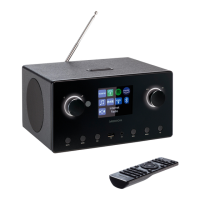
2.1 Internet Radio mit Basslautsprecher
Radio Internet 2.1 avec caisson de basses
2.1 Internet-radio met lagetonenluidspreker
Radio por internet 2.1 con altavoz de bajos
Radio internet 2.1 con subwoofer
2.1 Internet radio with bass speaker
MEDION
®
P85444 (MD 89295)
Bedienungsanleitung
Notice d‘utilisation
Handleiding
Manual de instrucciones
Istruzioni per l‘uso
User manual
89295 ML E-Commerce Cover 5007 1120 final.indd Alle Seiten89295 ML E-Commerce Cover 5007 1120 final.indd Alle Seiten 30.06.2022 15:17:5730.06.2022 15:17:57

Table of Contents

Other manuals for Medion P85444

Questions and Answers

  • J
    Justin GordonAug 13, 2025
    Why can't I access Medion Speakers from PC as AP (media server)?
    • T
      Todd AndradeAug 13, 2025
      If you're unable to access the radio from your PC as an AP (media server) on your Medion Speakers, it might be due to radio encryption. Enter the code and check the sharing settings on your PC.
  • G
    Gary RoyAug 17, 2025
    Why can't I listen to a selected station on my Medion P85444?
    • J
      Jonathan WoodsAug 17, 2025
      If you're unable to listen to the selected station on your Medion Speakers, there might be several reasons: * You may need to press OK to confirm the station selection. * The mute function might be on; press the button to switch it off. * The volume level could be too low; check and adjust it. * Headphones might be connected; disconnect them. * There may be no reception; check the network settings.
  • B
    Brooke RiveraAug 20, 2025
    How to fix Medion P85444 remote control not working?
    • K
      Kathryn DavisAug 20, 2025
      If the remote control for your Medion Speakers isn't working, check the following: * Ensure the batteries are inserted correctly. * Reduce the distance between you and the speakers if you are more than 7m away. * Remove any obstacles between the remote control and the infrared sensor. * Make sure the remote control is aligned correctly with the sensor.
  • R
    Rhonda BarnesAug 25, 2025
    What to do if my Medion internet radio cannot receive IP addresses?
    • M
      Michelle SpencerAug 25, 2025
      If your Medion internet radio has booted normally but cannot receive IP addresses, the issue might stem from a few causes: * No DHCP server is activated, so check the router settings. * An incorrect WiFi encryption algorithm was entered, so re-enter the WiFi encryption algorithm. * The network interfaces are not working properly, so check the interfaces.
  • Z
    Zachary WilliamsAug 28, 2025
    How to fix distorted FM radio on Medion P85444?
    • J
      janethensleyAug 28, 2025
      If the FM radio on your Medion Speakers is distorted, it might be because the antenna hasn't been adjusted correctly. Adjust the antenna.
  • T
    Timothy LeeAug 31, 2025
    What causes problems with the router connection on Medion P85444 Speakers?
    • T
      tleeSep 1, 2025
      If you are experiencing problems with the router connection on your Medion Speakers, consider the following: * Check if a DHCP server is activated in the router settings. * Ensure that you've entered the correct encryption algorithm for the network. If not, re-enter it. * If the RJ45 port or WiFi module is defective, contact our Service Centre.
  • T
    Tiffany ColonSep 5, 2025
    What to do if the display remains black on Medion P85444?
    • L
      Lauren WoodsSep 5, 2025
      If the display on your Medion Speakers remains black, ensure both ends of the mains adapter are connected properly. Connect the power supply plug on the supplied mains adapter to the DC IN socket on the device. Plug the mains plug into an AC 100–240 V ~ 50/60 Hz socket.
  • S
    Stacey BrownSep 8, 2025
    What to do if there is no connection to the vTuner server on Medion P85444 Speakers?
    • P
      Patrick BakerSep 8, 2025
      If you find that there is no connection to the vTuner server with your Medion Speakers, there might be several reasons: * Internet access could be blocked; try again. * The vTuner server might not be working or is overloaded; check the vTuner server. * The login process may have failed; repeat the login process. * The radio station streaming service may be unavailable or overloaded; try again. * The internet radio may not support the service type of the radio station. * There may be problems with the internet buffer, with insufficient bandwidth for a stable data stream; if necessary, increase the bandwidth.

Summary

Safety and User Manual Information

1.1. Explanation of Symbols

Explains warning symbols used in the manual to indicate hazards.

2. Proper Use and General Safety

Defines intended use and covers general safety instructions and warnings.

3.3-3.5. Battery, Headphone, and Malfunction Safety

Details safety precautions for batteries, headphones, and handling malfunctions.

4. System Requirements and Initial Setup

Lists system requirements and guides through checking package contents and inserting batteries.

Device Overview and Basic Operations

5.3. Connections and Front Panel Overview

Details connection ports and identifies front panel controls and indicators.

6.2-6.4. Top, Rear Panels, and Remote Control

Identifies top/rear panel components and explains remote control functions.

7.1-8.1. Menu Navigation and Network Requirements

Guides menu operations, network requirements, and initial internet radio configuration.

9-11. Network Connection and Initial Setup

Covers connecting to networks (WLAN/WPS), entering keys, and initial device setup.

11.1. Time and Date Configuration

Instructions for setting the time and date manually or automatically.

Listening Modes and Audio Sources

12.1. Internet Radio and Podcast Services

Selecting internet radio stations, saving favorites, and choosing podcasts.

15. DAB, FM Radio, and Bluetooth Audio

Guides for listening to DAB/FM radio, storing stations, and Bluetooth pairing.

18. USB Playback and Streaming Services

Playing audio from USB, managing playlists, and using streaming services.

19. App Control and Playback Display

Installing and using the control app, and understanding playback display information.

Advanced Settings and Features

24. Alarm, Sleep Timer, and Equalizer

Setting alarms, sleep timer, adjusting equalizer, and audio stream quality.

25. System Settings: Network, Time, Software, Display

Configuring network, time, software updates, language, and display settings.

Troubleshooting and Support

27. Troubleshooting Common Issues

Solutions for common problems like remote control, display, connectivity, and audio playback.

28. Device Maintenance and Disposal

Guides on cleaning, storing, transporting, and environmentally friendly disposal.

31. Technical Specifications and Legal Notices

Provides technical details, EU conformity, licenses, service info, and legal notices.

Medion P85444 Specifications

General IconGeneral
BrandMedion
ModelP85444
TypePortable Bluetooth Speaker
Battery LifeUp to 10 hours
ConnectivityBluetooth, AUX-in
Power SourceRechargeable Battery
Power Output10 Watts RMS

Related product manuals