© Medisoft RAM Italia S.r.l.. All rights reserved.
21
At this point it is necessary to take up
again the two screws previously taken
away and to screw them at the base of the
front handrail.
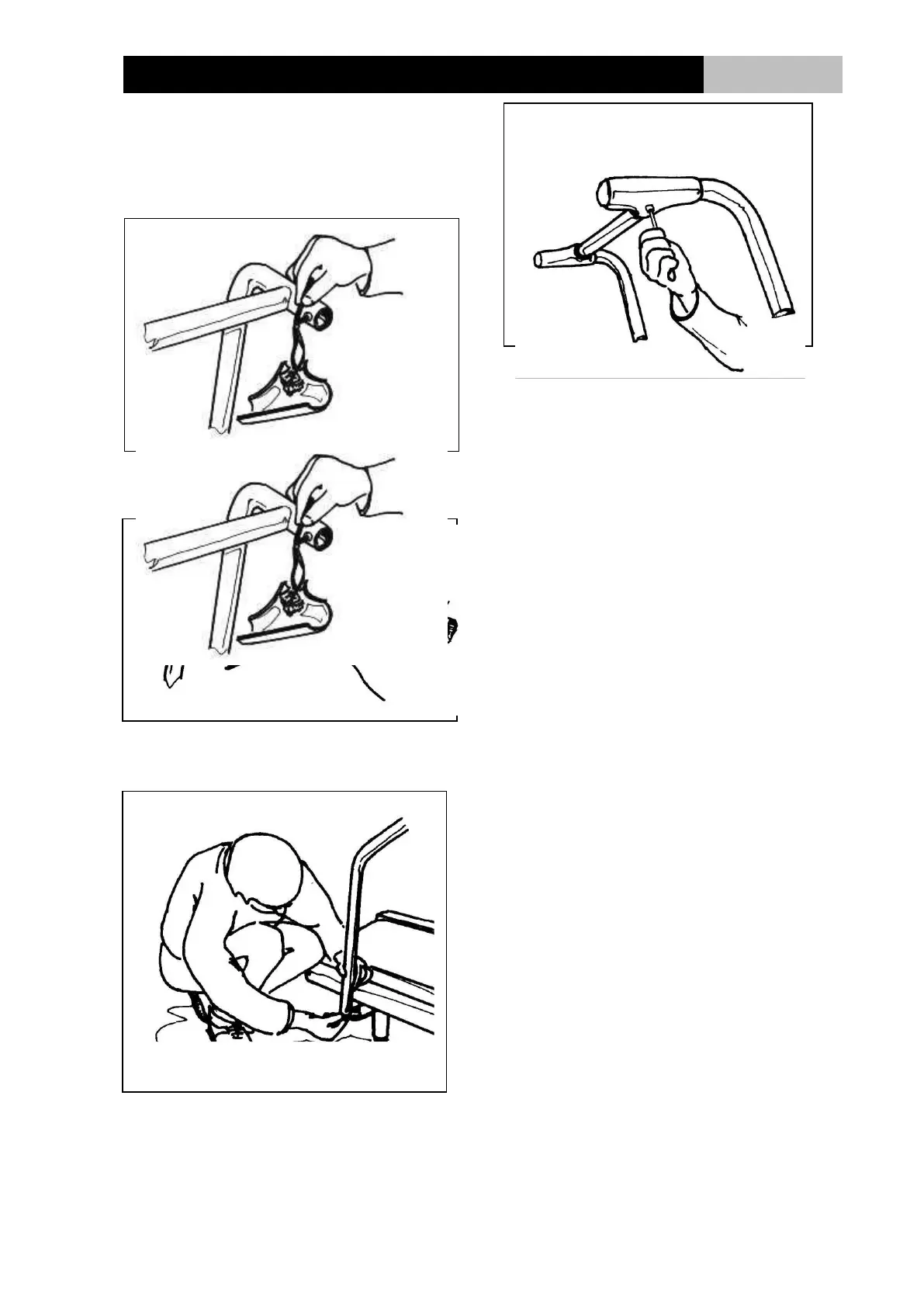
Remove both angular covers of the
front rail, by unscrewing the screws on
the bottom of the covers. (Fig. 3).
The lower half of the covers will be
removed, while the upper half will
remain attached to the red stop
switches connection wire. (Fig. 4).
Remove the screws at the end of
lateral handrails (Fig. 6).These
handrails are in the package and must
be mounted.
Connect now the lateral handrails with
the front handrail (Fig. 5), and insert
the connection screws without
tightening.
Reinsert the two pairs of screws, at
the end of the lateral handrails (Fig 6).
When all screws are in place, tighten
them. (Fig. 5 and Fig. 6).
Alter the angle of the control panel (if
provided) by adjusting the screws on
the upper side of the front handrail.
Replace the angular covers in their
original positions, but be sure not to
over-tighten the screws.


 To Next Page