10
User Manual
11
Intraoral Scanner i500
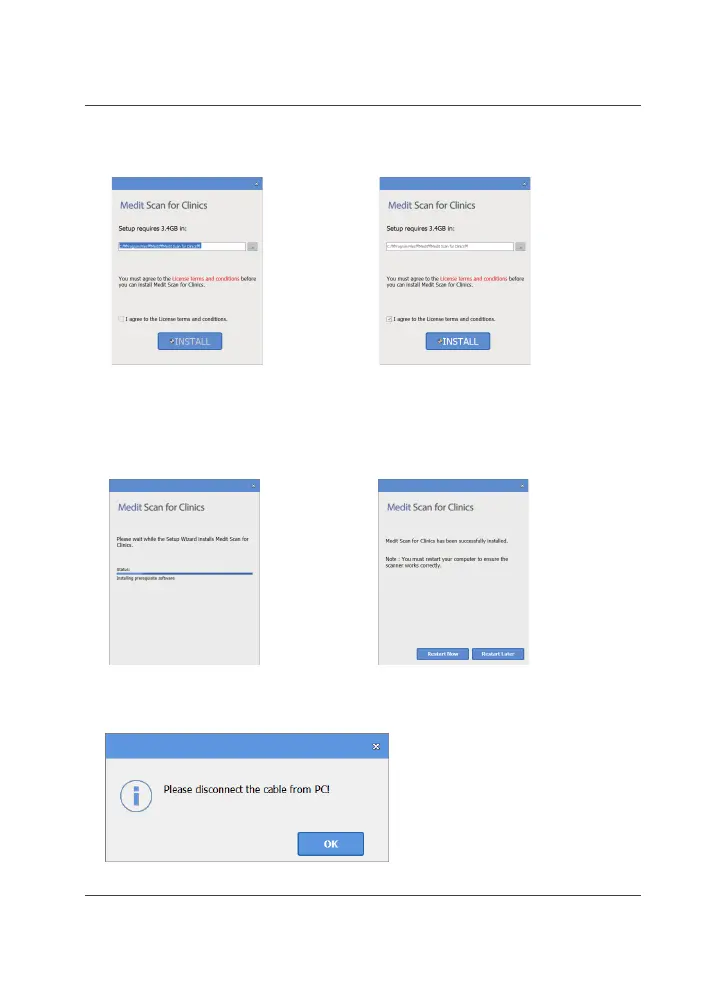
⑤ It may take up to several minutes to
nish the installation process. Please
do not shut down the PC until the
installation is complete.
⑦ If the scanner is connected, please disconnect the scanner from the PC by removing
the USB cable.
⑥ After the installation is complete, restart
the PC to ensure optimal program
operation.
3 Image Acquisition Software Overview
③ Select the installation path ④ Read the “License Agreement”
carefully before checking “I agree to
the License ~” and then click Install



 To Next Page