EasyManua.ls Logo

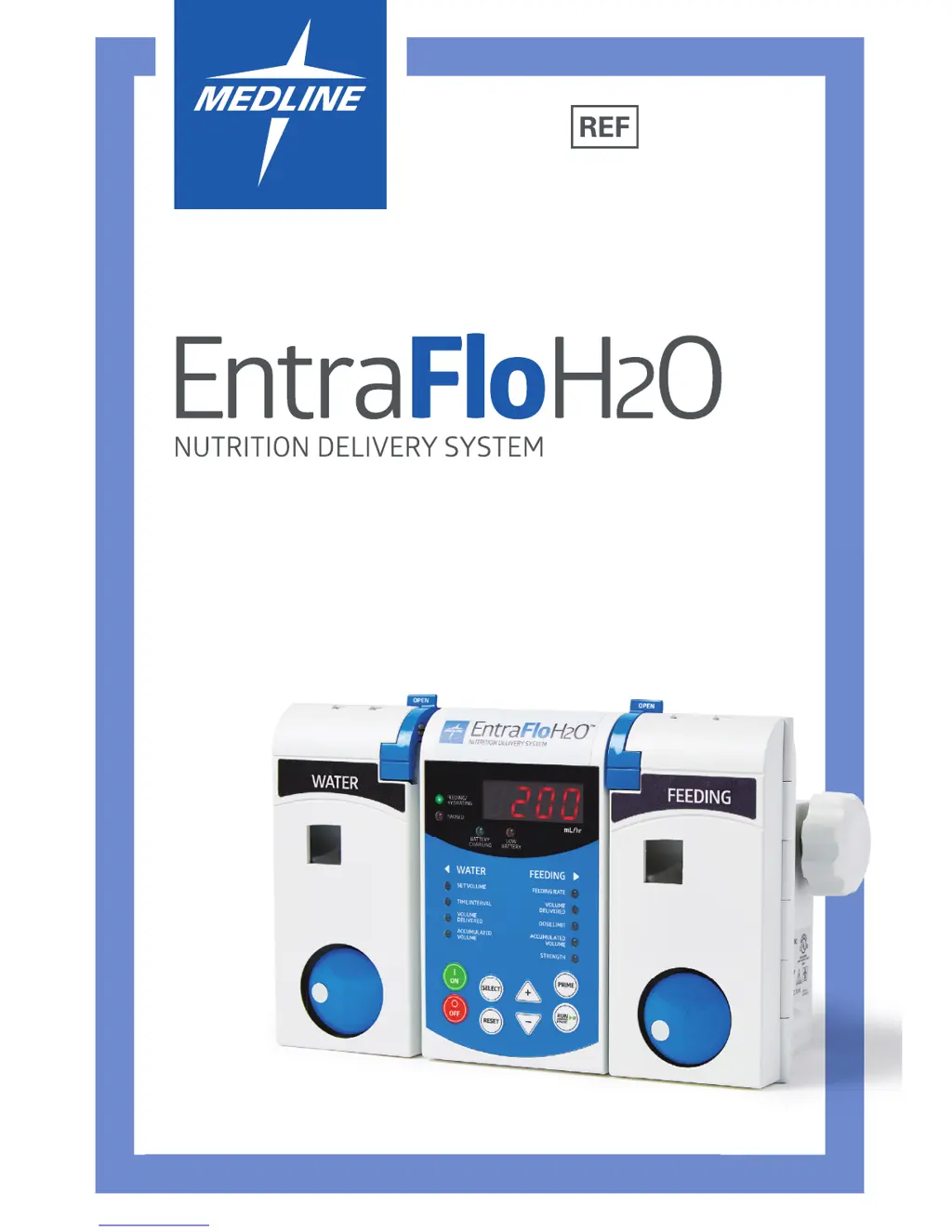
Medline EntraFloH2O - User Manual

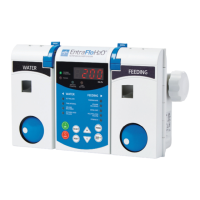
Medline EntraFloH2O
68 pages
Print Icon
To Next Page IconTo Next Page
Loading...
ENT199255
Operating Instructions
Guide d’utilisation
Instrucciones de operación

Questions and Answers

  • T
    tammyjohnsonAug 3, 2025
    What to do if Medline EntraFloH2O Medical Equipment shows LOW BATTERY alarm?
    • B
      brayjessicaAug 3, 2025
      If the LOW BATTERY alarm is activated on your Medline Medical Equipment, it means the battery charge is below the required performance level. To resolve this, plug the cord into an AC outlet to recharge the battery.
  • C
    Christopher BurgessAug 8, 2025
    What to do if Medline Medical Equipment shows FEEd Err alarm?
    • B
      Brian SalasAug 9, 2025
      If the FEEd Err alarm is activated, consider these potential issues and solutions: * The feeding or water container may be empty. Refill or replace the feeding or water container. * There may be an occlusion restricting flow. Check for kinks or blockages in the pump set, tubing, or feeding tube, and ensure the slide clamp is open. Also, check the feeding container. * The drip chamber might not be properly placed in the pump. Ensure it is correctly assembled. * The drip chamber walls could be coated with feeding drops or condensation. Manipulate the chamber to clear any obstructions in the sensor path. * The flow sensor housing may need cleaning. Clean it with a cotton swab dampened with isopropyl alcohol.
  • S
    Steven CampbellAug 14, 2025
    Why Medline EntraFloH2O shows no SEt alarm?
    • M
      Marilyn WhiteAug 14, 2025
      The 'no SEt' alarm on your Medline Medical Equipment indicates a problem with the setup. This could be due to several reasons: * The door might not be closed and latched properly. Ensure the tubing is correctly placed and close the door securely. * The wrong set might be in use. Load the appropriate set for your equipment. * The set might not be properly in place. Ensure the tubing is correctly assembled around the pump rotor, then close and latch the door.
  • B
    Briana RussellAug 21, 2025
    What to do if Medline Medical Equipment shows HoLd Err alarm?
    • C
      Christy SweeneyAug 21, 2025
      The HoLd Err alarm on your Medline Medical Equipment means the pump has been left on hold for more than 2 1/2 minutes. Press the RUN/PAUSE button to resume operation.
  • J
    Jonathon MorenoAug 27, 2025
    What to do if Medline EntraFloH2O Medical Equipment shows doSE dEL Dose Complete?
    • K
      kennethanthonyAug 27, 2025
      The doSE dEL (Dose Complete) message on your Medline Medical Equipment indicates that the pump has delivered the preset volume. To continue, reset the Volume Delivered and start a new dose.

Summary

Introduction

Patient Hydration With Automatic Flush

Administers water with feeding over a selected time interval, concluding with a 25 mL flush.

Feeding Dilution

Allows selection of feeding strength for dilution, from full strength to water only.

Programmable Flush After Dose Is Delivered

Delivers water after the dose limit at a fixed rate for hydration or flushing.

Delivery Set Security Doors

Reduces accidental dislodgment and enables free flow detection for safety.

Automatic Priming

Primes feeding and water automatically, saving nurse time and reducing waste.

Versatility

Highlights adjustable rates, limits, strengths, and volume for flexible delivery.

Lifetime Memory Retention

Automatically recalls settings like rate, dose limit, and volume when the pump is turned on.

Audio And Visual Alarms When Pump Is Turned On

Alerts users to conditions like empty container, occlusion, low battery, or no set.

Designed For Ease Of Use

Features include large LED display, easy cleaning, portability, and adjustable alarm volume.

Controls

Keypad Controls

Details the function of each button on the pump's keypad for operation.

Function Displays

Explains the indicators for pump status, battery, and selected parameters.

Front Of The Pump

Identifies key components located on the front of the pump unit.

Back Of The Pump

Identifies key components located on the back of the pump unit.

Feeding Side Displays

Describes the indicators and parameters related to feeding delivery.

Water Side Displays

Describes the indicators and parameters related to water delivery.

Preparation Of Entraflo H20 Delivery Set

Detailed Operating Instructions

Prepare Entraflo H20 Delivery Set

Step-by-step guide for setting up the delivery set with the pump.

Check Pump Settings

Instructions for verifying and resetting initial pump parameters before use.

Feeding Strength (Dilution)

Explains how to select feeding strength for dilution or water-only delivery.

Hydration With Automatic 25 ML Flush

Details setting up water delivery with automatic flush at the end of a time interval.

Auto Priming

Explains the process and benefits of automatic priming for the delivery set.

Begin Feeding

Instructions on connecting the set and starting the feeding or hydration process.

Use With Entraflo Pump Sets

Guidance on using specific pump sets for feeding or water-only delivery.

Quick Reference

To Set The Feeding Rate

Concise steps for adjusting the feeding infusion rate.

To Set The Dose Limit

Concise steps for setting or disabling the dose limit for feeding.

To Reset Volume Delivered And;Or Accumulated Volume

Steps to reset delivered and accumulated feeding volumes.

Maximum Hydration Settings

Table showing maximum water volumes for different time intervals.

To Deactivate Hydration And Programmable Flush (Water Side Settings)

Steps to turn off hydration and programmable flush features.

Alarms;Indicators

No Set (No Set)

Describes the alarm for a missing or improperly secured delivery set.

Feed Error (Feed Error)

Explains the alarm for occlusions, empty containers, or other feeding errors.

Low Battery (Low Battery)

Indicates low battery status and prompts connection to AC power.

Dose Delivered (Dose Delivered)

Signals when the set dose limit has been reached.

Hold Error (Hold Error)

Alarm for the pump being left in pause mode for too long.

Running;Stopped Illuminated

Indicator showing the current operational status of the pump.

Battery Charging Illuminated

Indicator showing the pump is connected to AC power and charging.

Troubleshooting

Specifications

Delivery Sets

Lists the available EntraFlo H20 delivery sets.

Symbols On Pump And Accessories

Self Test

Factory Service

Safety And Warnings

Limited Warranty

Cleaning

Disinfecting

Medline EntraFloH2O Specifications

General IconGeneral
BrandMedline
ModelEntraFloH2O
CategoryMedical Equipment
LanguageEnglish

Related product manuals