D-0123003-B 05/2019
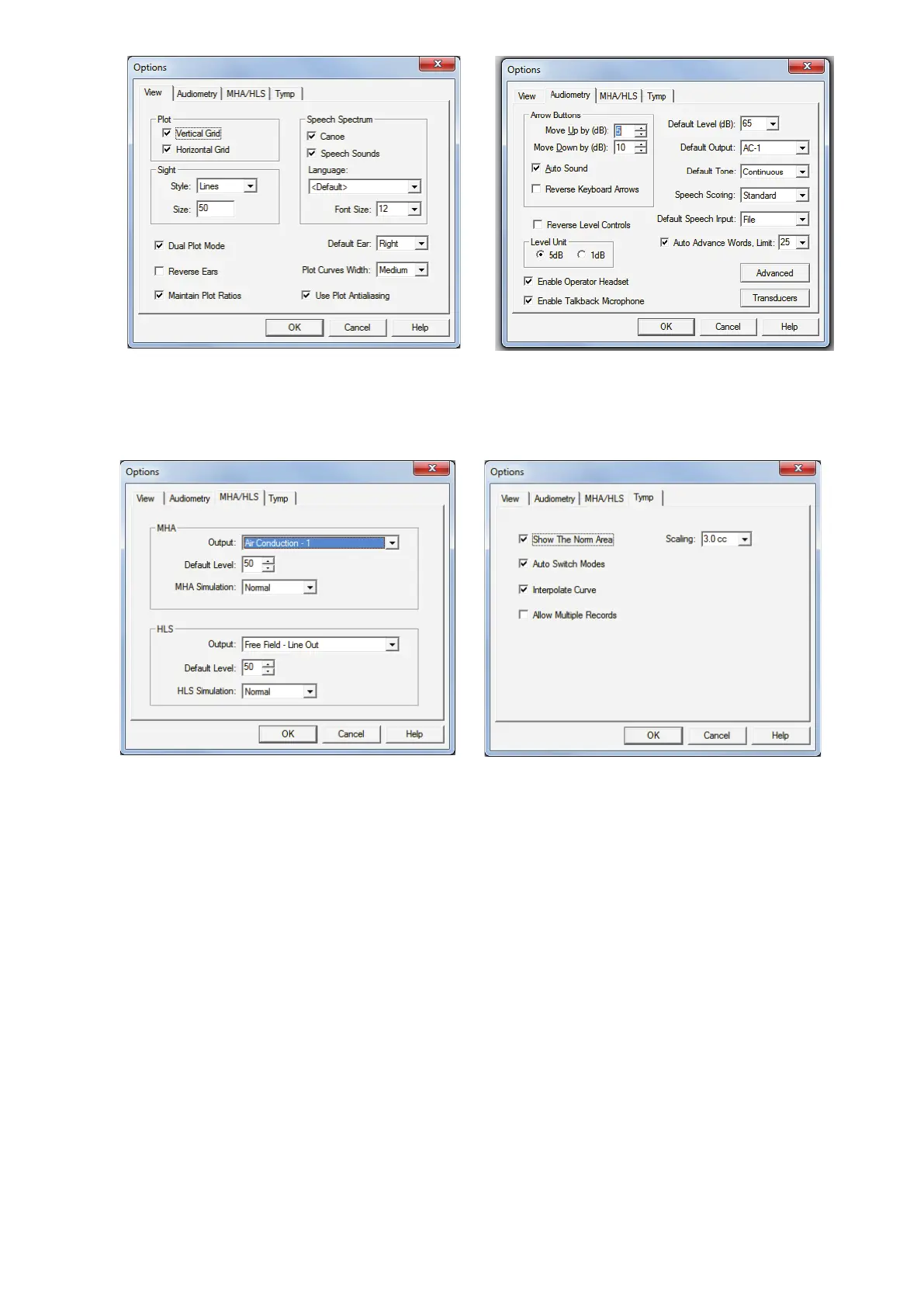
The View tab allows you to set the default
appearance of the test environment.
The Audiometry tab sets the look and
behavior of the audiometer.
The MHA/HLS tab sets the default look and
behavior of the Master Hearing Aid and
Hearing Loss Simulator.
If your system has a Tympanometer
connected, this tab will assist in configuring
the look of the display.
NOTE: Remember, more information is always available in the Interactive Help System by
clicking the Help Icon or pressing the F1 key.


 To Next Page