D-0123003-B 05/2019
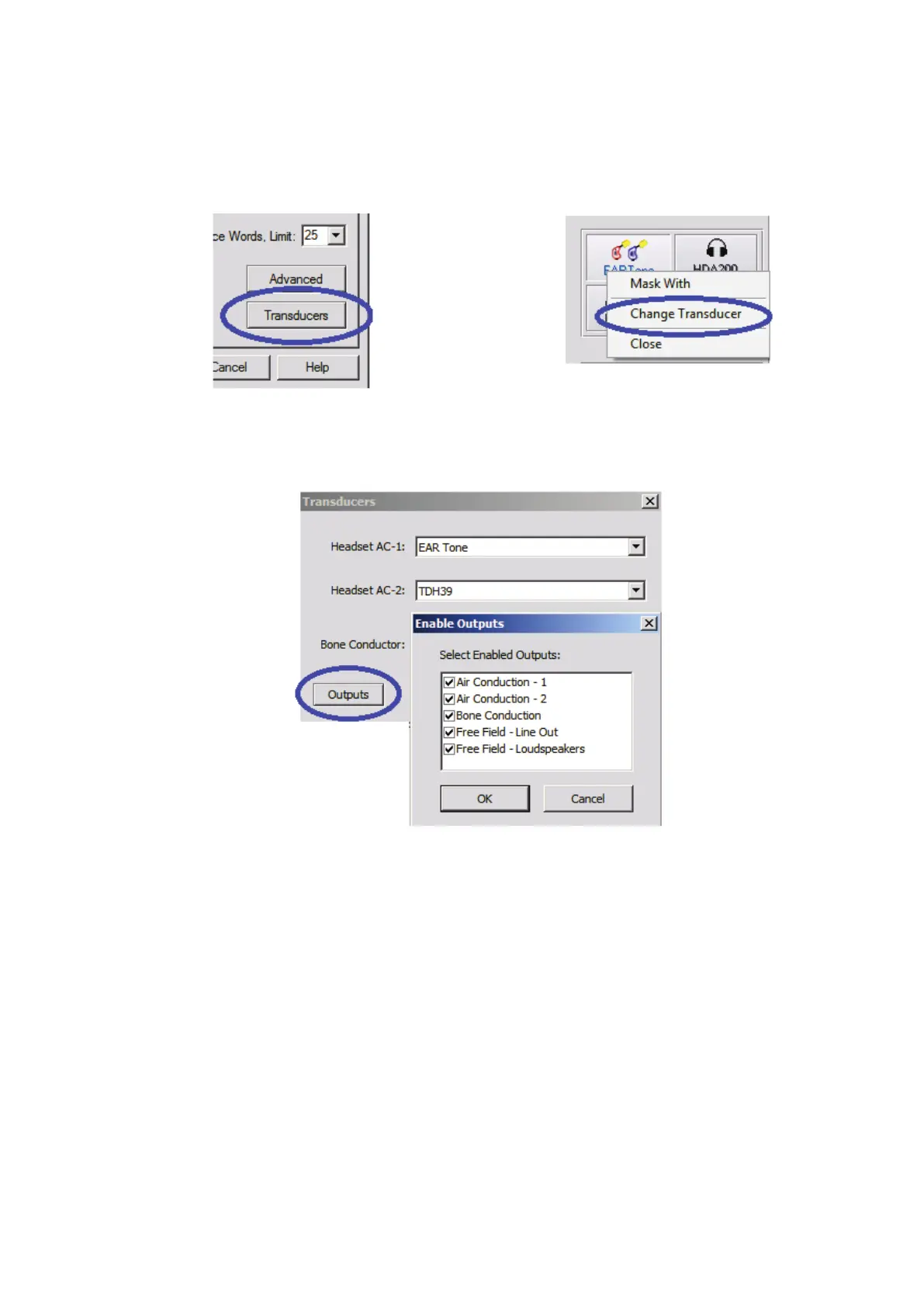
Assign Transducers
Option 1: On the Audiometry Options
screen click Transducers to assign specific
transducers to the audiometer outputs.
Option 2: You can change transducers by
Right-Clicking on any transducer icon on
the Audiometry screen.
The Transducers dialog box will then appear. Select the appropriate transducer for each
output.
To add or remove outputs, Click Outputs to enable or disable transducer buttons on the


 To Next Page