D-0123003-B 05/2019
Advanced Options
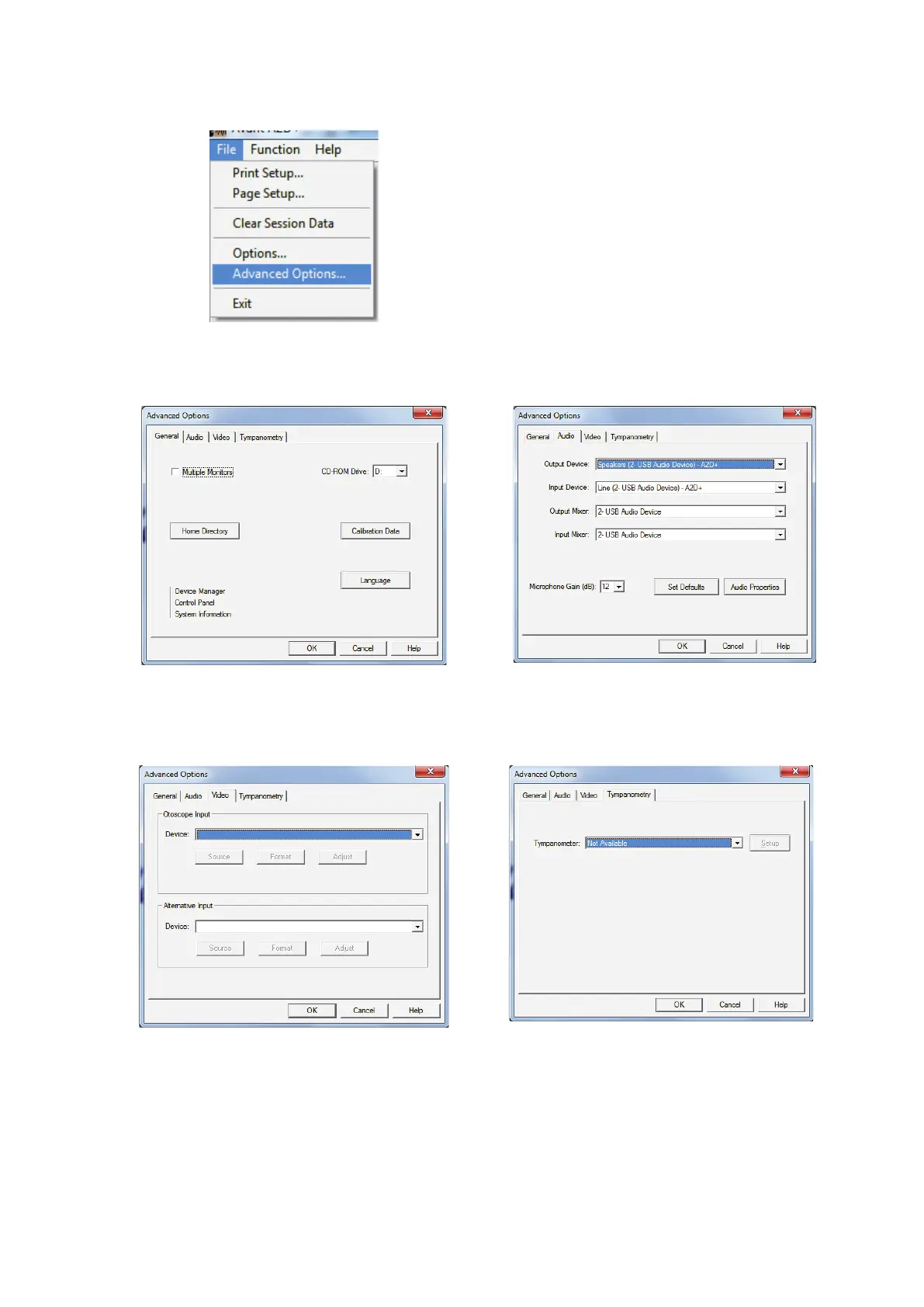
The Advanced Options screen allows you to
configure your system to meet your individual
clinical needs. It also provides MedRx
Technical Support with tools for helping you
troubleshoot technical issues. Access this
screen from the File Menu on the Avant Main
Screen as shown to the right.
The key features of each tab are described below. For more in-depth information, consult the
interacti
ve Help system within the software by pressing the F1 key or clicking the Help icon.
The General Tab configures the overall
AVANT Audiometer behavior with respect to
other Windows programs, specifically NOAH.
Use the Audio Tab to select the proper audio
device for your Audiometer. This tab also
provides access to the Windows Audio
If your system has a Video Otoscope, the
Video tab allows you to select the
appropriate device driver.
If your system has a Tympanometer
connected, use this tab to identify it and
ensure the driver and software that control it
are correctly installed.


 To Next Page