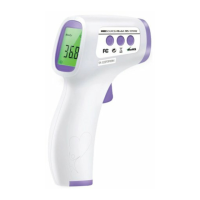
15
2.8 Parameter Mode
The thermometer has four parameters that can be tailored to certain populations or environmental
conditions.
Entering Parameter Mode
• Ensure the thermometer is on.
• Press and hold the Set Button until “F1” and then “Unit” is displayed
.
Temperature Units (F1)
The thermometer can be set to display the temperature in Fahrenheit or Celsius.
• Press either the Memo Button or the Mode Button to toggle between Fahrenheit and Celsius.
• When the desired units have been selected, press the Set Button to move to the next parameter.
Fever Threshold (F2)
The thermometer allows the fever threshold to be modified. This is the value at which the thermometer
will indicate a slight fever. The default value is 100.5 °F.
• The threshold value will be displayed as it is modified.
• Press the Memo Button to increase the threshold by approximately 0.2 °F (0.1 °C).
• Press the Mode Button to decrease the threshold by approximately 0.2 °F (0.1 °C).
• When the desired threshold has been selected, press the Set Button to move to the next
parameter.
Audio (F3)
The thermometer can be used with audio enabled or disabled.
• Press either the Memo Button or the Mode Button to toggle between audio enabled and audio
disabled.
• When the desired audio setting has been selected, press the Set Button to move to the final
parameter.
Note: The audio can also be enabled and disabled via Set Button when not in Parameter Mode.
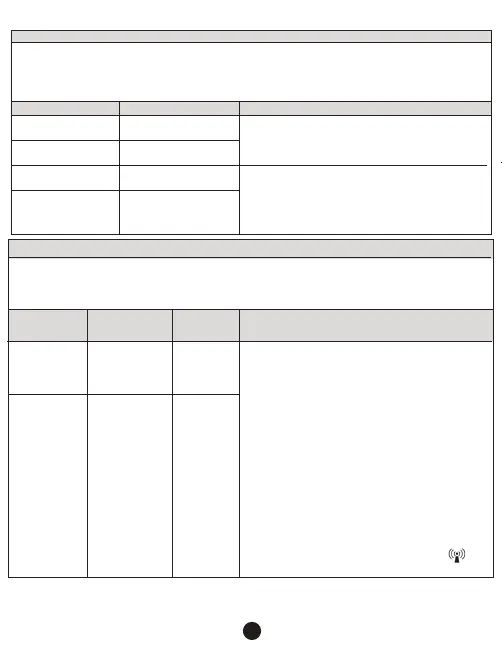
The Non-Contact Infrared Body Thermometer is intended for use in the electromagnetic environment
specified below. The customer or the user of the Non-Contact Infrared Thermometer should ensure that it is
used in such an
environment.
The Non-Contact Infrared Body Thermometer uses RF
energy only for its internal function. Therefore, its RF
emissions are very low and are not likely to cause any
interference in nearby electronic equipment.
The Non-Contact Infrared Body Thermometer is
suitable for use in al establishments, other than
domestic and those directly connected to the public
low-voltage power supply network that supplies
buildings used for domestic purposes.
Group 1
Class B
Not Applicable
Not Applicable
RF Emissions
CISPR 11
RF Emission
CISPR 11
Harmonic Emissions
IEC 6100-3-2
Voltage Fluctuations/
Flicker Emissions
IEC 61000-3-3
Guidance and Manufacturer’s Declaration – Electromagnetic Emission
Emission Test Compliance Electromagnetic Environment - Guidance
Portable and mobile RF communications equipment
should be used no closer to any part of the Non-Contact
Infrared Thermometer, including cables, than the
recommended separation distance calculated from the
equation applicable to the frequency of the transmitter.
Recommended Separation Distance
d = 1.2 √p (150 kHz – 80 MHz)
d = 1.2 √p (80 MHz – 800 MHz)
d = 1.2 √p (800 MHz – 2.5 GHz)
Where p is the maximum output power rating of the
transmitter in watts (W) according to the transmitter
manufacturer and d is the recommended separation
distance in meters.
Field strengths from fixed RF transmitters, as
determined by electromagnetic site surveysª should be
less than the compliance level in each frequency
range. Interference may occur in the vicinity of
equipment marked with the following symbol:
The Non-Contact Infrared Body Thermometer is intended for use in the electromagnetic environments
specified below. The customer or user of the Non-Contact Infrared Body Thermometer should ensure that it
is used in such an environment.
Conducted RF
IEC 61000-4-6
3VRMS
150kHz to
80 MHz
Not
Applicable
Radiated RF
IRC61000-4-3
3 V/M
80MHz to
2.5 GHz
3 V/M
Guidance and Manufacturer’s Declaration – Electromagnetic Immunity
Electromagnetic Environment - GuidanceCompliance
Level
IEC 60601
Test Level
Immunity Test


 To Next Page
 Loading...