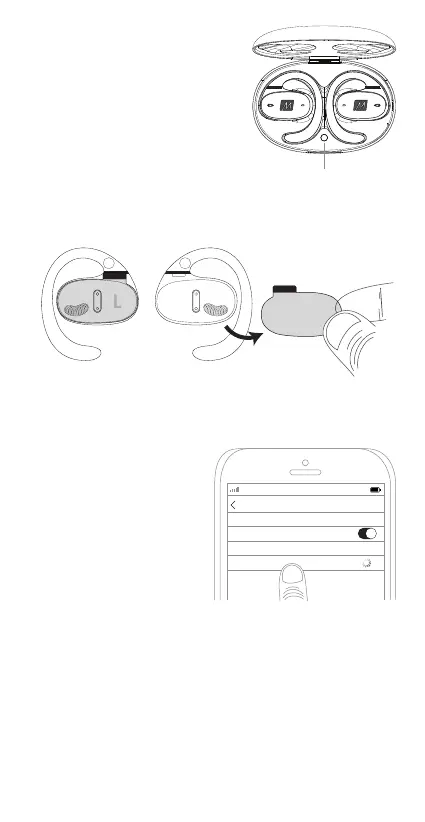
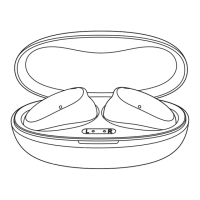
The AirHooks Pro will automatically
enter pairing mode when using
them for the first time.
You can also initiate pairing mode
by pressing and holding the sync
button on the case until the case
lights flash (approximately 5s).
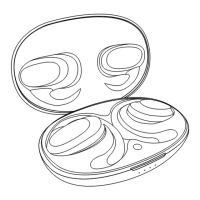
1. Remove the plastic film from each earpiece and place them
back into the case
2. Close the lid and wait 5 seconds
3. Open the lid to enter pairing mode, indicated by
flashing red and white lights on each earpiece.
4. Open the Bluetooth menu
on your device and select
“MEE audio AirHooks Pro”
5. Once pairing is complete,
the indicator lights on the
earpieces will stop flashing
red and white.
Pairing
The AirHooks Pro will automatically reconnect to the last paired
Bluetooth device upon opening the case lid.
*If your AirHooks Pro do not auto-reconnect, you can initiate
reconnection by performing the following steps:
1. Place the earpieces back into the case and close the lid
2. Wait 5 seconds
3. Reopen the lid and select “MEE audio AirHooks Pro” from the
list of your paired devices in your Bluetooth menu.
Subsequent Use
sync button
RL
LS RS
AT&T LTE
12:26 PM
95%
Bluetooth
Settings
MEE audio Airhooks Pro
Bluetooth


 To Next Page