9
SAFETY AND CARE
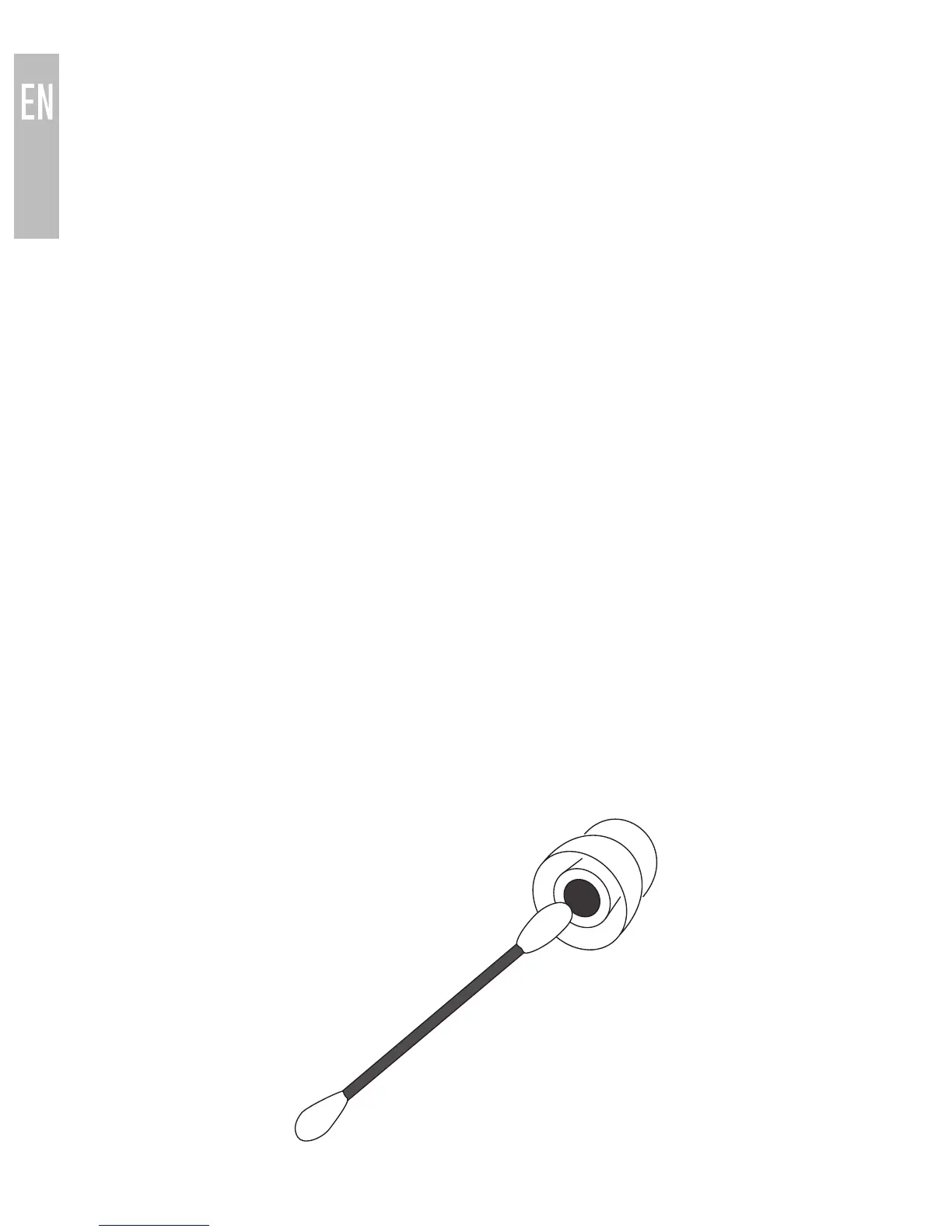
To clean, remove the eartips and rinse them under running water.
Clean the earphones using a cotton swab damp with a small amount of
rubbing alcohol. Allow the earphones and eartips to dry completely before
resuming use.
Use only the supplied Micro-USB charging cable or a compatible
replacement from a reputable manufacturer.
Battery performance will be severely decreased when stored in extreme
temperatures: below -10°C/14°F or above 50°C/122°F, including direct
sunlight.
If the device comes in contact with liquids, quickly wipe away.
If submersed in water, do not turn the device on until completely dried.
Note: liquid submersion voids the warranty.
Do not use around flammable gasses as fire may occur.
Keep the device and packaging out of reach of children.
•
•
•
•
•
•
FACTORY RESET
A factory reset will clear all paired devices from memory. To perform a factory
reset, put the headset in pairing mode as described in the Bluetooth Pairing
section, then press and hold the Volume up and Volume down buttons at the
same time for 2 seconds. The headset will produce three tones and the blue
indicator light will flash twice to indicate the memory has been cleared. The
headset will need to be paired with a Bluetooth device before use.



 To Next Page