11
Removing M.2 SSD (Optional)
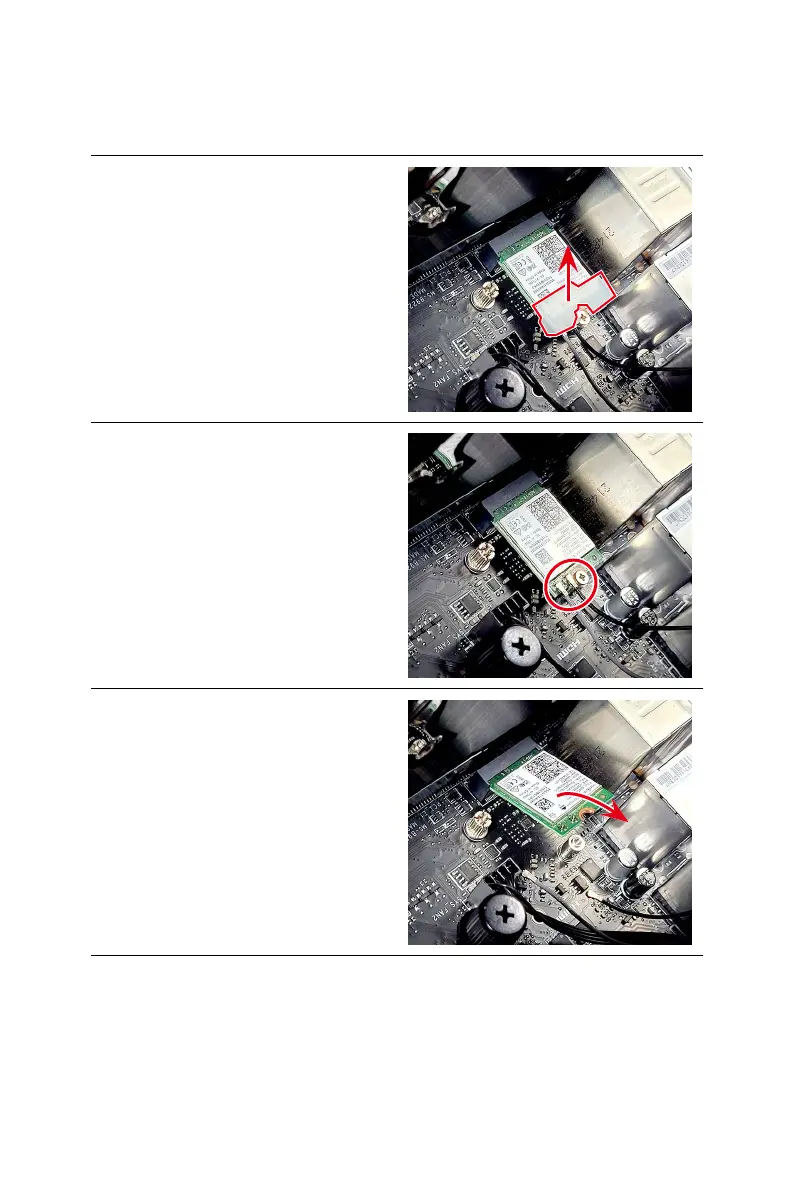
Removing Wireless Card
∙
Follow the steps below in reverse order to install/replace the component if needed.
1. Remove the wireless card clip.
2. Disconnect the antenna cables and
remove the screw that secures the
wireless card.
3. Remove the wireless card from the
card slot.


 To Next Page