16
Installing 3.5” HDD (Optional)
Installing 3.5” HDD (Optional)
∙
Follow the steps below in reverse order to replace the component if needed.
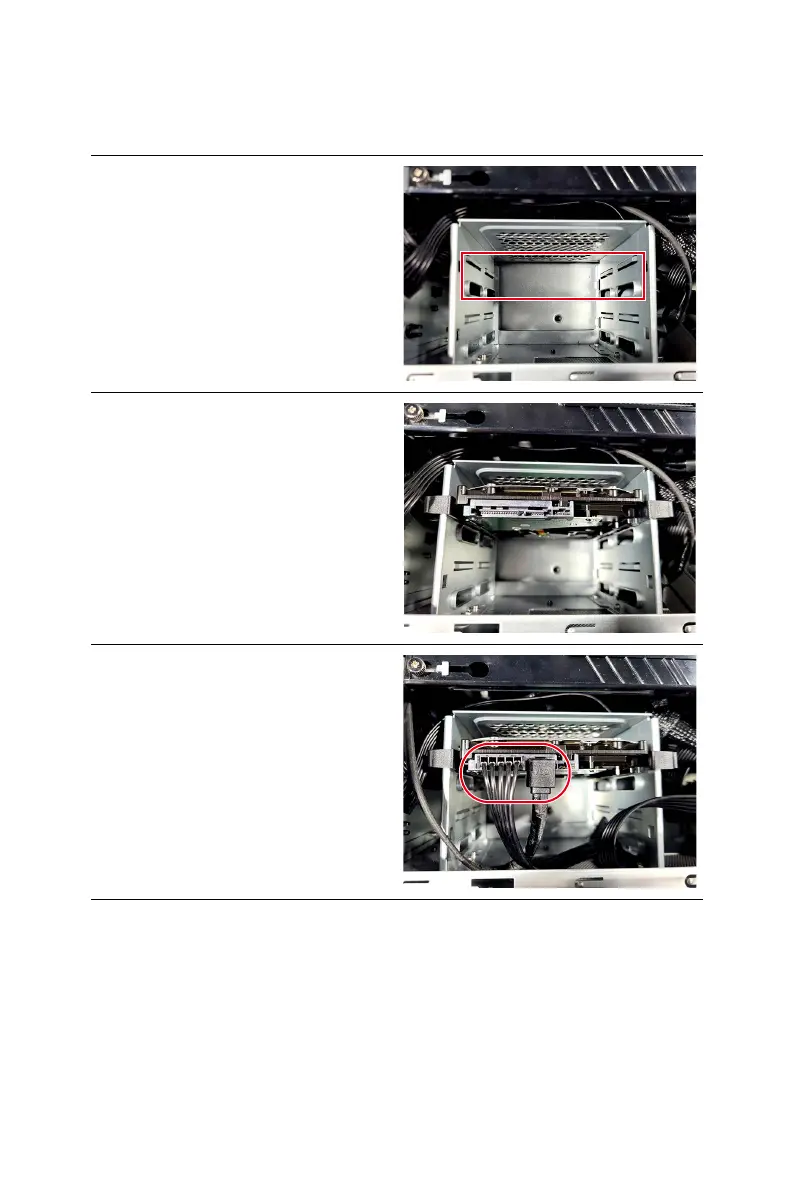
1. Locate the 3.5” HDD cage.
2. Insert and gently push the HDD into
the cage until it locks in place.
3. Connect the power and signal cables
to the HDD.


 To Previous Page