12
Removing Graphics Card
Removing Graphics Card
⚠
Important
∙
Reference image only. Graphics card appearance will vary.
∙
Follow the steps below in reverse order to install/replace the component if needed.
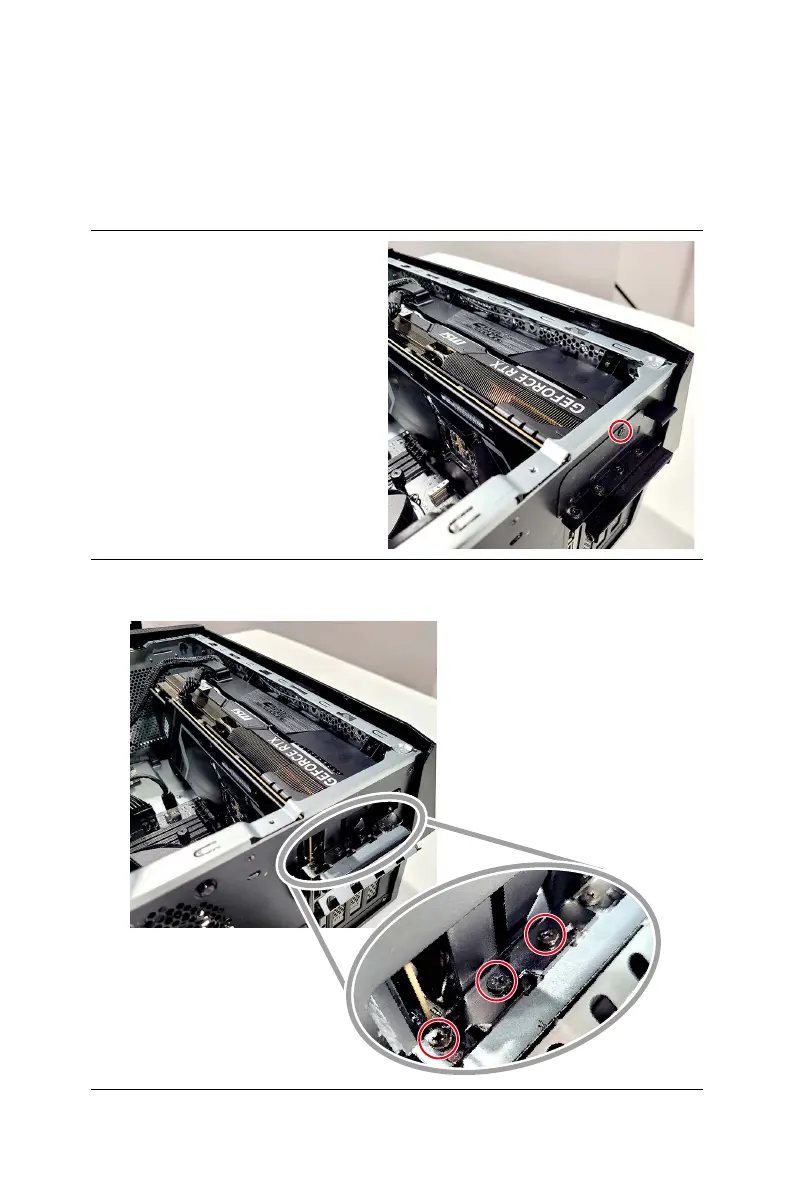
1. Unscrew the system bracket that
secures the graphics card.
2. Flip the system bracket outwards.
3. Remove the screws from the graphics card bracket.


 To Next Page