M
AVTM651070 Rev B Nov 2006
14
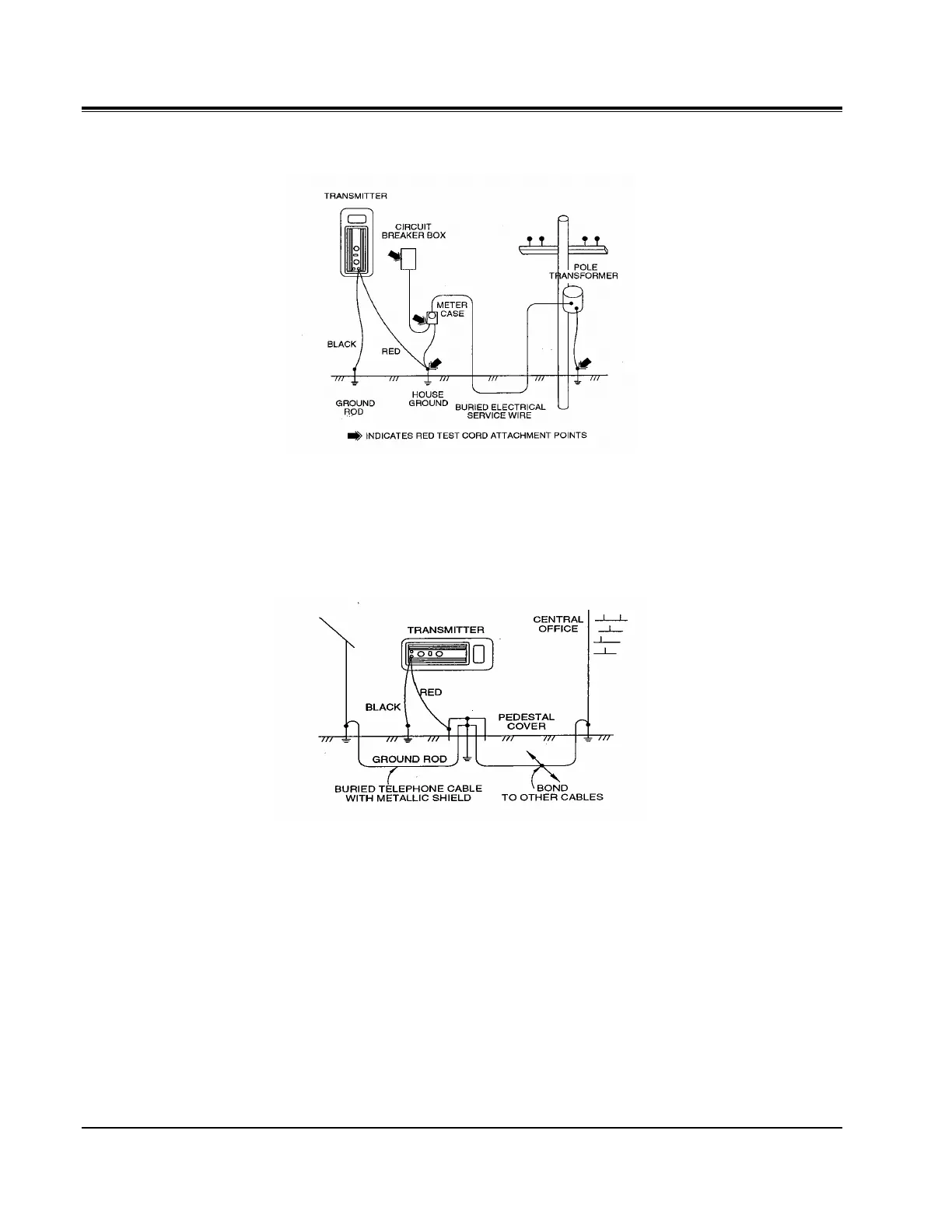
Figure 3: Multiple Ground Power Utility Application
Telco Circuit Connection
Figure 4: Multiple Ground Telco Application
Connect the red test cord to an existing ground point. Place the ground rod
approximately 10 ft (3 m) from this point, at an angle of 90° to the buried cable
or pipe. Drive the ground rod into the ground 8 to 10 in. (20.3 to 25.4 cm).
Connect the black test cord to the ground rod.
Plug the red/black test cord into the TX OUTPUT jack. Set the FREQUENCY
switch to AF. The TX ON indicator will start blinking.
Turn to the Receiver Operation section to begin locating the cable or pipe.


 To Next Page