www.megger.com
OTS80PB and OTS60PB OTS100AF, OTS80AF and OTS60AF
25
Operating instructions
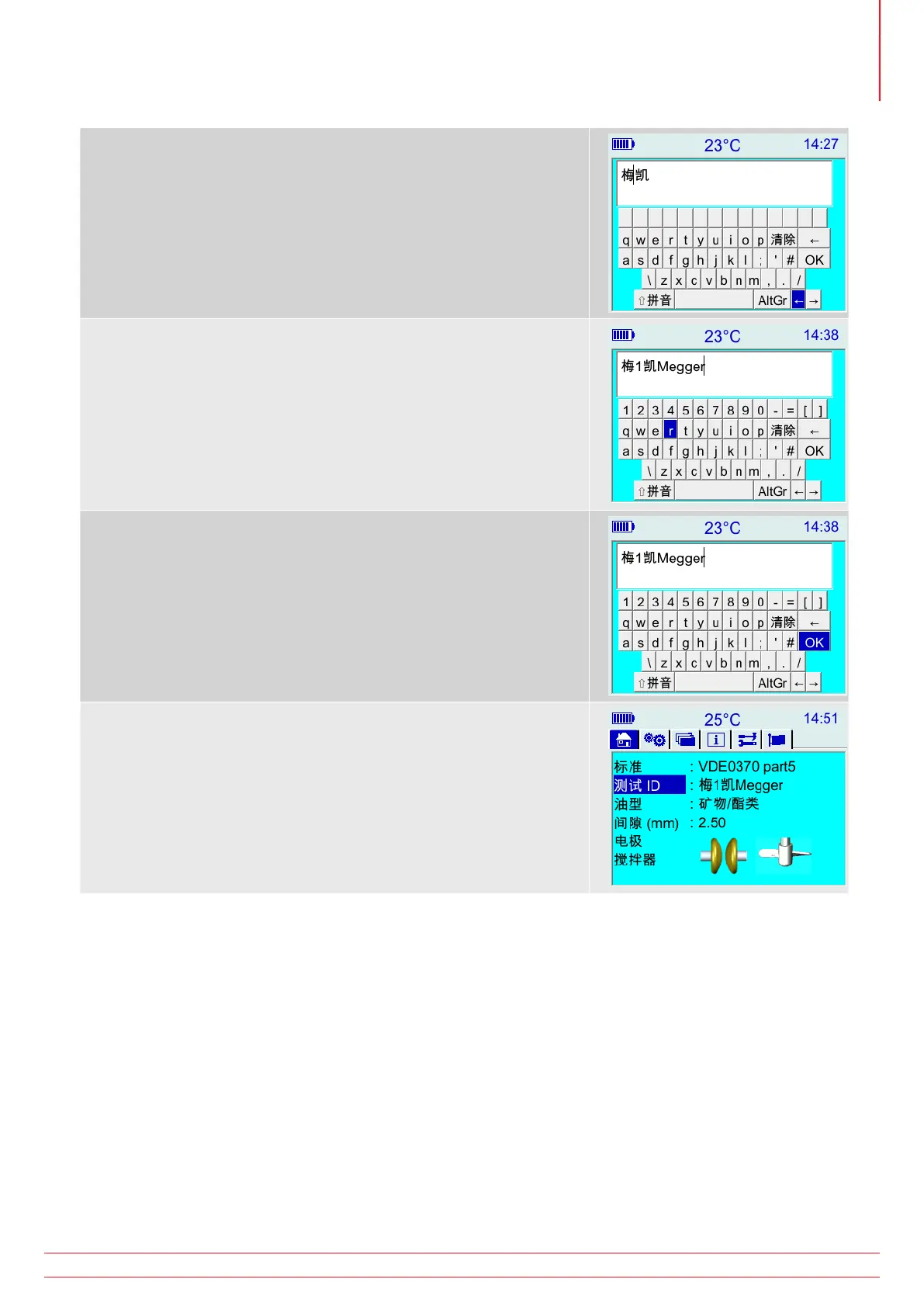
Once deleted, it is possible to move the cursor back in between
characters by using the left arrow highlighted as shown below.
While editing it is possible to switch between keyboard modes, for
example, combination of alphanumeric and Chinese characters.
To accept the entered test ID, navigate the highlight to the virtual
keyboard “OK” and press the physical OK button.
The instrument returns to home screen with the entered test ID.



 To Next Page