8 The meinbergOS Web Interface
8.1.3 Basic Configuration Principles
meinbergOS operates on the basis of a dual-configuration system: the Running Configuration and the Startup
Configuration.
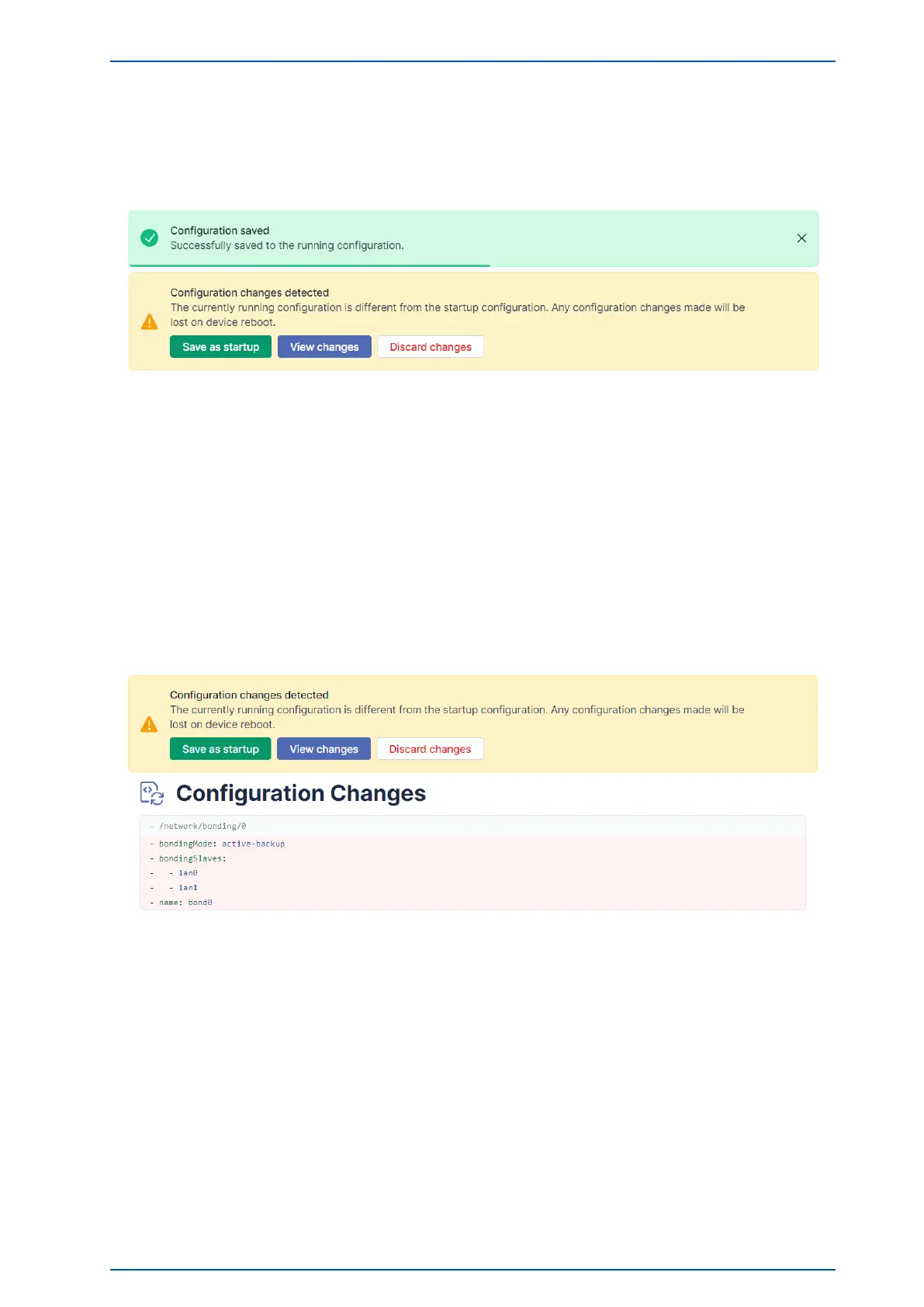
Figure 8.2: meinbergOS Web Interface: Saving Changes to the Running Configuration
The Running Configuration is the configuration that is currently active on the meinbergOS device. Whenever
a change to the configuration is applied using a Save button, that change will be confirmed using the green
dialog box shown in the screenshot above, which confirms that it has been applied to the Running Configuration.
The Startup Configuration is the configuration that is applied as the Running Configuration when the mein-
bergOS device is (re)booted. If there are differences between the current Running Configuration and the saved
Startup Configuration, the yellow dialog box shown in Fig. 8.2 will be displayed. To save the Running Configu-
ration as the Startup Configuration, click on Save as Startup and the Startup Configuration will be overwritten
with the current Running Configuration.
Figure 8.3: meinbergOS Web Interface: Reviewing Changes to the Configuration
If you are unsure which changes have been made to the configuration and wish to review them before adopting
them as the Startup Configuration, click on View Changes to view the changes that have been made (see Fig.
8.3).
To reject all changes to the configuration and re-apply the Startup Configuration, click on Discard Changes.
microSync Date: January 19, 2023 71


 To Next Page