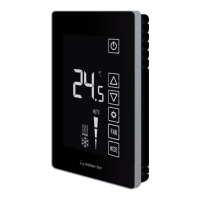
etn24-super-si-series-europe-rev1.3-letter.doc
rev. 1.3 22/06/2006
On/Off Select Prog
Cool
Heat
Auto
Fan
Setting
Meitav-tec Ltd (Contel group)
Tel: +972 (3) 962 6462 Fax: +972 (3) 962 6620
www.meitavtec.com - support@meitavtec.com
ETN-24-SUPER-SI Series
Owner’s Manual – Installation and Operating Instructions
Please read this manual carefully before installation and use.
Index
Options & Accessories 1
Installation Instructions 2
Wiring Connections 3
DIP switch Explanation 4
Operating Manual 5
Remote control 6
Technician Settings 7
1. Options & Accessories
• External sensor option: RS01 for remote temperature sensing (1 required) RS01 for
averaging temperature with thermostat (4 required) RS02 for averaging temperature with
thermostat (2 required RS02 has two thermistors in one enclosure).
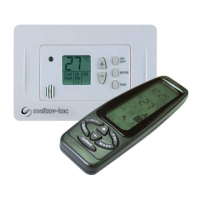
• Hand held remote control.
• Door switch or window contact connection.
2. Installation Instructions
Separate the front panel from back panel by depressing the
tongue located in the top of the unit.
Pull the back panel out.
Line the back panel up against the wall or flat surface. Install
three screws as required.
Make electrical connections as shown on enclosed electrical
wiring diagram. (Next page)
Install the cover to the back panel; first the two tabs on the
bottom and then the top tongue. Push until tight against the
wall.

 Need help?
 General

 To Next Page